By Creative Memories
March 16, 2026

Spring Equinox Borders in Bloom

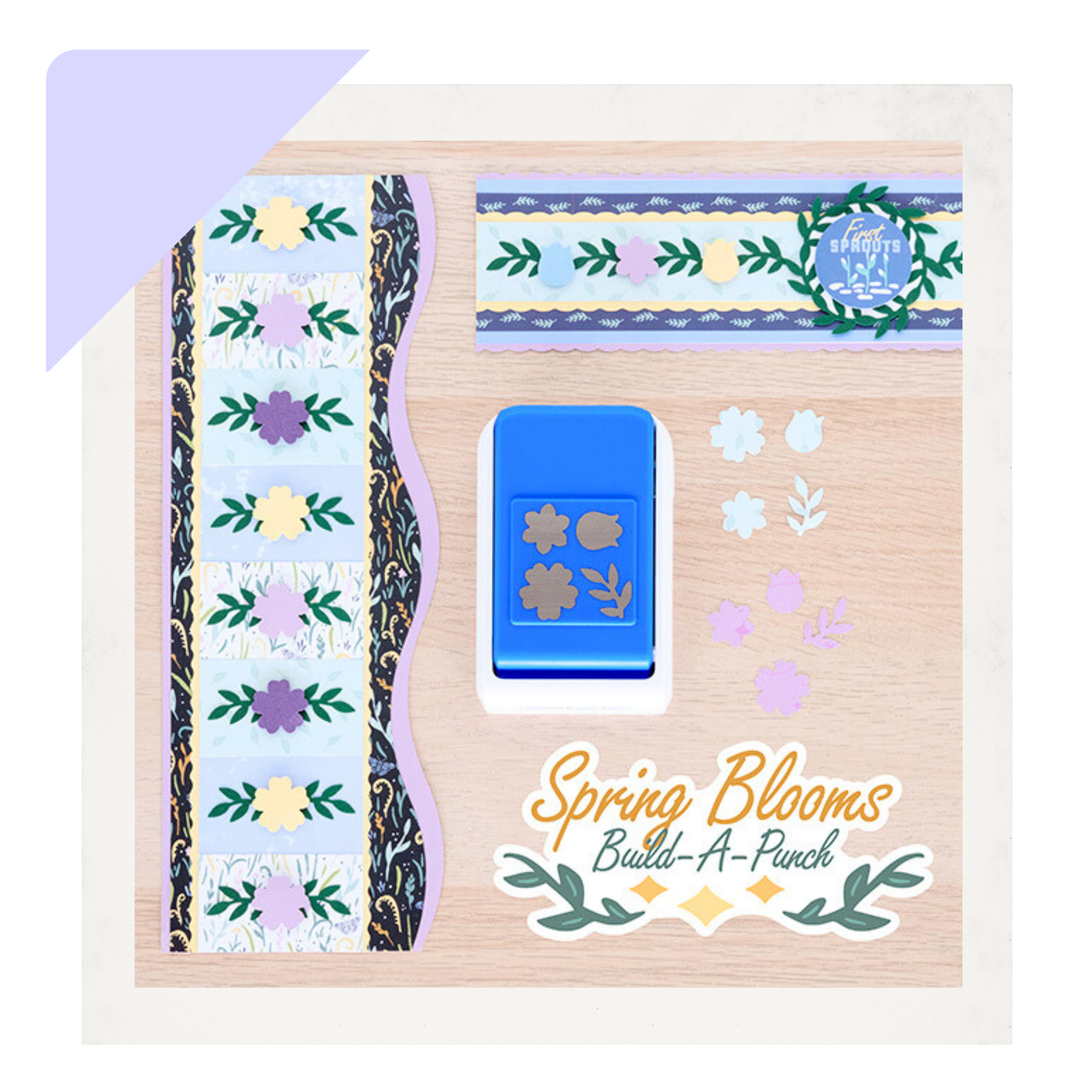
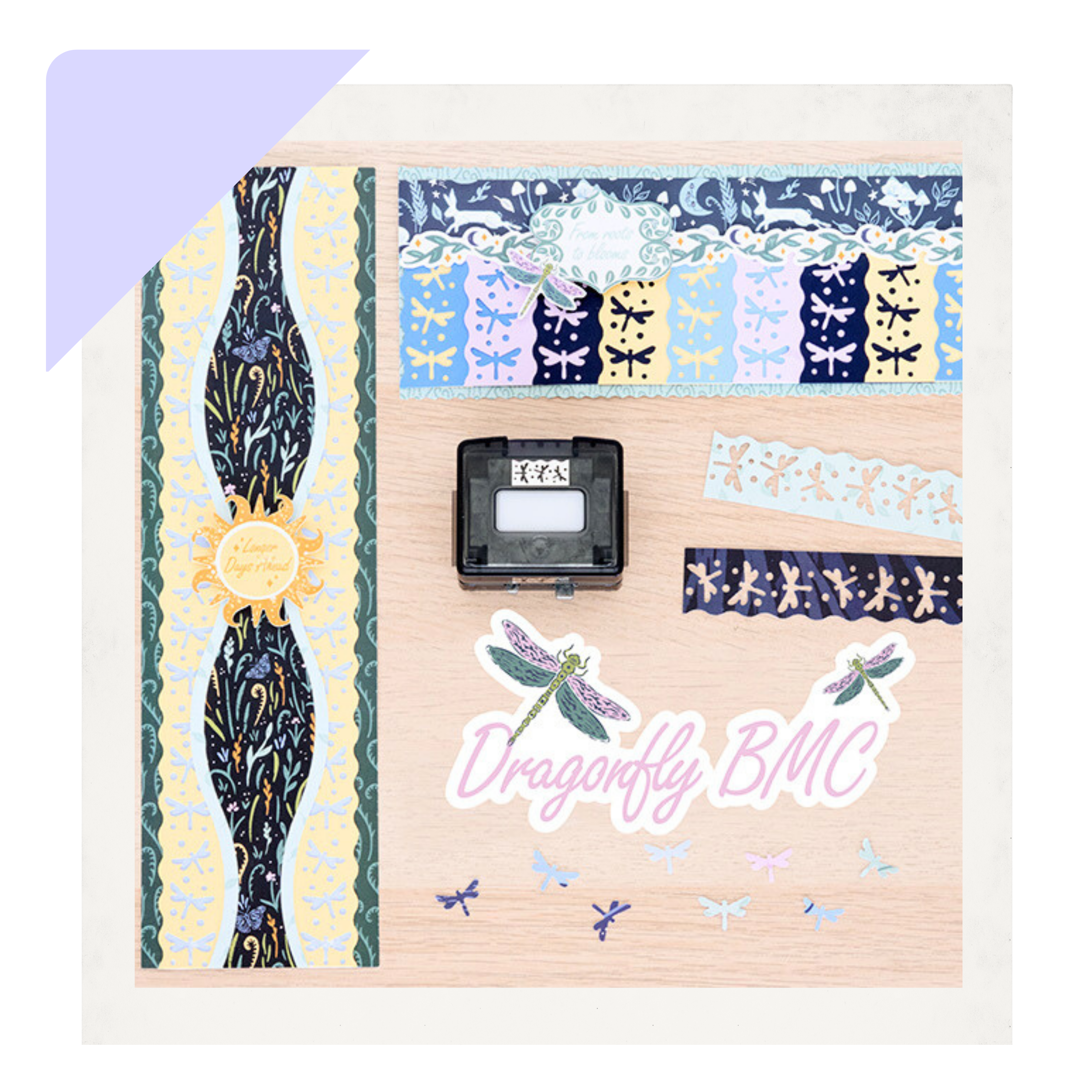
The Spring Equinox collection includes a couple of tools that make creating spring-inspired details especially fun. With the Spring Blooms Build-A-Punch and the Dragonfly Border Maker Cartridge, you can add florals, fluttering accents and layered touches that bring movement to the page. These borders show just how easily those tools can add charm and personality to your spring layouts.

Dragonfly BMC Borders:

To create these borders, you will need these general products: 

Spring Blooms Build-a-Punch Borders

To create these borders, you will need these general products: 

Border by Krislyn Mattei — CM Independent Advisor

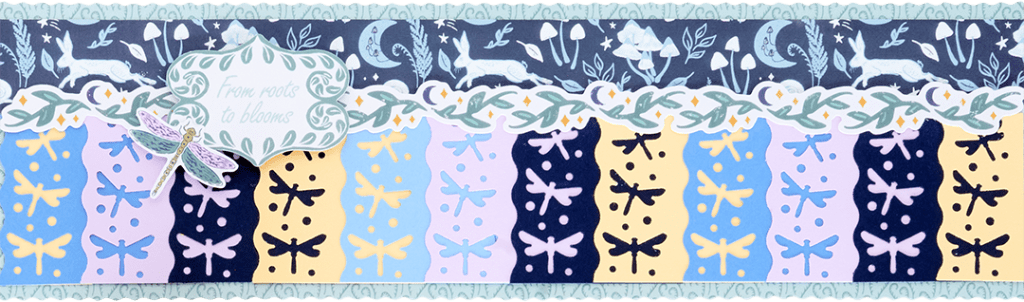
Step 1: Using the wave blade, cut a 12″ x 3-1/2″ strip with the light green F2F-inspired paper for the base. (With the straight blade) cut a 12″ x 1″ strip with blue forest animals F2F-inspired paper and adhere it near the top of the base.

Step 2: Using the Dragonfly BMC, punch borders with each Songbird Blue, Cornflower Blue, Navy, Purple Ice and Canary Solid Cardstock, trimming each border off at 2″. Cut the borders apart into 2″ sections. Layer and adhere the sections as shown on the bottom section of the base, working from left to right. After adhering the final canary piece on the right, trim it off at 1″ and adhere the solid (unpunched) piece underneath the first section on the left side of the border.

Step 3: Adhere a foliage border sticker along the seam. Adhere title and dragonfly stickers using foam squares for added dimension.


Border by Krislyn Mattei — CM Independent Advisor

Step 1: Cut a 3-1/2″ x 12″ strip with ferns designer paper for the base. Cut a 2-3/4″ X 12″ strip with the blue tonal paper and adhere it onto the base. 

Step 2: Cut a 3-1/4″ x 12″ strip with Canary Solid Cardstock. Using the Dragonfly BMC, punch both long sides of the strip. Adhere on top of the blue tonal paper.

Step 3: Using the Ripple edge of the CCS Border Cutting Tools and the red blade, cut a 2″ x 12″ strip with the little leaves designer paper; then cut a 1-5/8″ x 12″ strip with forest foliage paper. Layer and adhere both strips onto the border as shown.

Step 4: Adhere the title sticker using foam squares for added dimension.


Border by Krislyn Mattei — CM Independent Advisor

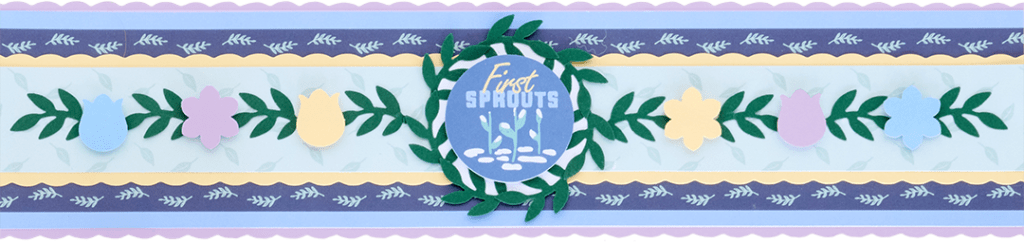
Step 1: Using the scallop blade, cut a 12″ x 2-3/4″ strip with Purple Ice Solid Cardstock for the base. (With the straight blade) cut two 12″ x 5/8″ strips with stripes designer paper and adhere it 1/8″ from the top and bottom of the border.

Step 2: Using the scallop blade, cut a 12″ x 1-1/2″ strip with the Canary Solid Cardstock. Adhere the strip onto the border. (With the straight blade) cut a 12″ x 1-1/4″ strip with the little leaves designer paper and mount it on top.

Step 3: Using the Spring Blooms Build-a-Punch, punch shapes with Songbird Blue, Purple Ice and Canary Solid Cardstock. Cut a 1″ strip with the Dark Green Solid Cardstock. Feed it into the leaves area of the punch and punch just the leaves. Repeat to punch 15 leaves shapes. Adhere eight of the leaves onto the border, adhering small flowers (using foam squares) in between, as shown. Leave a space in the center.

Step 4: Using the inside of the medium CCS circle pattern and the blue blade, cut a circle with Bright White Solid Cardstock. Adhere 7 leaves shapes around the outside of the circle, overlapping slightly, to form a wreath. Adhere it on the center of the border. Adhere the “First Shoots” embellishment using foam squares.

Border by Krislyn Mattei — CM Independent Advisor

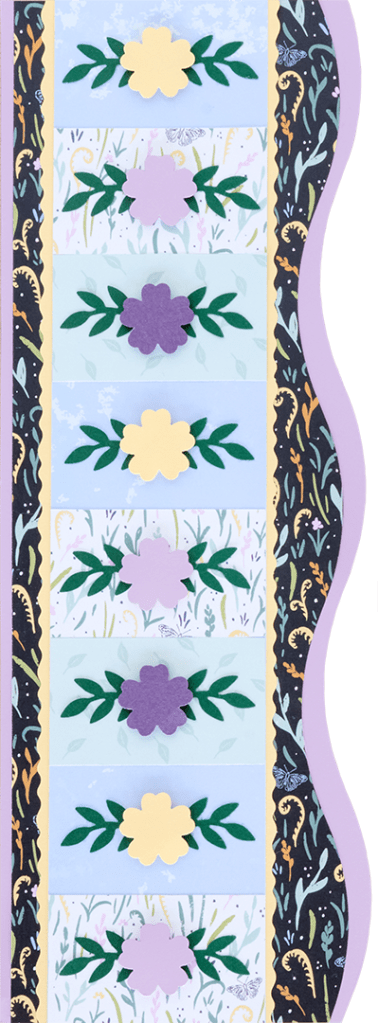
Step 1: Using the Ripple edge of the CCS Border Cutting Tools and the red blade, cut a 4-1/4″ x 12″ strip with Purple Ice Solid Cardstock for the base. Using the same edge and blade, but placing the paper slightly lower on the cutting mat, cut a 3-3/4″ x 12″ strip with forest foliage designer paper and adhere it onto the base.

Step 2: Using the twist blade, cut a 2-3/4″ x 12″ strip with Canary Solid Cardstock and adhere it onto the border, 1/2″ from the left edge. (With the straight blade) cut a 2-1/2″ x 12″ strip with the blue tonal paper and adhere on top of the border.

Step 3: Cut three 2-1/2″ x 1-1/2″ pieces with white foliage F2F-inspired paper and two pieces with the little leaves designer paper. Adhere on the blue tonal paper strip as shown. 

Step 4: Using the Spring Blooms Build-a-Punch, punch out 8 of the larger flower shapes with Canary, Purple Ice and Eggplant Solid Cardstock. Cut 1″ strips with the Dark Green Solid Cardstock and punch out 16 of the leaves shapes. Adhere the shapes as shown on each of the sections, popping the flowers up with foam squares.


A few blooms and a dragonfly or two can go a long way. Try these borders on your spring pages and watch your layouts take flight!


P.S. Are YOU a member of the Virtual Crop Group? It’s your go-to place for MONTHLY Virtual Crops, MONTHLY Completed Album Challenges, QUARTERLY Secret Box Openings with project tutorials and so much more! We hope you’ll join our community of more than 49,000 fellow memory-keeping enthusiasts — you’ll feel right at home!

March 13, 2026

The March 2026 Virtual Crop is HERE!

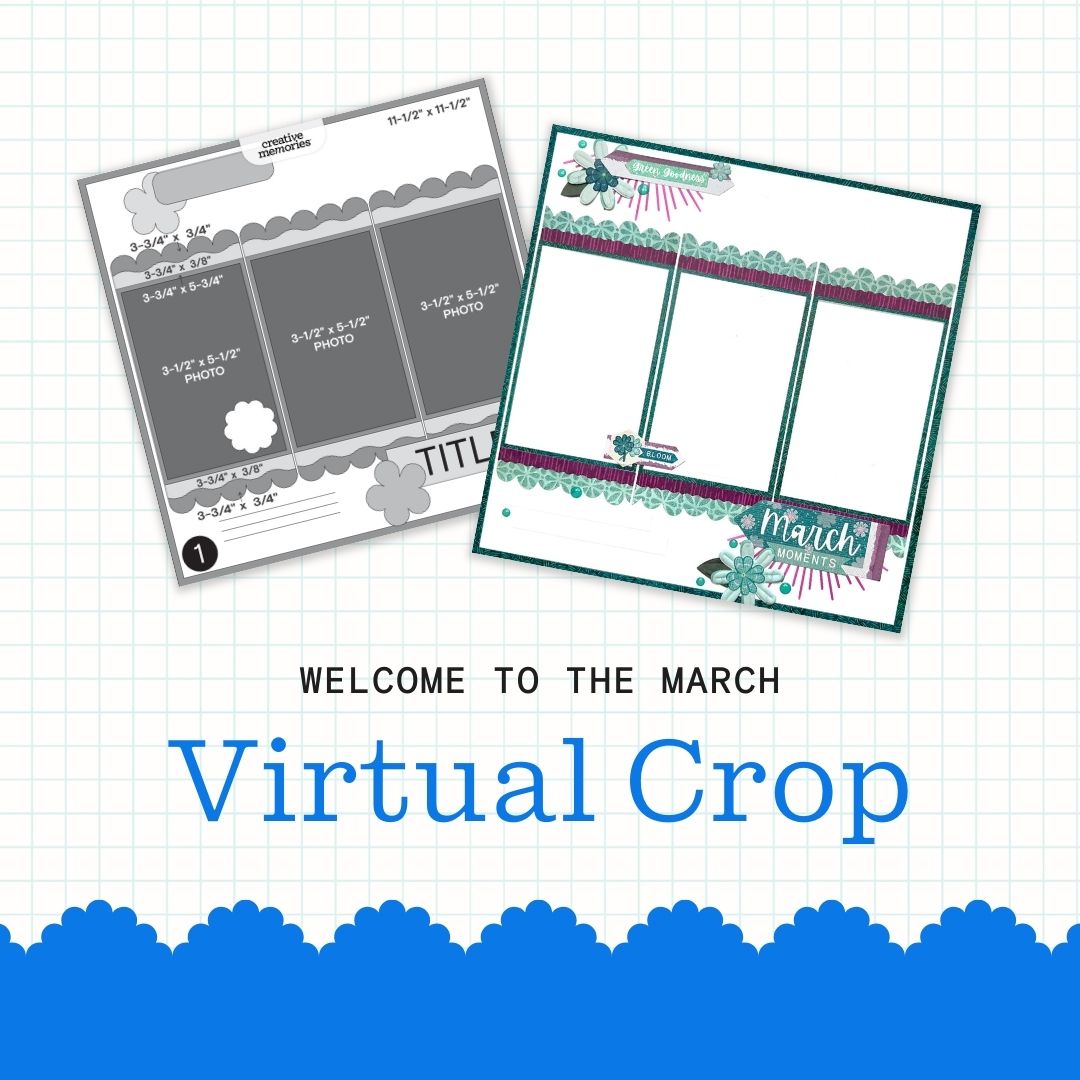
It’s officially time for the March Virtual Crop! This is your invitation to a weekend full of inspiration, connection and fun! Let’s get started!

If this is your first time participating in a Virtual Crop and you would like a quick step-by-step guide of what to expect before you jump in, you can get ALL the details about Virtual Crops in this blog post, including how to participate (in our Virtual Crop Group), supplies you’ll need, examples of challenges, types of prizes and more.

Know what you’re looking for? Find it faster here:

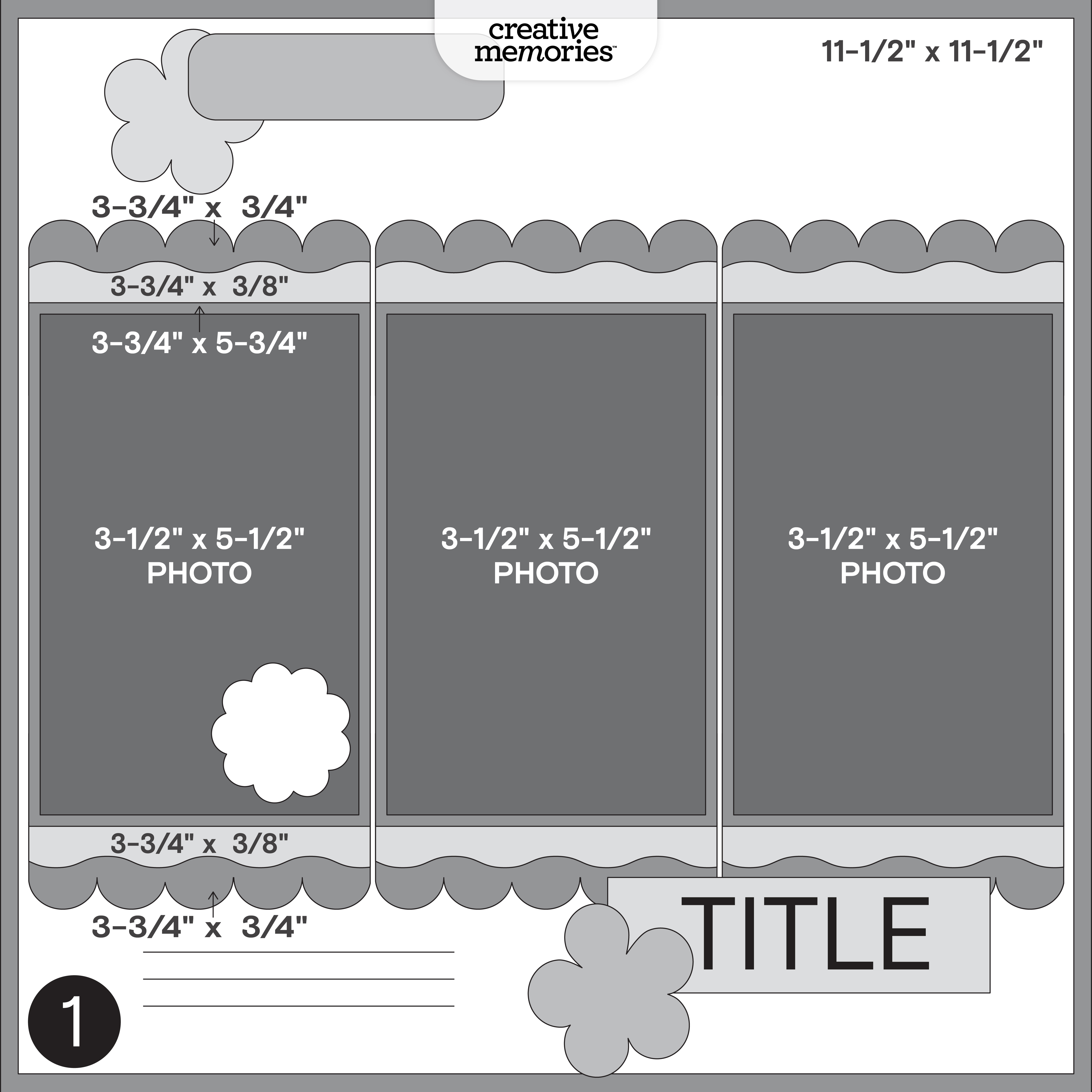
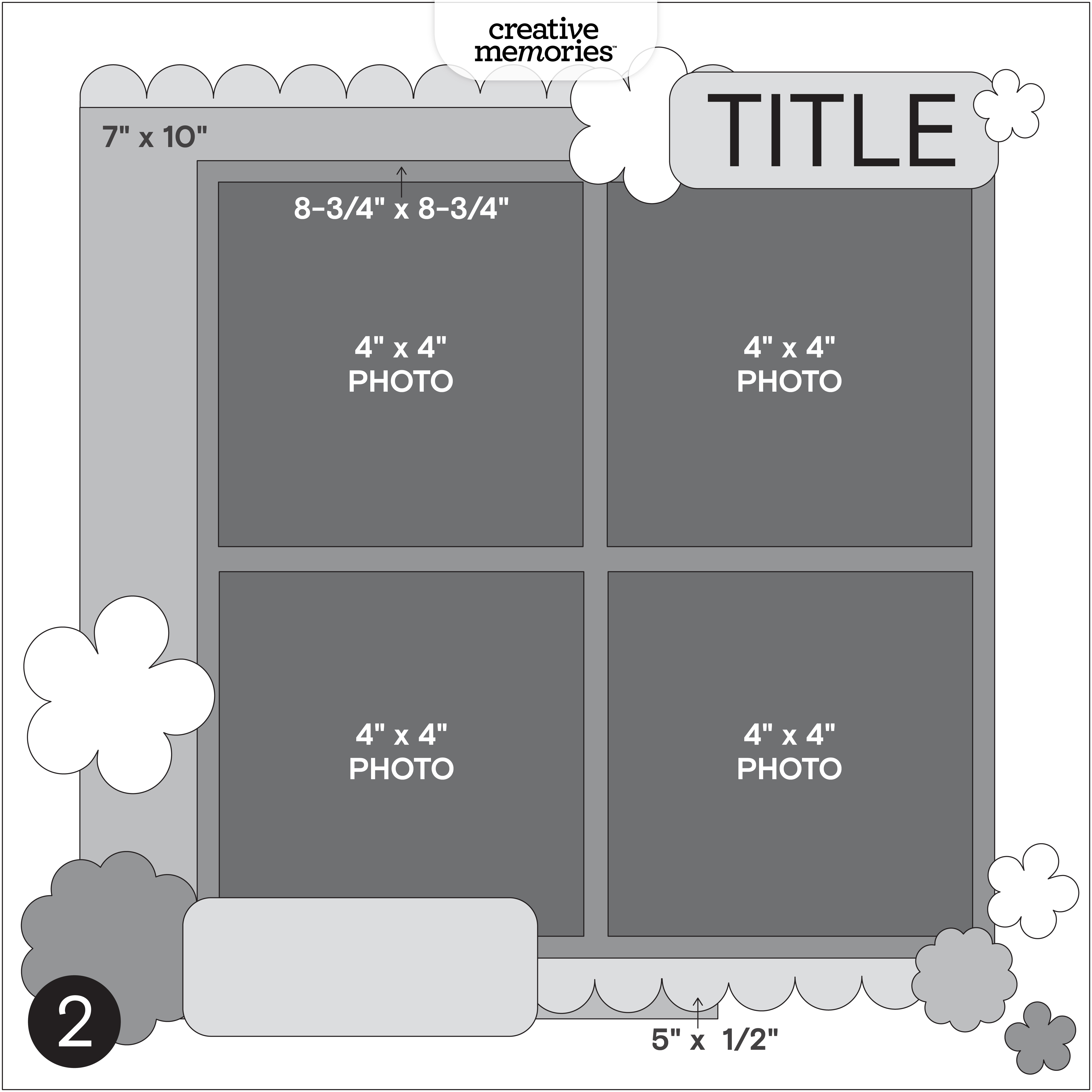
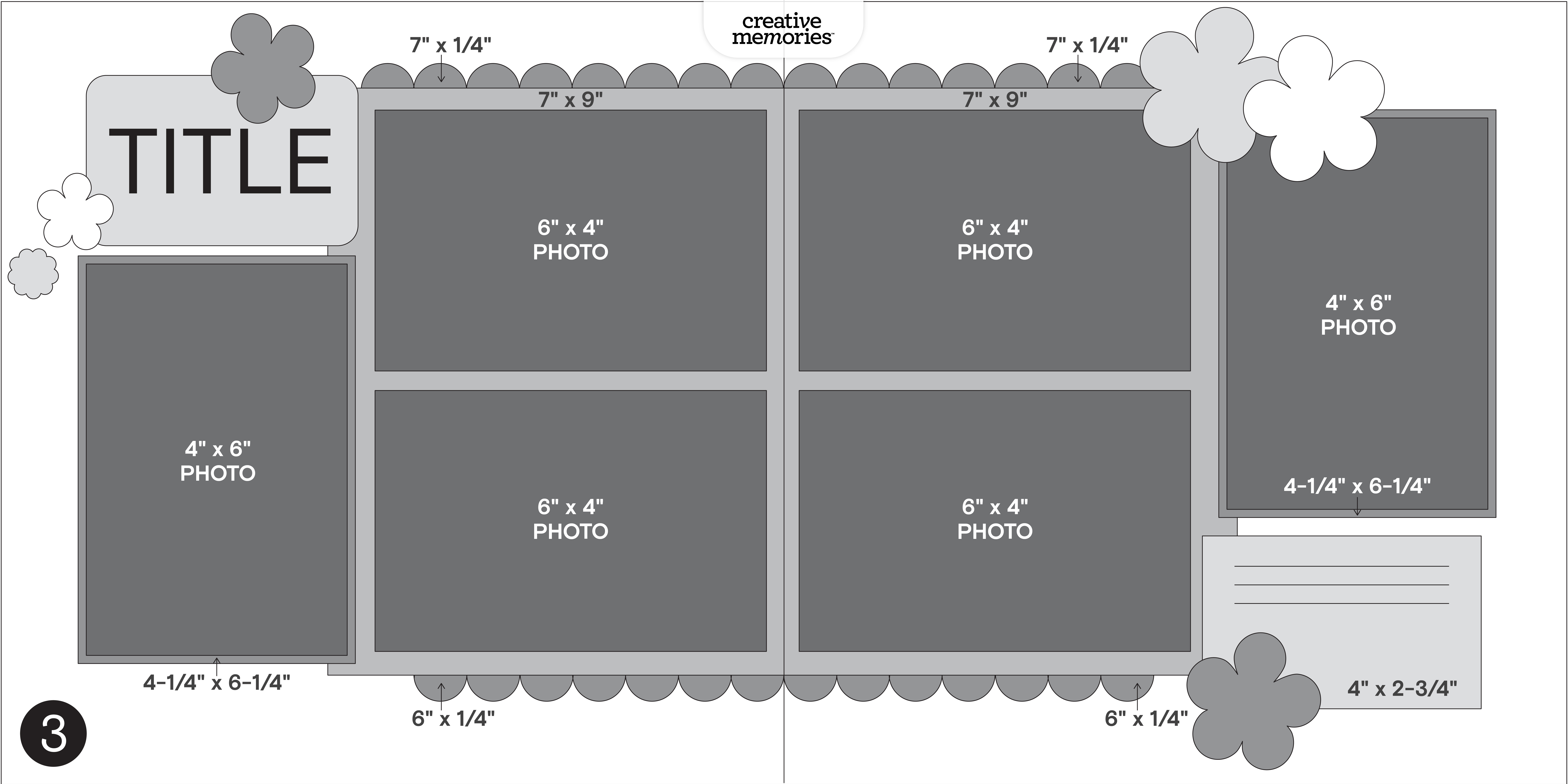
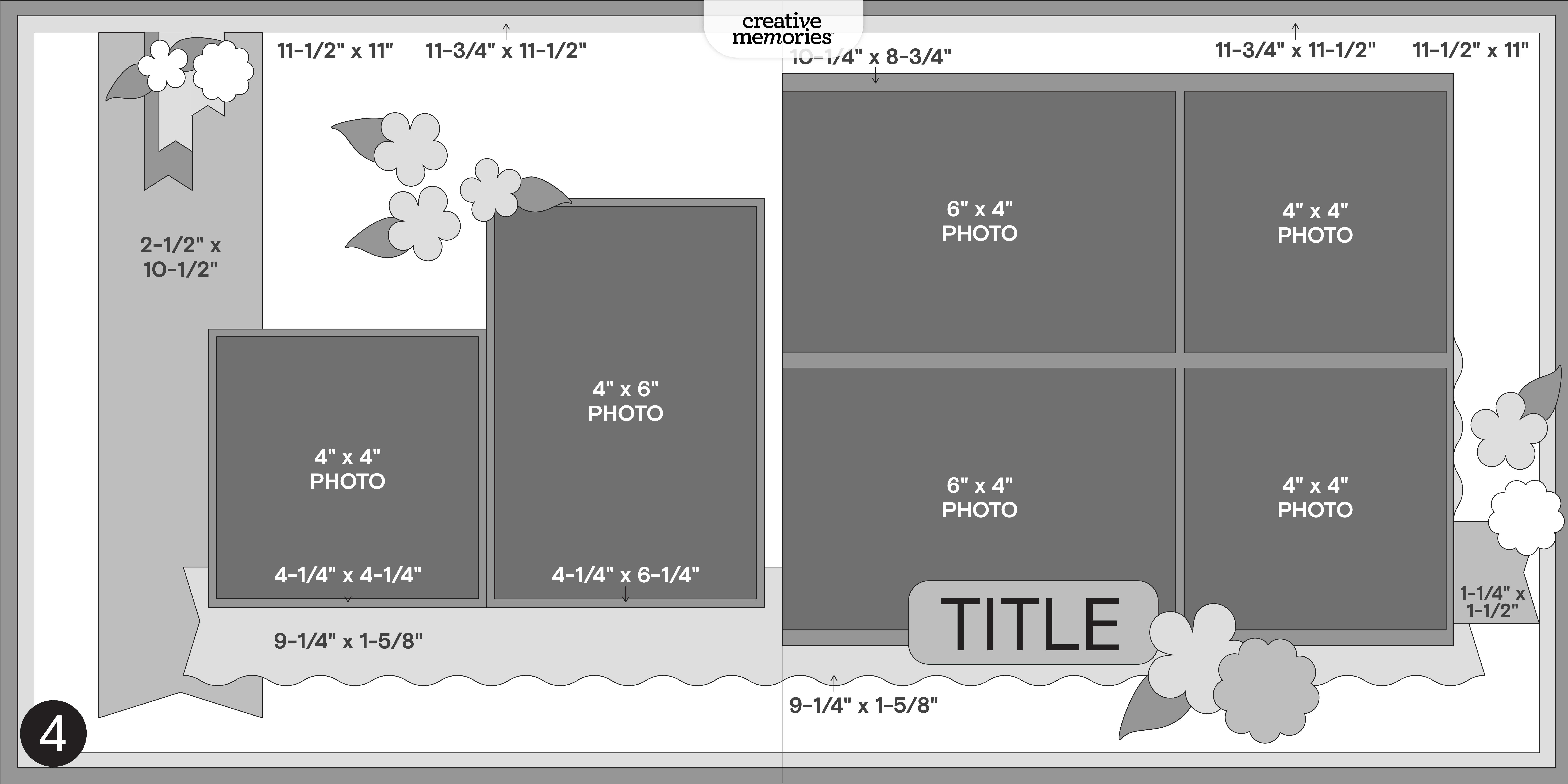
In this post, you will find ALL four sketches for this crop (these sketches are for the entire weekend; no additional sketches will be posted), a downloadable PDF with the four sketches for your convenience, hashtags to use when posting your challenge layouts in the Virtual Crop Group, prize information and layout inspiration. This is about to be an amazing weekend and we can’t wait to see what you create!

To make sure we see all your submissions for a chance to win, you’ll want to post each layout you complete as its own new post with the hashtag for that challenge. You have until Tuesday, March 17, at 11:59pm CT (AU: Wednesday, 18 March, 3:59pm AEDT) to submit your layouts for the chance to win a prize (more details on what you can win further down this post!). Again, we’re so excited that you’re here. Happy scrapping!


Challenge #1 — #CMVirtualCrop1March2026

Challenge #2 — #CMVirtualCrop2March2026

Challenge #3 — #CMVirtualCrop3March2026

Challenge #4 — #CMVirtualCrop4March2026


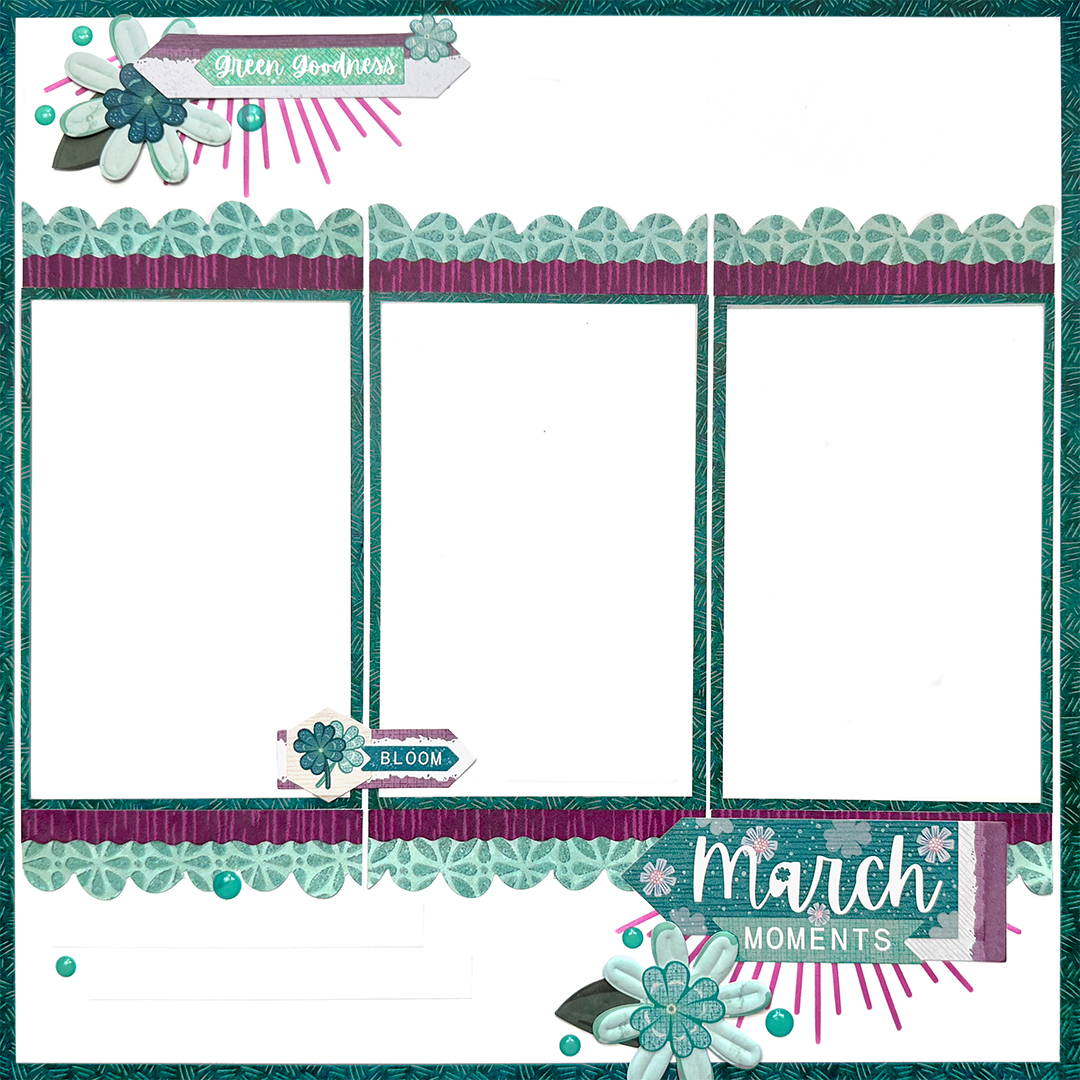
Challenge #1

Collection Used: Your Own Way

Kimberly’s Tip: “One helpful trick when working with designer paper is to gut the base page so you can reuse the matching center for photo mats. This keeps everything coordinated without needing additional paper and ensures the mats blend seamlessly with the layout. When adding stenciled elements, take a moment to mask off the surrounding area with Place and Peel Tape so the ink stays crisp and clean. Keeping a microfiber towel, baby wipe or paper towel and a small misting bottle nearby also makes it easy to quickly clean both the front and back of your stencil so it’s ready for the next use.”

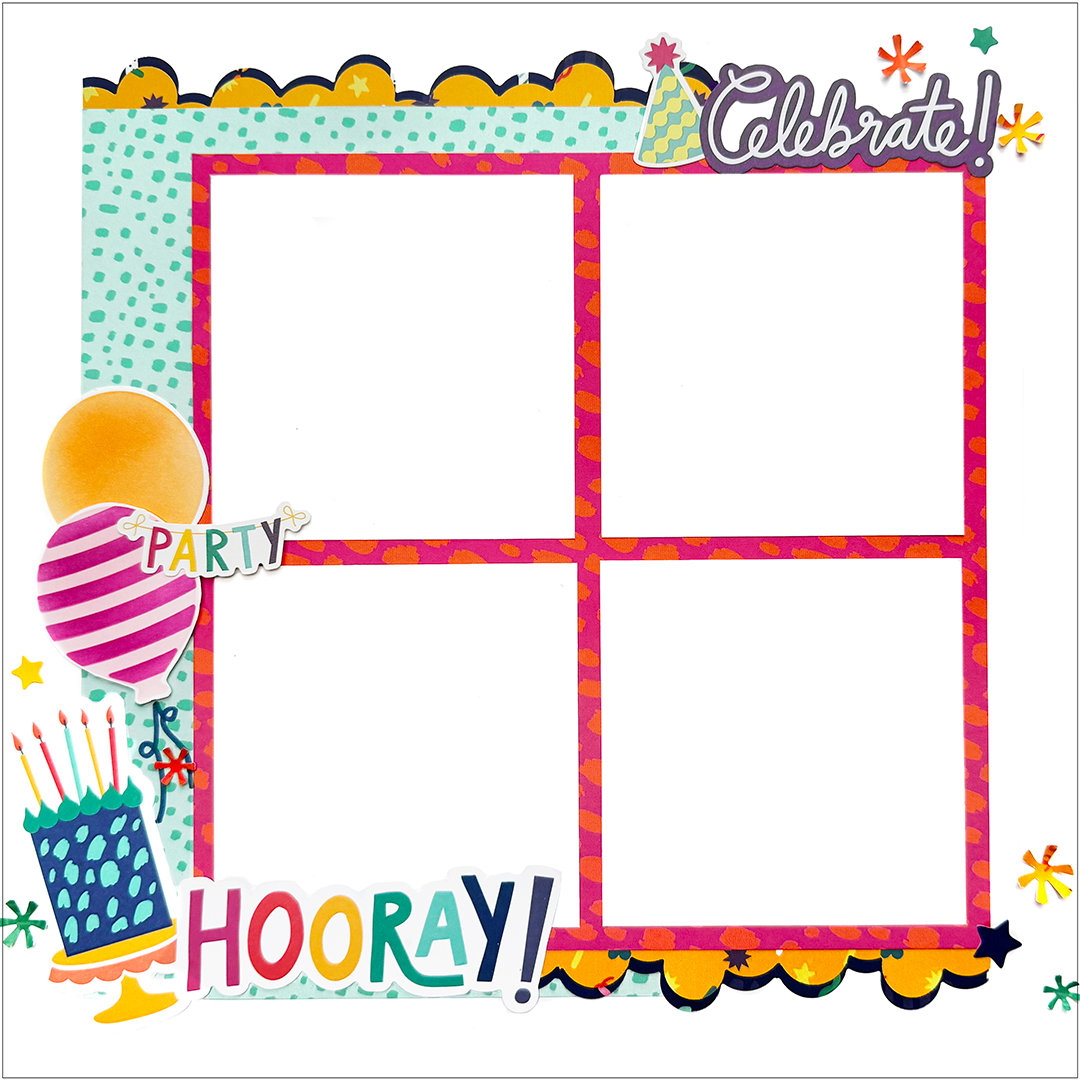
Challenge #2

Collection Used: Birthday Bash

Kimberly’s Tip: “Layered borders are an easy way to add depth and interest to a page. Try punching a scalloped or decorative border from two different papers and offsetting them slightly so one-color peeks out behind the other. Even a small offset creates a nice, layered effect. You can also use border punches or decorative trimmer blades to create narrow accent strips around clusters or photo mats. These small details help frame the design and give the layout a more polished, finished look.”

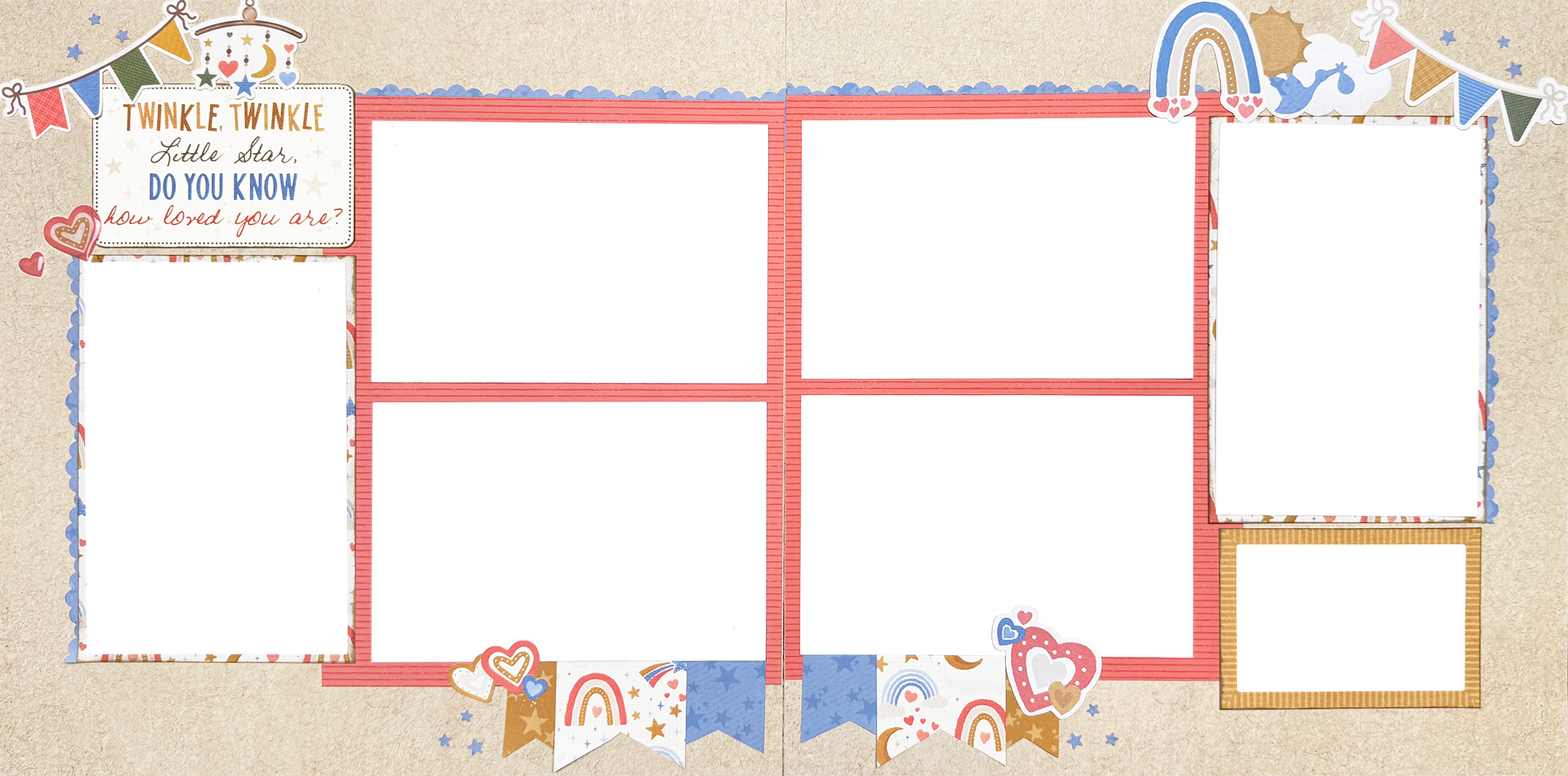
Challenge #3

Collection Used: Bundle of Joy

Kimberly’s Tip: “Don’t be afraid to use tools and materials in creative ways. Mat cards can easily become title blocks with a little fussy cutting, and a quick swipe of ink along the edges adds subtle depth so they stand out from the background. Punches can serve multiple purposes as well, such as creating borders, embellishments or even small stencil shapes. Save the punch “fall-out” pieces too; they often make perfect tiny accents such as flower centers or scattered decorative elements.”

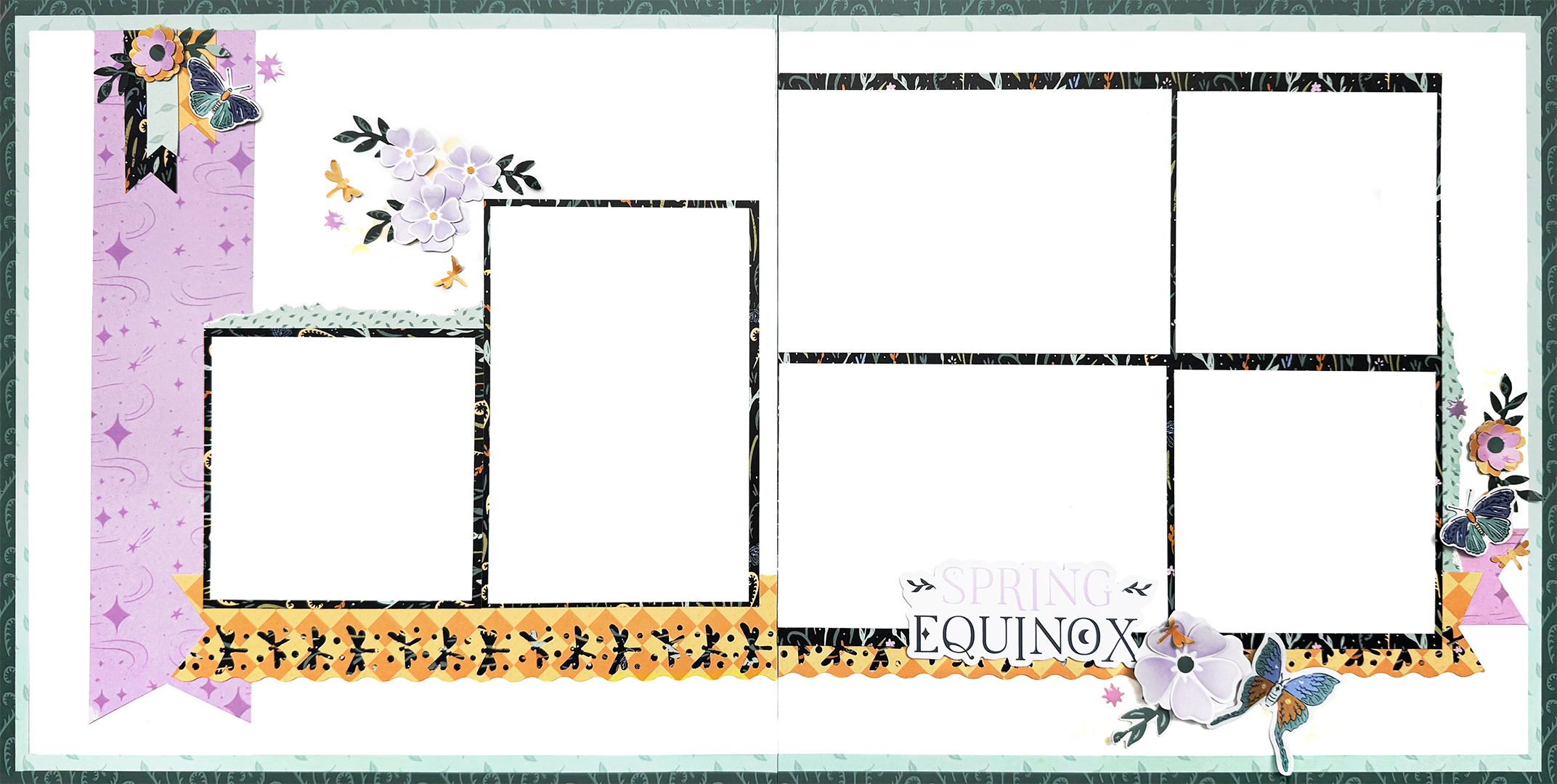
Challenge #4

Collection Used: Spring Equinox

Kimberly’s Tip: “Experimenting with inks and stencils to build soft layers of color behind embellishment clusters is a great way to get started. Apply ink lightly at first and then add a bit more toward the center to create natural depth and dimension. Pair these backgrounds with punched shapes, layered embellishments and foam squares to add texture. And if your design calls for more photos than the sketch allows, Peek-a-Boo Pockets are an easy way to expand the layout without changing the overall design.”


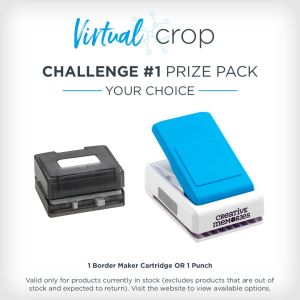
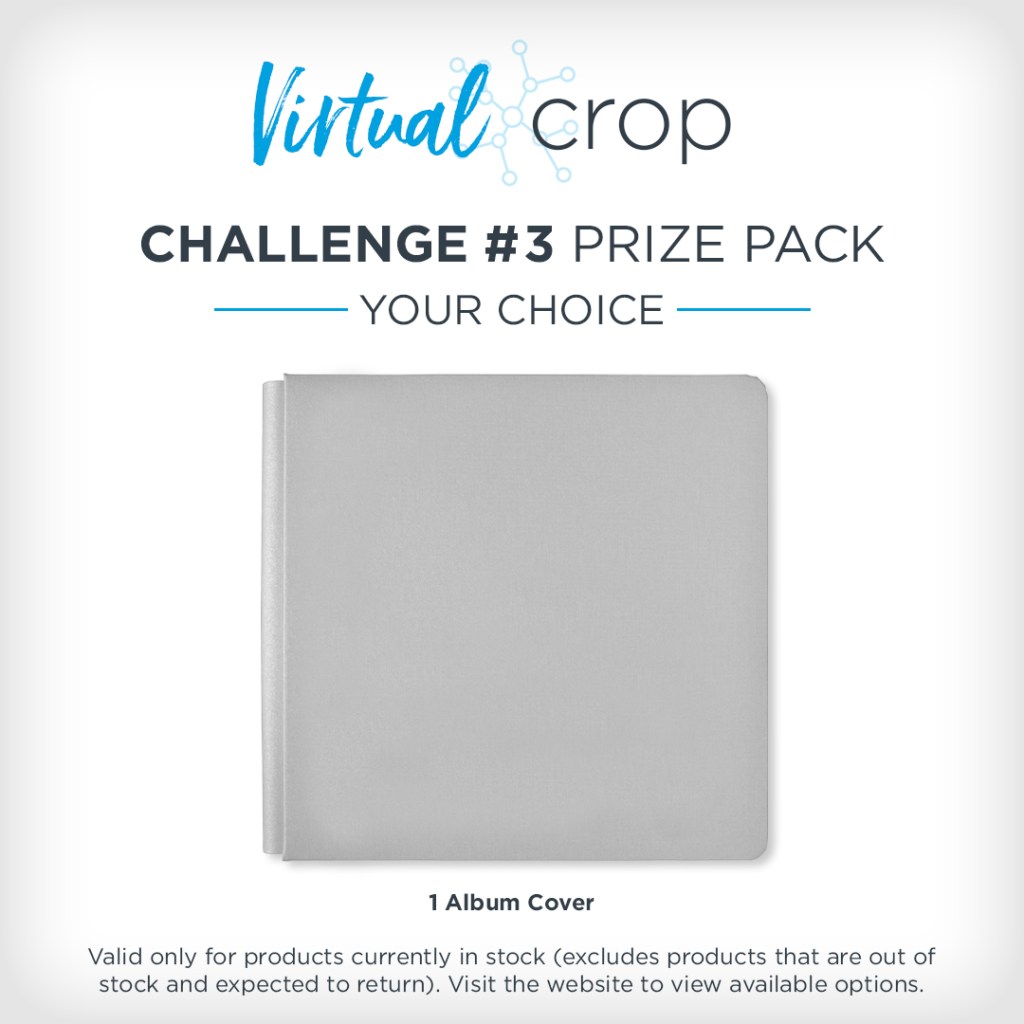
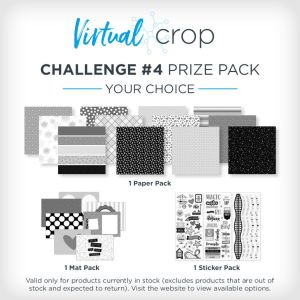
NOTE: The Prize Pack will be awarded to one (1) participant in each challenge. Valid only for products currently in stock (excludes products that are out of stock or expected to return).

We will award the prizes randomly, but to win, it must be obvious you used the sketch we provided as inspiration to create a project. You’re highly encouraged to use Creative Memories products, but it’s not a requirement to win. You have until Tuesday, March 17, at 11:59pm CT (AU: Wednesday, 18 March, 3:59pm AEDT) to submit your layout(s). Prize winners will be announced on Thursday, Mar. 19, at noon CT (AU: Friday, 20 Mar.).


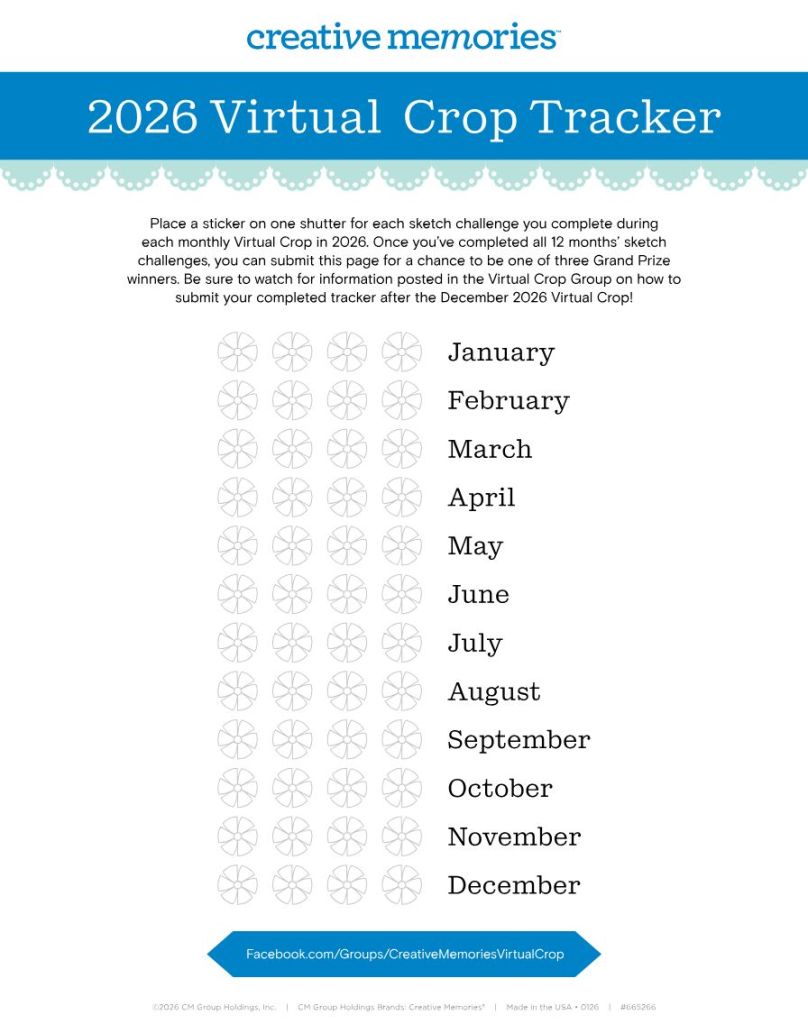
Virtual Crop Tracker

The 2026 Virtual Crop Tracker & Sticker Bundle is on sale now! You can also download the tracker yourself by clicking the image.

Color in or place a sticker on one shutter for each sketch challenge you complete during each monthly Virtual Crop in 2026. Once you’ve completed all 12 months’ sketch challenges (that’s 48 completed pages you’ll be adding to your albums), you can submit your tracker for a chance to be one of three grand prize winners! More information on how to submit will be shared in the Virtual Crop Group as we near the final sketch challenge.


P.S. Are YOU a member of the Virtual Crop Group? It’s your go-to place for MONTHLY Virtual Crops, MONTHLY Completed Album Challenges, QUARTERLY Secret Box Openings with project tutorials and so much more! We hope you’ll join our community of more than 52,000 fellow memory-keeping enthusiasts — you’ll feel right at home!

“Creativity is intelligence having fun.”  Albert Einstein

March 11, 2026

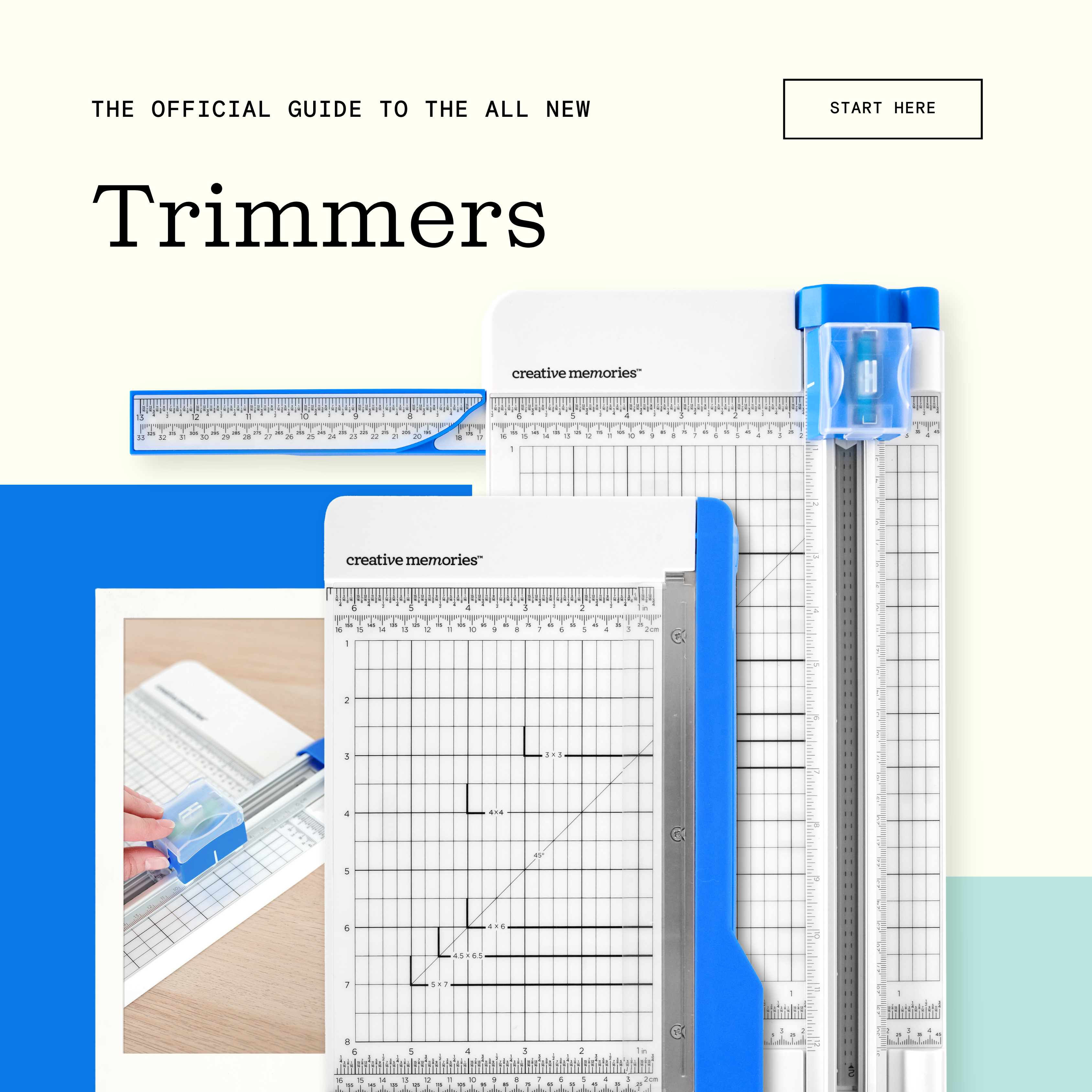
The Official Guide To the Enhanced Creative Memories Trimmers

Creative Memories Trimmers are designed to be a dependable foundation in your workspace, helping you start every project with accuracy and confidence.

With smooth blade movement, easy-to-read measurements and stable support, trimming feels precise and effortless. From full sheets and photos to smaller finishing touches, this is where clean lines, balanced layouts and beautiful projects begin to take shape.

Get to know the enhanced 12-inch Trimmer and Photo Trimmer and the thoughtful features that help make every cut count in your creative process.

Watch: See the enhanced 12-inch Trimmer and Photo Trimmer up close and learn how each supports the way you create.

Why Choose Creative Memories Trimmers?

Start right with the cutting tools you need for accurate, dependable results. The 12-inch Trimmer and Photo Trimmer help you measure, align and trim everything from full pages to individual photos with confidence.

With thoughtful enhancements, refreshed branding and durable construction, these trimmers are designed to support everyday creativity while fitting seamlessly into your Creative Memories workspace.

Features of the New 12-inch Trimmer

Enhanced Measurement System
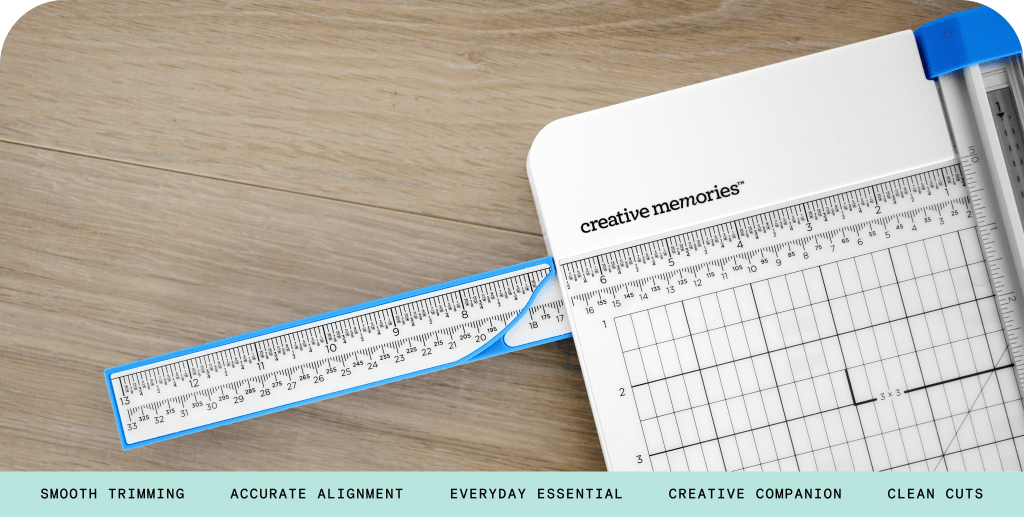
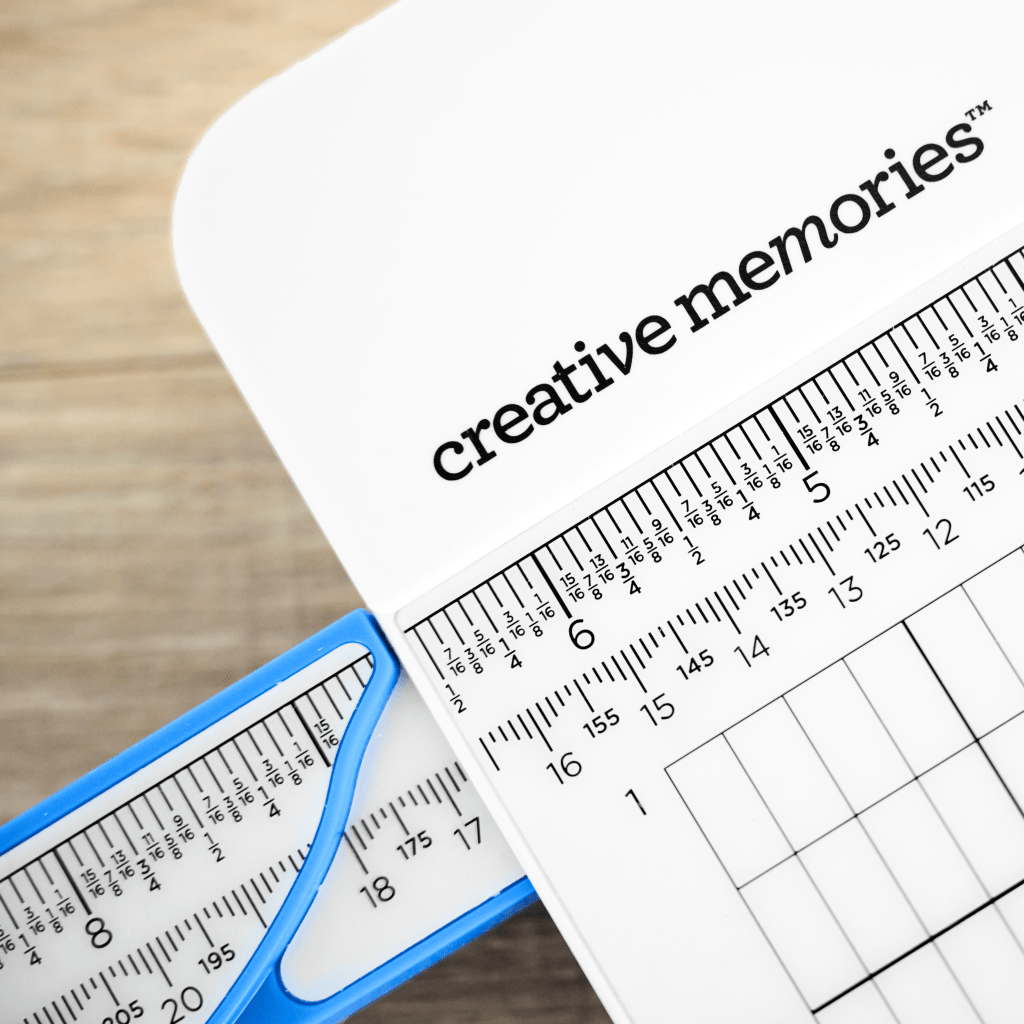
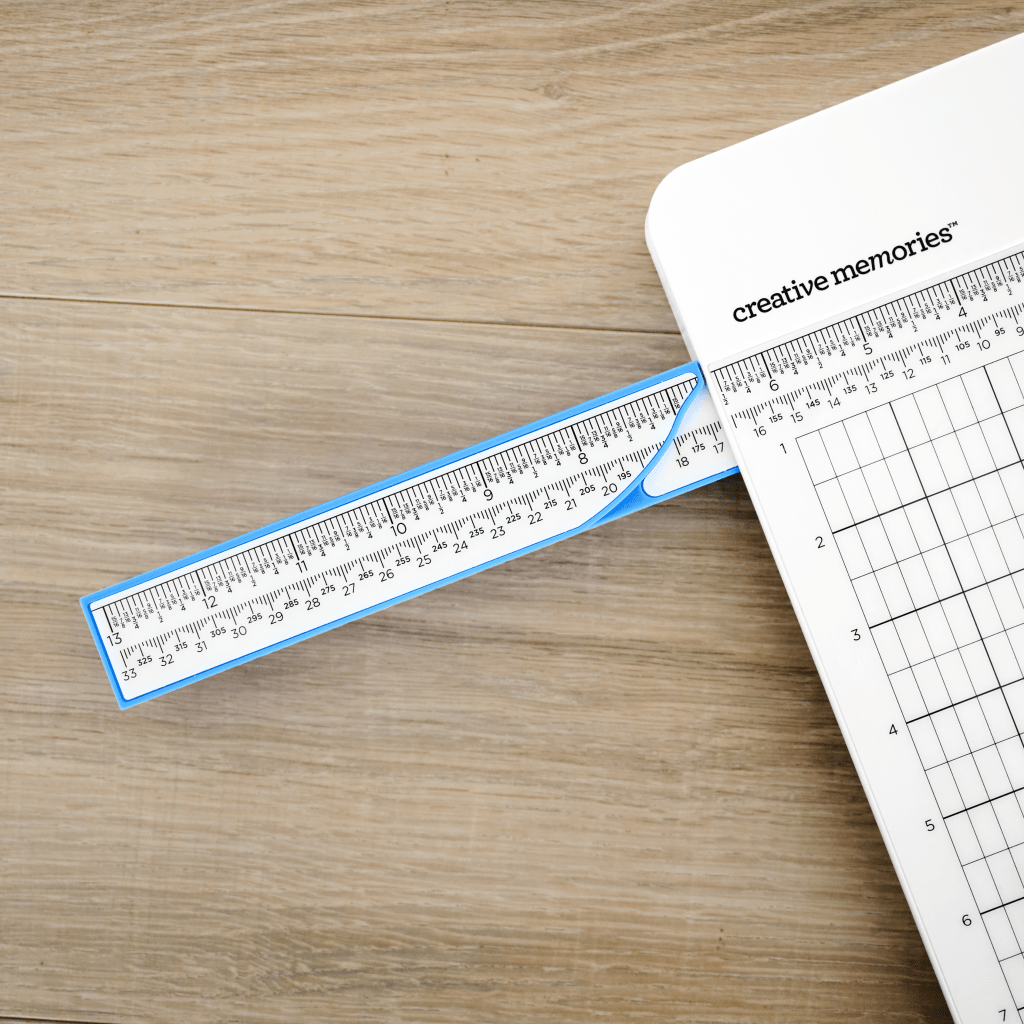
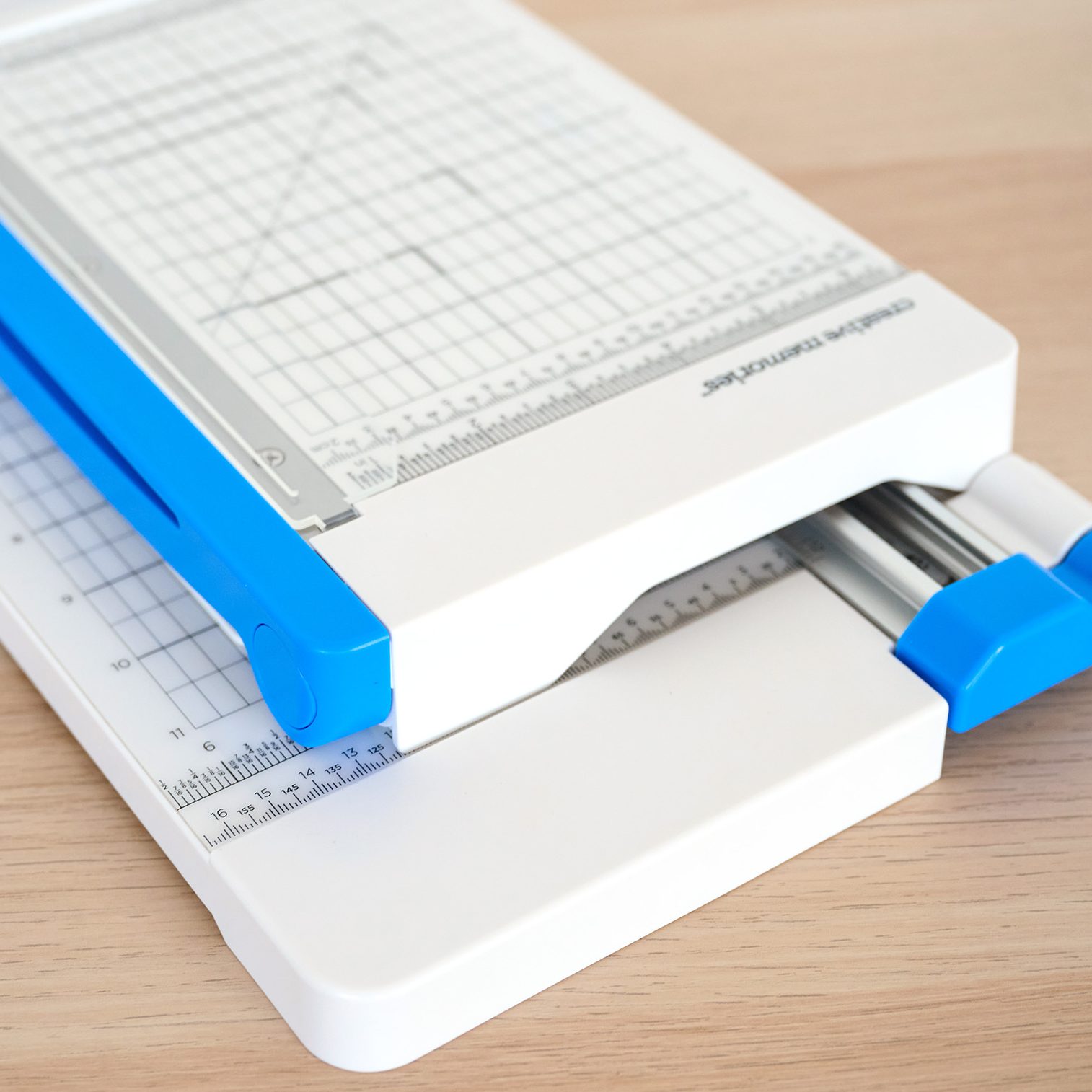
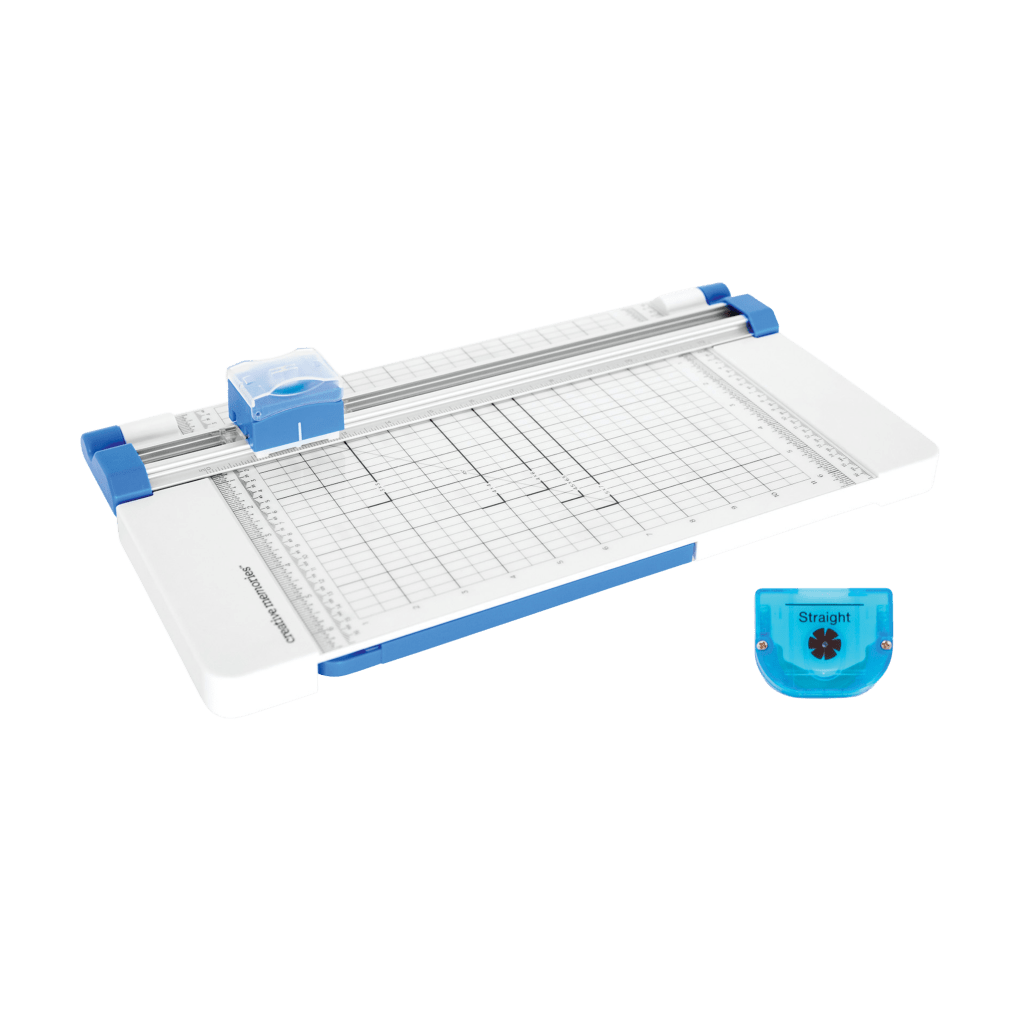
Includes new 1/16-inch increments, wider inch dash marks, centimeter measurements on the metal cutting arm and clearly marked common photo and mat sizes for faster, more precise trimming.

Expanded 6.5-inch Base
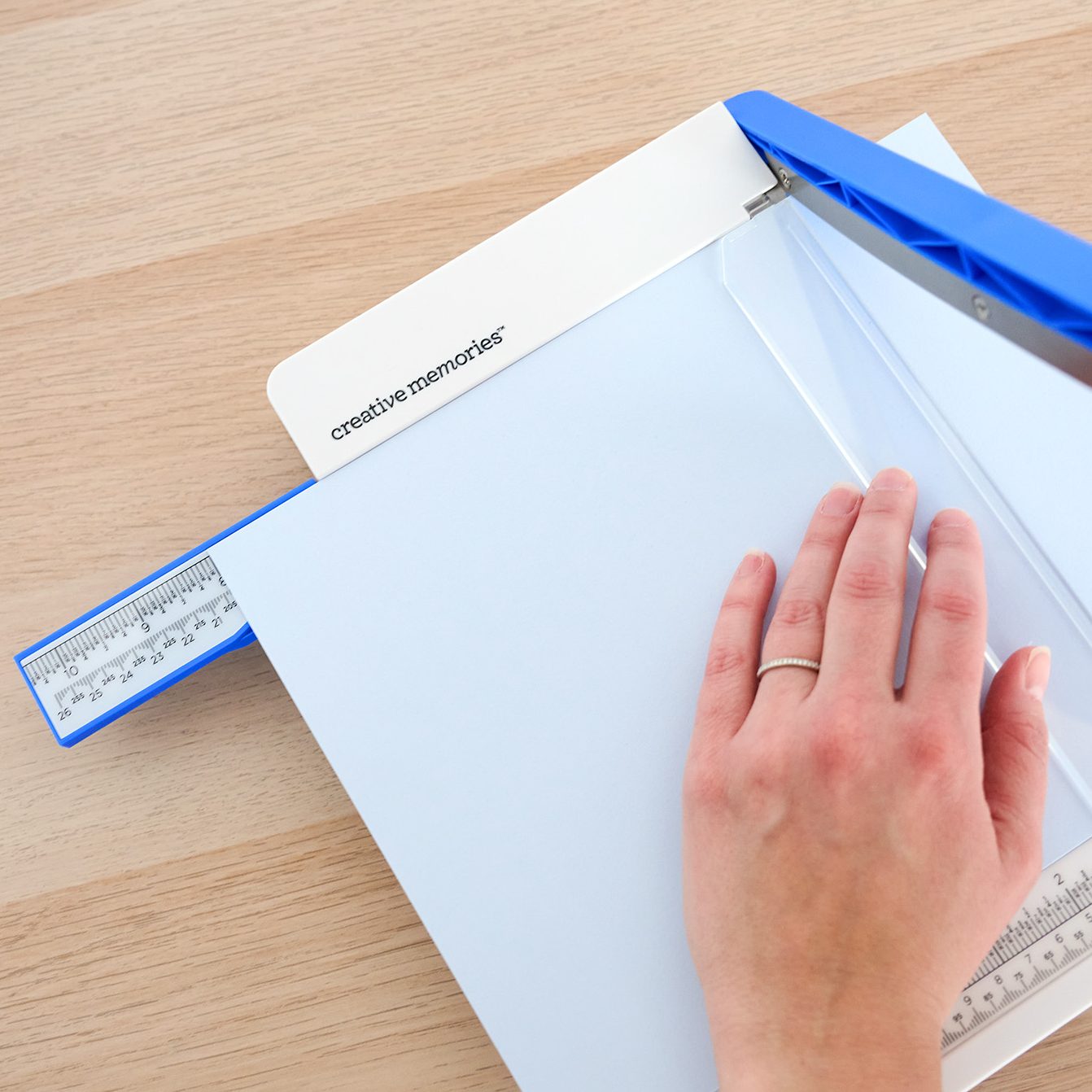
Provides improved support for wider cuts and frequently used measurements, helping keep materials steady while trimming. Perfect for making 4.5×6.5 mats for those 4×6 photos!

Workspace-Smart Storage Design
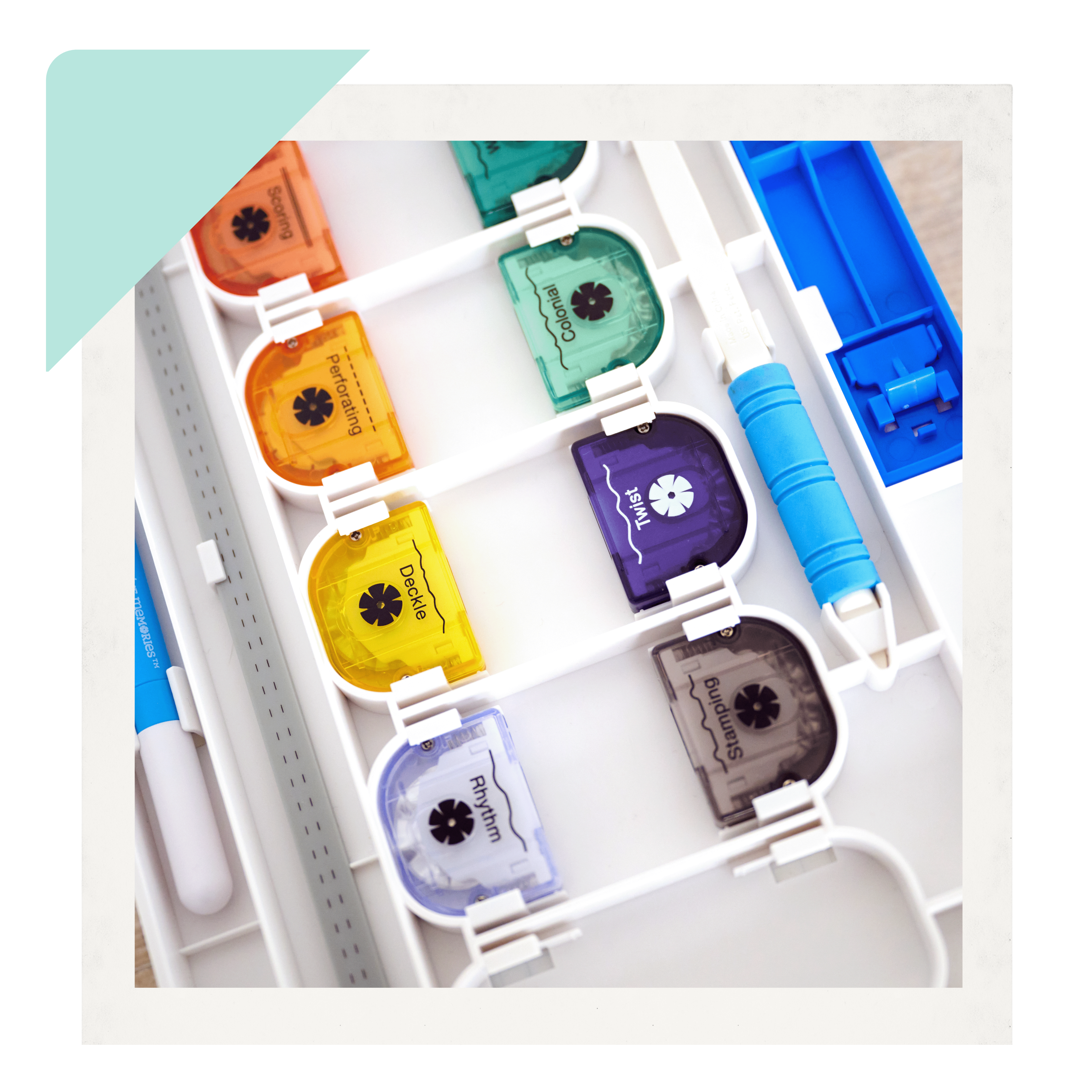
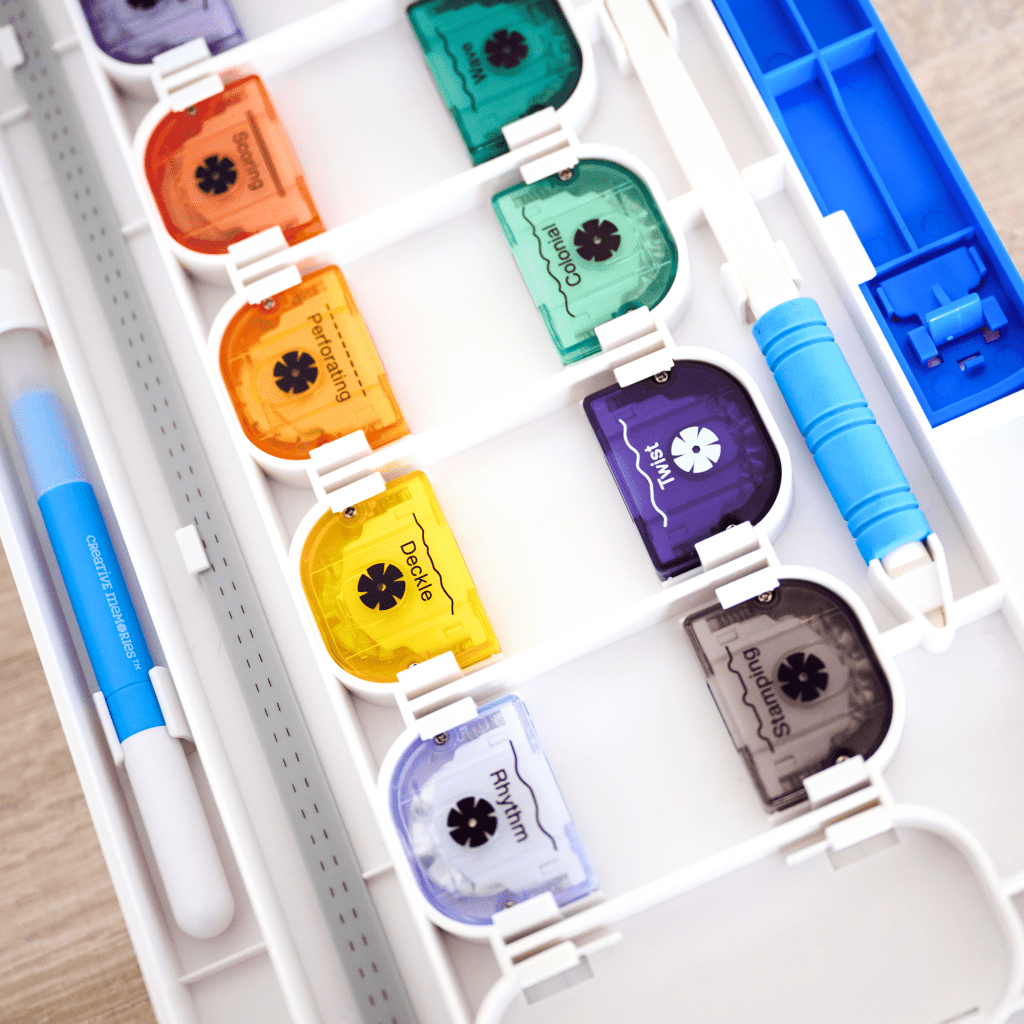
A resized 6.5-inch swing-out ruler conserves valuable workspace, while built-in storage keeps up to 12 Blade Cartridges, the Multi-Purpose Tool and Lifter Stick neatly organized.

Safety and Stability Features
The press-to-engage blade design and safety cover help prevent accidental contact, while rubber feet provide added stability during use.

Advanced Cutting Performance
The aluminum double track system and alignment guides support straight, consistent cuts. Compatible with interchangeable Blade Cartridges (sold separately).

Why You’ll Love the 12-inch Trimmer

Confidence in Every Cut
Trim pages and materials knowing your cuts will stay clean, straight and aligned.

Faster Measuring and Trimming
Clear markings and intuitive design help you move through projects with less stopping and adjusting.

Creative Flexibility
Interchangeable Blade Cartridges (sold separately) let you switch between straight and decorative cuts depending on your project.

A Workspace That Works for You
Thoughtful storage and smart proportions help keep your crafting area organized and efficient.

Built for Long-Term Performance
Durable construction supports consistent results project after project.

Features of the Photo Trimmer

Magnetic Cutting Arm with Precision Control
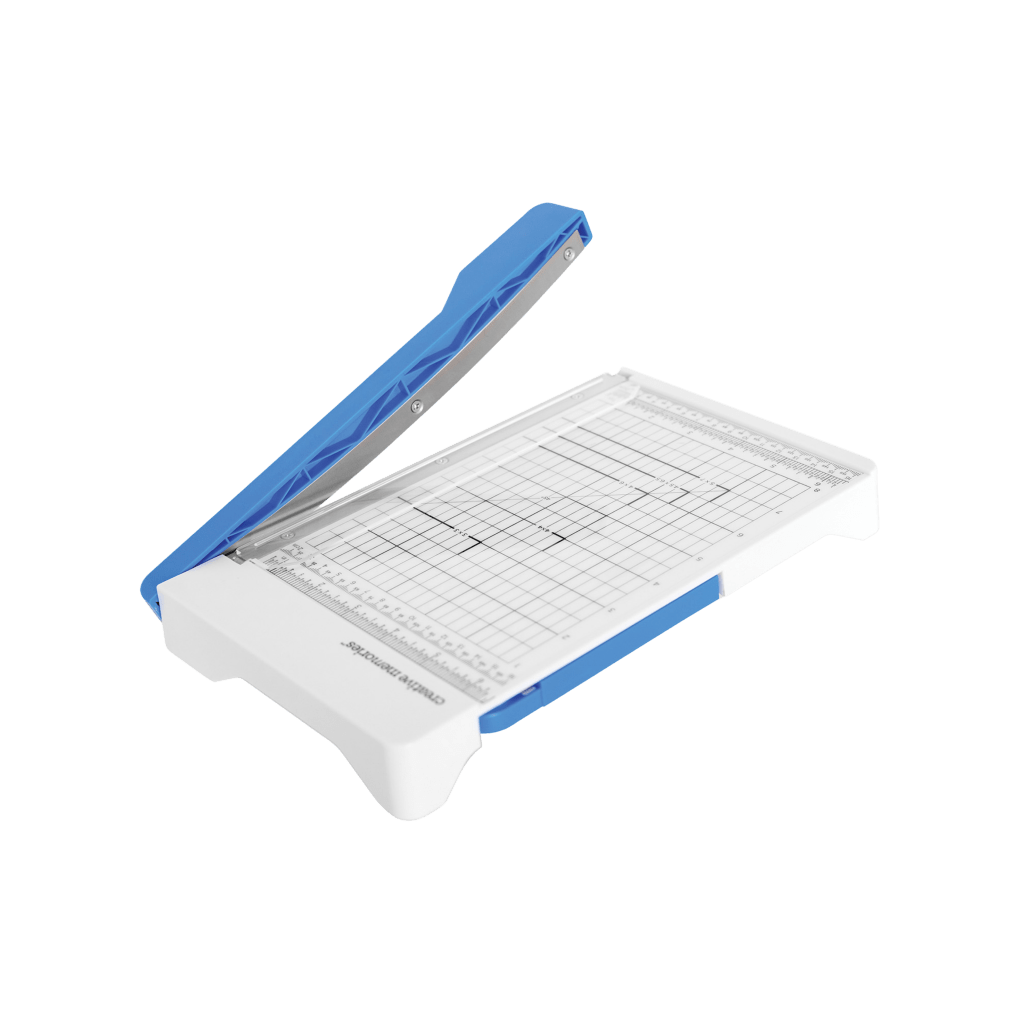
A magnetic closure secures the cutting arm for safer storage and transport, while the tension-loaded design helps deliver straight, controlled cuts when trimming photos.

Enhanced Measurement Markings
High-contrast rulers and clear measurement guides make it easy to trim accurately, now with 1/16-inch increments and wider dash marks for faster identification while cutting.

Compact Photo-Sized Base
The base is sized specifically for trimming photos and smaller materials while fitting easily into creative workspaces.

Built-In Tool Storage
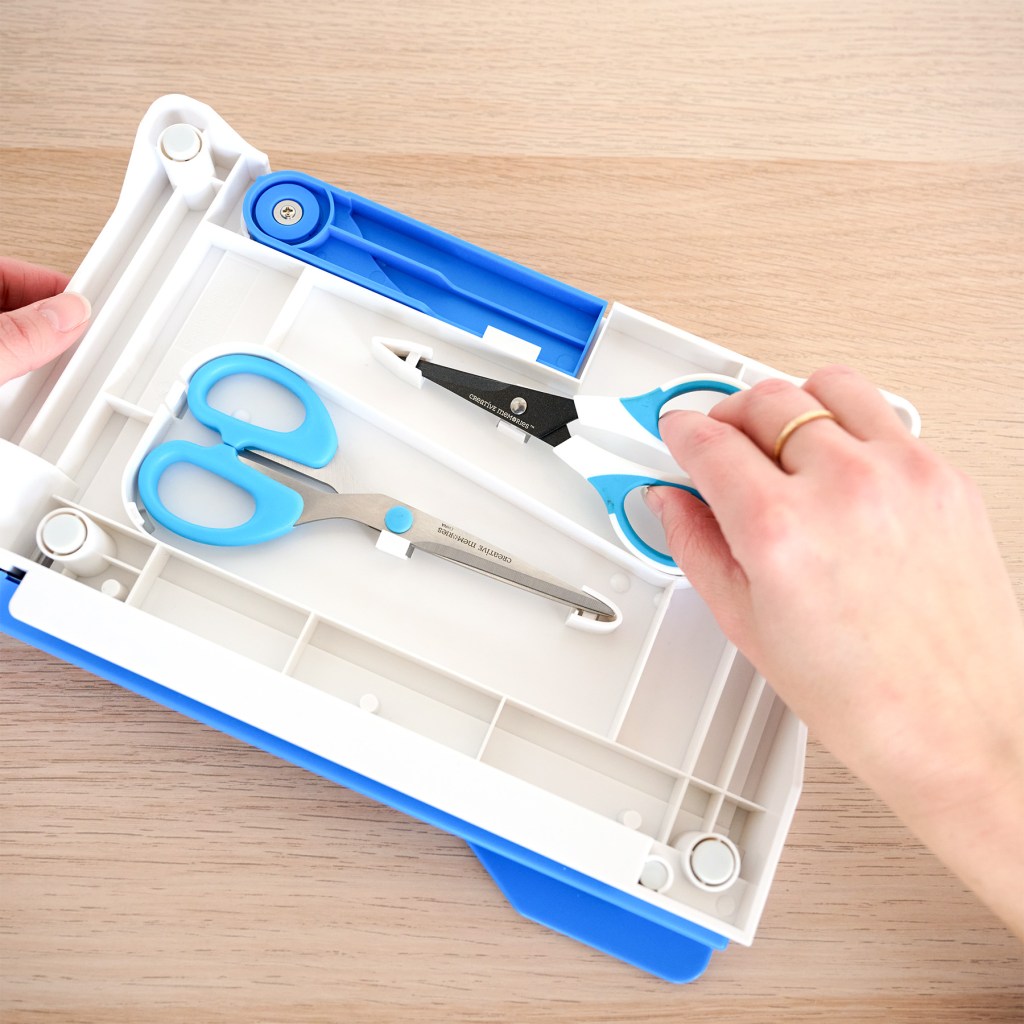
Snap-and-tuck storage keeps your All-Purpose Scissors and Micro-Tip Scissors (sold seperately) organized and within reach.

Nesting Storage Design
The Photo Trimmer stacks neatly with the 12-inch Trimmer for efficient storage, making it easier to keep your tools organized at home or pack them for crops and creative sessions.

Why You’ll Love the Photo Trimmer

Perfect for Photo Cropping
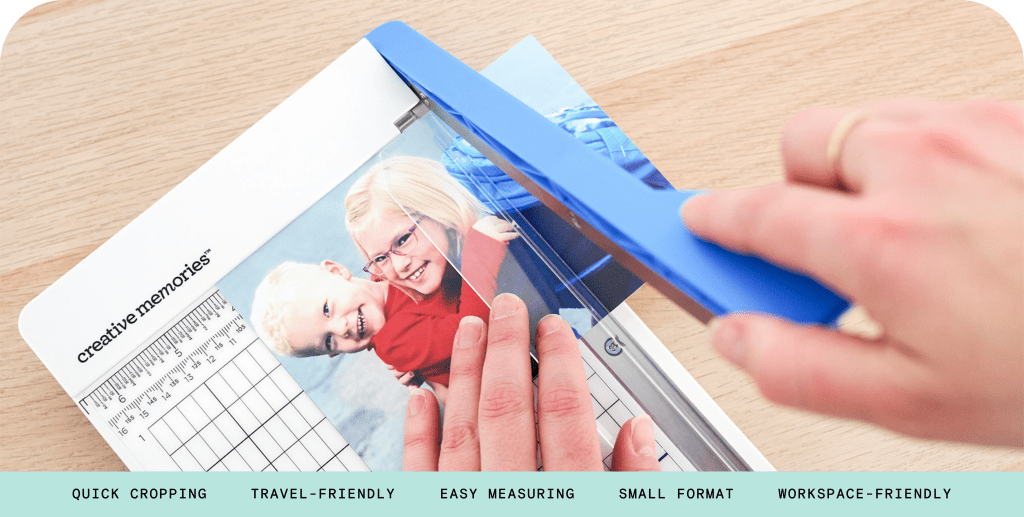
Easily trim photos up to 8×10 so you can remove distractions, refine edges and focus on the moments that matter most.

Confidence in Every Cut
The smooth cutting motion makes trimming feel controlled and consistent.

Protects Your Photos
The clear guide lets you hold photos steady while trimming without touching the image surface.

Compact and Travel-Friendly
The smaller size makes it easy to bring to crops, classes or creative sessions without taking up extra space.

Keeps Your Workspace Organized
Built-in scissor storage and a nesting design with the 12-inch Trimmer help keep your creative tools tidy.

See the Trimmers in Action

Take a closer look at the enhanced trimmers as our Advisors and Home Office team walk through the features and share what makes these tools such dependable staples in a creative workspace.

Watch: Annalisa Smola from Creative Memories Home Office shares her favorite upgrades to the Photo Trimmer and 12-inch Trimmer.

Watch: Advisor Meggan Jacks walks through the enhanced 12-inch Trimmer and highlights the features she’s loving for creating clean, precise cuts.

Watch: Advisor Kimberly Sparks walks through the enhanced 12-inch Trimmer and shares why the new upgrades are a game-changer.

Shop the Tools Featured in This Guide

Add these must-have tools to your workspace and bring cleaner cuts to every project.

12-inch Trimmer (NEW)

Made for clean, full-page cuts.

Photo Trimmer (NEW)

Perfect for precise photo trimming.


From photos to full pages, make every cut clean, every line precise and every project shine. Add the 12-inch Trimmer and Photo Trimmer to your workspace and discover how much easier, faster and more fun crafting can be. Your layouts, albums and memories deserve tools this good.

March 9, 2026

A Touch of Ink for Your Global Getaways

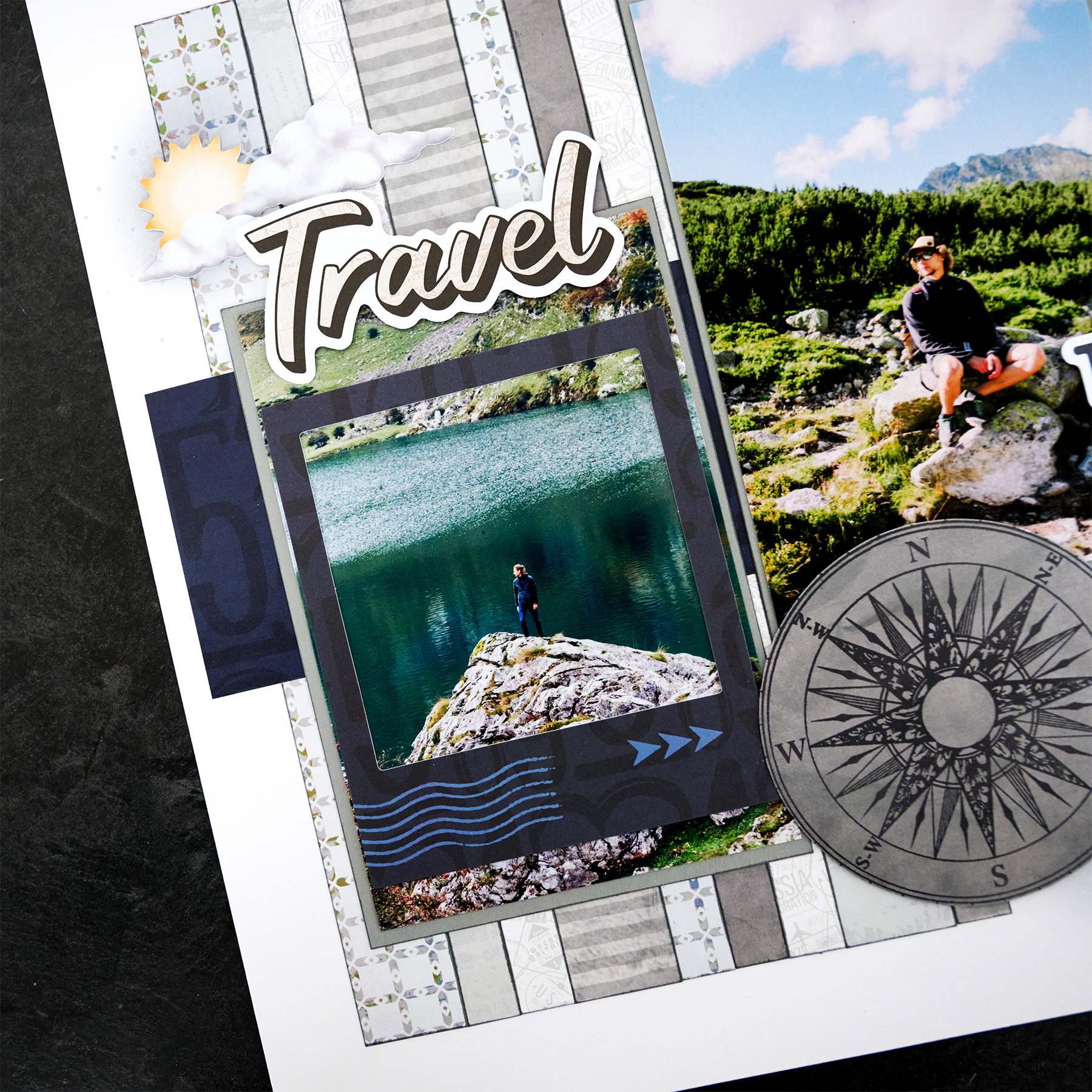
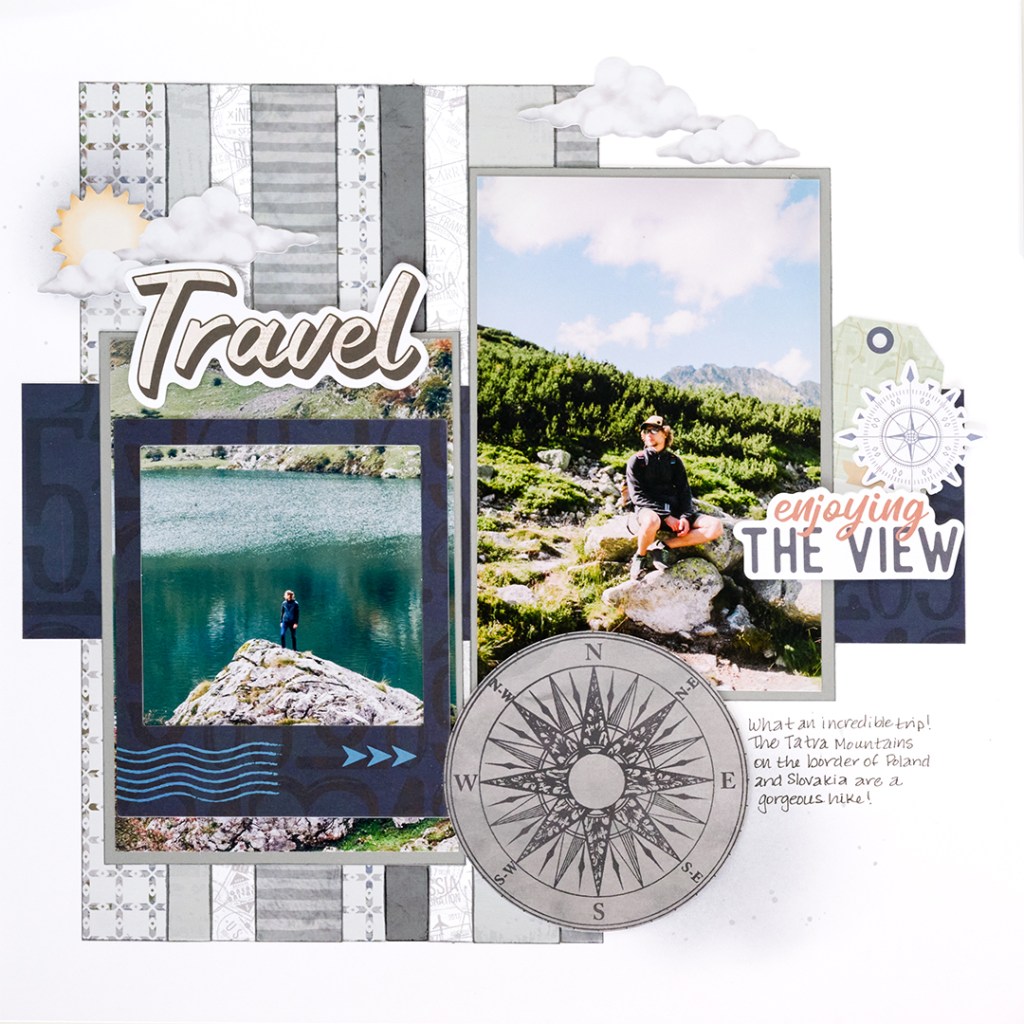
Adventure is always just around the corner with the Global Getaway collection. This layout keeps things nicely neutral so your travel photos can take center stage, while a playful touch of ink adds extra dimension and personality to the page. It’s a fun way to bring a little creativity to your travel memories and give your layout a look that feels just as adventurous as the moments you’re documenting.

To create this layout, you will need:

Layout by Brenda Rose, Creative Memories Design Team Contributor

Step 1: Use a sheet of Bright White Solid Cardstock as the base for this layout.

Step 2: Fussy cut the compass image from the dark gray designer paper and set it aside.

Step 3: Splatter Gray Flannel ink on the upper left and lower right on the page.

Tip: Do this simply by rubbing ink directly from the pad onto the 13×13 Non-Stick Craft Mat. Spritz the ink with water and mix it. Pick up the ink with a paintbrush and tap it onto the page.

Step 4: Next, lightly brush Gray Flannel Ink directly onto the page in a circular motion in two places. The first spot is 2″ from the top and 1/2″ from the left edge. The other spot is 3/4″ from the bottom and 1-1/2″ from the right edge.

Tip: Gather ink directly from the ink pad with your blending brush. Tap your brush on scratch paper before using it directly on your page to lighten your circle.

Step 5: Cut the following pieces and set them aside in the order they are cut:

  • 1″ x 10″ gray squares designer paper
  • 1/2″ x 10″ light gray map tonal paper
  • 1/2″ x 10″ light gray postage stamp tonal paper
  • 1″ x 10″ gray-striped tonal paper (make sure stripes are horizontal)
  • 1/2″ x 10″ gray squares designer paper
  • 1/2″ x 10″ dark dray dompass designer paper
  • 1/2″ x 10″ light gray postage stamp tonal paper
  • 1″ x 10″ light gray map tonal paper
  • 1/2″ x 10″ gray-striped tonal paper (make sure stripes are horizontal)

Step 6: Use the Cutting Mat Layout Ruler to place the 10″ strips 1″ from the left and 1″ from the bottom of the page in the order they were cut.

Step 7: Cut an 11″ x 3″ piece of navy ABC designer paper. Adhere the piece 1/2″ from the left edge and 4-1/2″ from the bottom of the page.

Step 8: Cut (2) 4-1/4″ x 6-1/4″ pieces of cool gray designer paper to use as photo mats. Place the left mat 1-1/4” from the left edge and 1-3/4″ from the bottom of the page. Place the right mat 2-1/4″ from the right edge and 3-3/4″ from the bottom edge of the page.

Step 9: Adhere the compass image and embellishments using foam squares as desired. Journal to the right of the compass.

A touch of ink adds the perfect finishing detail to this travel-inspired page. Let this collection help bring your adventures to life!


P.S. Are YOU a member of the Virtual Crop Group? It’s your go-to place for MONTHLY Virtual Crops, MONTHLY Completed Album Challenges, QUARTERLY Secret Box Openings with project tutorials and so much more! We hope you’ll join our community of more than 50,000 fellow memory-keeping enthusiasts — you’ll feel right at home!

March 6, 2026

Sweet Moments: A Baby Milestone Scrapbook Layout

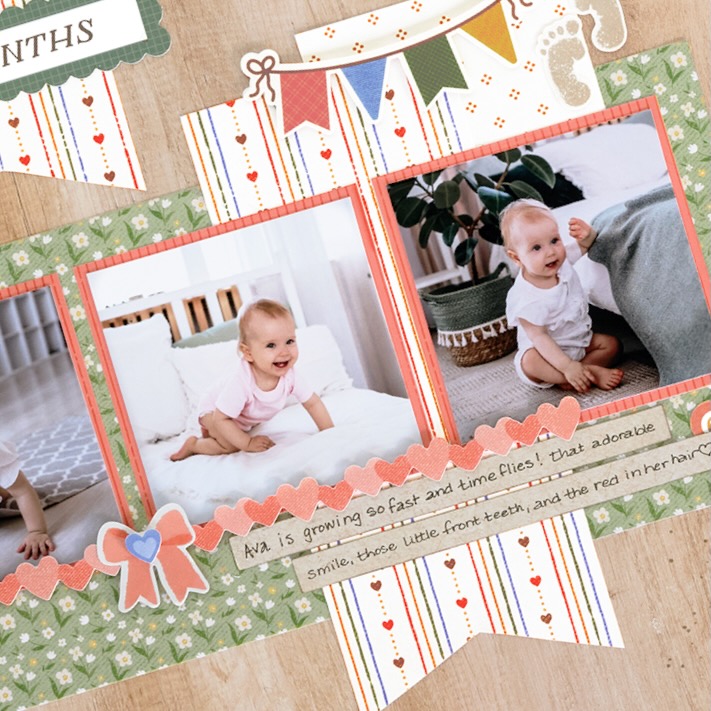
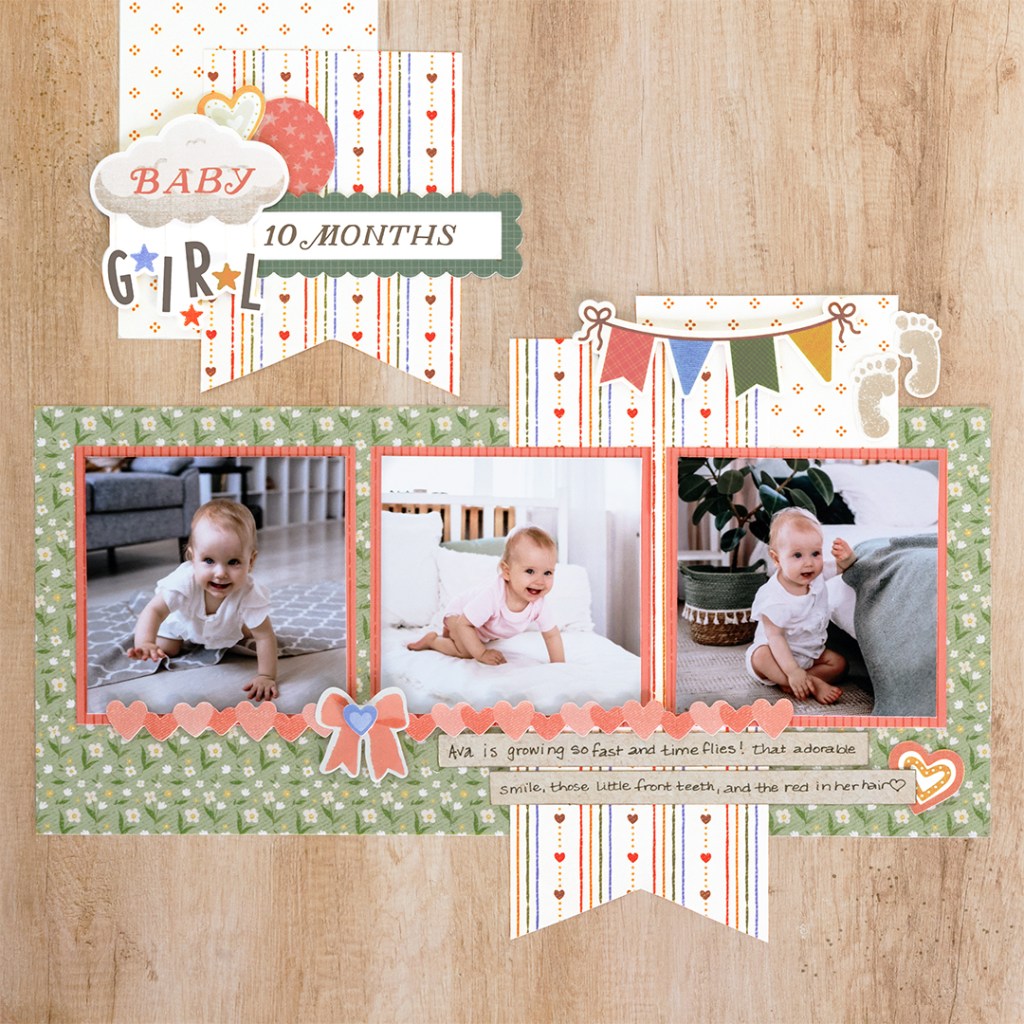
Where does the time go? Babies grow and change so quickly, making milestone photos some of the most treasured memories to document. This sweet layout highlights monthly milestones with playful banners, soft patterns and charming embellishments from the Bundle of Joy collection. The layered title cluster and cheerful colors help create a page that feels just as joyful as the memories it holds.

To create this layout, you will need:

Layout by Brenda Rose, Creative Memories Design Team Contributor

Step 1: Use the light wood designer paper as the base for this layout. Lightly splatter Rich Cocoa ink on the top left and bottom right of the page. 

Tip: Rub a small amount of ink directly on a piece of an empty embellishment bag. Spritz once with water. Mix the water and paint with a small paintbrush. Pick up some of the ink-colored water with the paintbrush and tap it on your finger over the paper. Add as much or as little as you’d like.

Step 2: Cut an 11″ x 5″ piece of the ditsy floral designer paper. Adhere this piece 1/2″ from the left edge and 2-1/4″ from the bottom of the page. Next, cut a 3″ x 7″ piece of the heart stripes designer paper. Trim the bottom end of the piece into a banner and place it approximately 3″ from the right edge and 1″ from the bottom of the page. Leave adhesive off the top right corner so that you will be able to tuck a piece of paper under it.

Step 3: Cut three pieces of the pink stripes designer paper to 3-1/4″ x 3-1/4″ to use as photo mats. Adhere the left mat approximately 1″ from the left edge and 3-1/2″ from the bottom of the page, then do the same on the other side of the page for your right mat. Center the middle photo mat between the two outside mats.

Step 4: Cut a 3″ x 1-3/4 piece of the yellow dots designer paper. Tuck it under the heart stripes designer paper, placing it approximately 1-1/2″ from the right edge and against the top of the right photo mat.

Step 5: Cut a 3″ x 4″ piece of the yellow dots designer paper and a 3″ x 4″ piece of heart stripes designer paper. Place the yellow dots piece about 1-1/2″ from the left edge of the page aligned to the top.

Step 6: Trim the bottom end of the heart stripes piece into a banner. Adhere it on top of the yellow dots piece, about 2-1/2″ from the left and 1/2″ from the top of the page.

Step 7: Finish by adding stickers and monthly title embellishments using foam squares to add dimension.

Step 8: Journal as desired.

Layouts like this are perfect for celebrating baby milestones and the little moments you never want to forget. Try adapting the design for different months or milestones to create a beautiful timeline of baby’s first year.


P.S. Are YOU a member of the Virtual Crop Group? It’s your go-to place for MONTHLY Virtual Crops, MONTHLY Completed Album Challenges, QUARTERLY Secret Box Openings with project tutorials and so much more! We hope you’ll join our community of more than 52,000 fellow memory-keeping enthusiasts — you’ll feel right at home!