September 12, 2024
Worldwide Virtual Crop 2024: Day 1
Scrappers, it’s GO-time — the 2024 Worldwide Virtual Crop is here and it’s packed with challenges, inspiration and a prize that’s worth making EVERY layout.
Creative Memories Advisors from around the world have created layout inspiration for YOU! Each day from Thursday, Sept. 12-Saturday, Sept. 14, you will receive a group of 4 new sketches to create — making a total of 12 challenges for you to take on! Review all posting times here.
Now, let’s get the festivities started with the Day 1 challenges — Sketches 1-4!
Know what you’re looking for? Find it faster here:
Watch a recording of the Secret Box #3 Opening & Tutorial with Noreen
First, a few things to note:
- If it’s your first time participating in a Virtual Crop and you’d like a quick walk-through of what to expect before we get started, you can get all the details about Virtual Crops here. Read this post in Japanese????????????
- THIS IS A FREE EVENT. If you see anything asking you to enter credit card information, it is NOT LEGITIMATE.
- You can participate using traditional scrapbooking products, Digital Artwork and/or Custom Themes from the Creative Memories website. For instructions on participating digitally, please see the bottom of this post.
Japanese Translation: ????????????????????????????????????????????????????????????????????????????????????????
AND — if you purchased Secret Box #3, you’ll want to scan the QR code on your postcard to get creative inspiration from PD Creative Manager Noreen Smith for using the products from your Secret Box!
The Prize for All 12 Challenges:
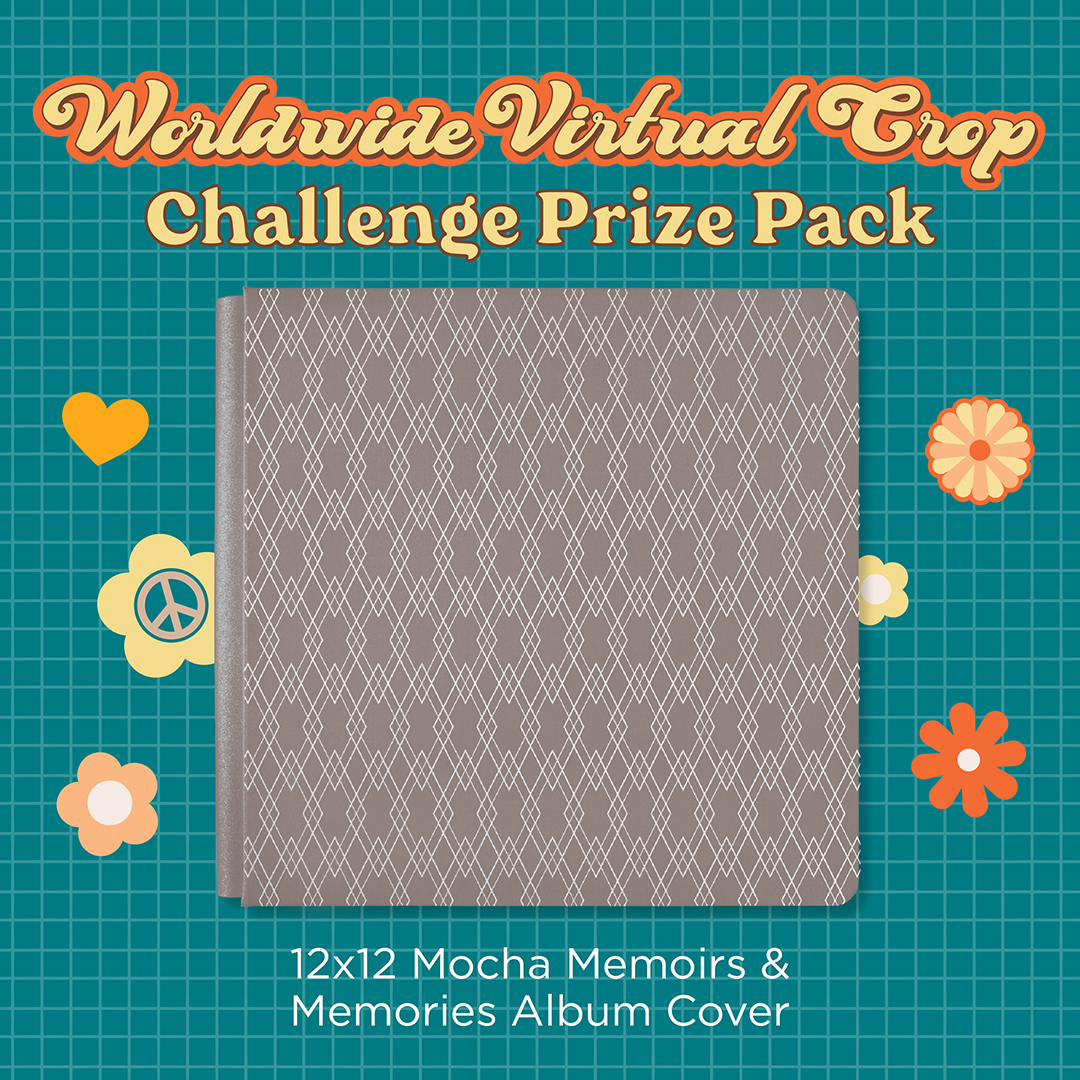
The prize for all 12 challenges of the Worldwide Virtual Crop will be the exclusive 12×12 Mocha Memoirs & Memories Album Cover! Prizes will be awarded to two (2) participants in each challenge — one (1) prize to anyone who completes the sketch using any products on-hand and one (1) prize to a participant who includes product(s) from the Secret Box #3. We will award the prizes randomly, but to win, it must be evident that you have used the sketch we provided as inspiration to create a project using predominantly Creative Memories products. Prize winners will be announced on Thursday, Sept. 19, at 3pm CT.

- If you haven’t already done so, join the Creative Memories Virtual Crop Facebook Group! You can find instructions on how to join here.
- During the crop, log in to the Creative Memories Virtual Crop Facebook Group and click on the “Featured” tab to view the pinned post for the challenges. The challenge number will be posted on the sketch.
- Click the link for the challenge, which will take you here — our blog. (HINT: If you’ve subscribed to the blog already, the challenges will be emailed to you directly as all other blog posts are and you can skip this step.) The challenge instructions will be posted here on the blog. OR click on “Media” > “Albums” in the Facebook Group to view the sketches there.
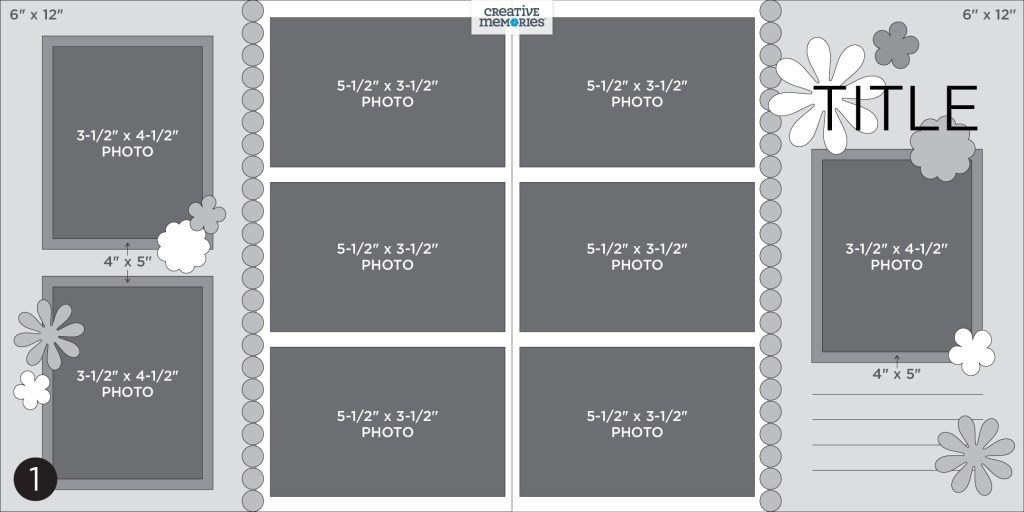
- Create a layout following the sketches below.
- Take a photo of your completed project.
- Post the photo of your completed page or spread in the Creative Memories Virtual Crop Facebook Group in a new post AND add the correct hashtag with your post: #2024WORLD1, #2024WORLD2, #2024WORLD3, etc., to the caption/comments. You will add the hashtag that matches the challenge you are submitting. Feel free to use other hashtags as well, such as #CreativeMemories, but BE SURE to include #2024WORLD1, #2024WORLD2, etc., so we can find your post. For Instagram users, you will need to add #2024WORLD1, #2024WORLD2, etc., so your post can be found.
- To ensure we see all your submissions for the chance to win, you’ll want to post each layout you complete as its own new post with the hashtag for that challenge.
- You have the entire event to submit all 12 challenges but all submissions must be received by Sept. 14 at 11:59pm CT. View challenge times in your time zone here. Keep refreshing the Virtual Crop Facebook Group to see others’ masterpieces!

Challenge #1 — #2024WORLD1
Challenge #2 — #2024WORLD2

Challenge #3 — #2024WORLD3

Challenge #4 — #2024WORLD4
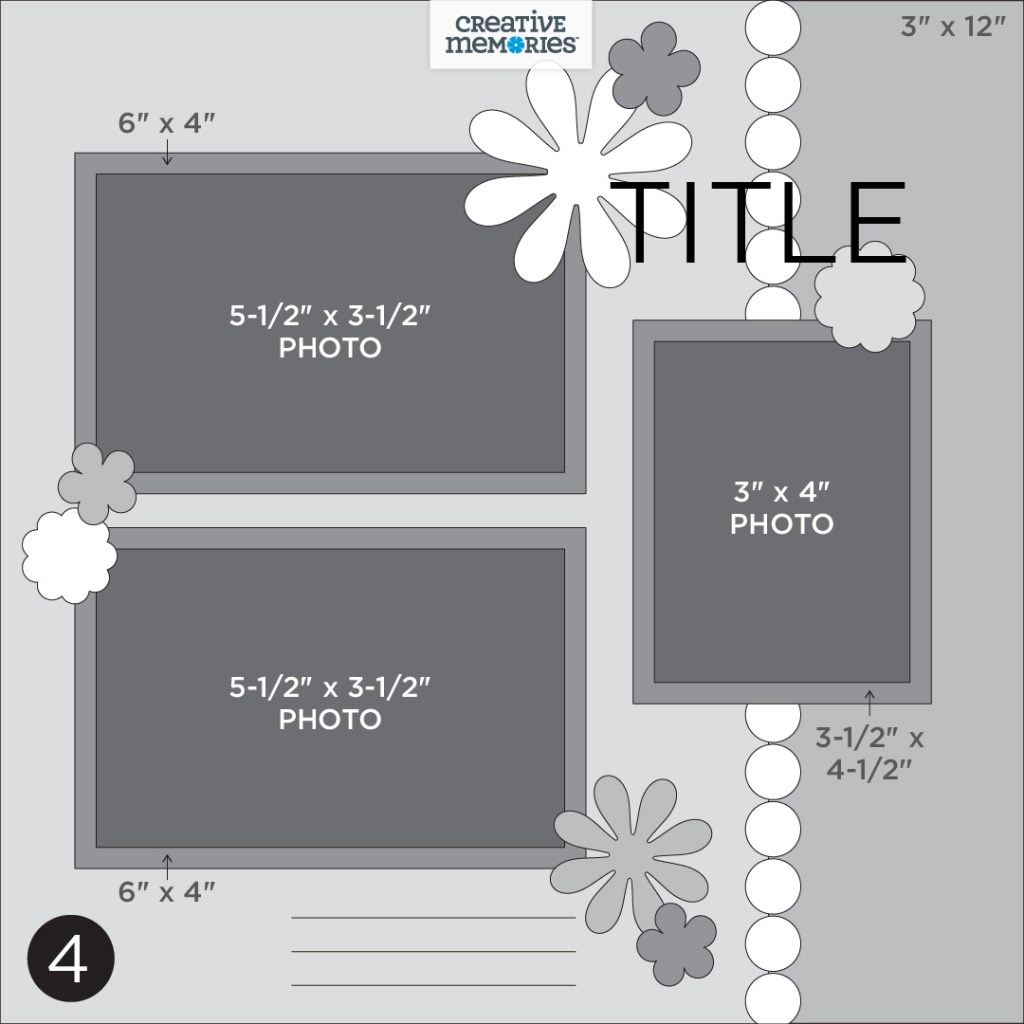

 Worldwide Virtual Crop Challenge #1:
“I attended my first Creative Memories Home Class in 1997 and immediately signed up to be a Consultant! This amazing business has given me the opportunity to form dear friendships in our various moves around the U.S. Recently, my husband and I retired to Florida where I have connected with yet another group of scrapbooking friends! I appreciate all of the connections and inspiration Creative Memories has provided.” —Debbie Pettit
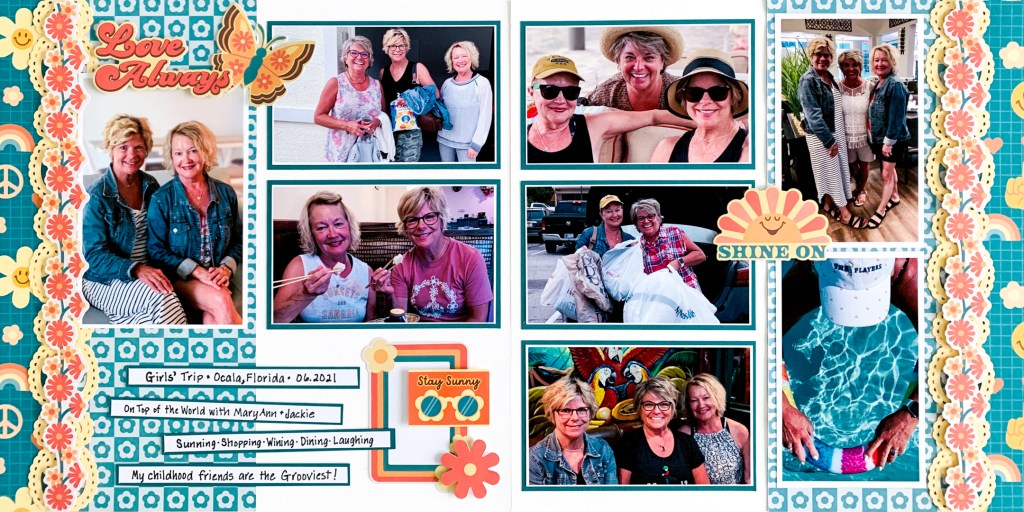
Debbie’s Tips:
“1) I flipped the sketch to bring the title and journaling to the left side. After cutting the Peace & Love/Flower Blocks paper in half, I trimmed a 1-1/2” strip from each piece. I then flipped that piece to reveal the reverse pattern.
2) Using Canary cardstock, I punched four borders with the Paisley Border Punch. I doubled them with Repositionable Tape before adding the die-cut floral border. Rather than adding an additional horizontal photo on the left page, I placed a fun embellishment next to my journal strips.
3) The Write On! Stickers matted on cardstock strips are a perfect way to tell your story! Use the sketch in a way that works for you! With so many photos taken with our phones these days, we tend to have more vertical photos than horizontal. Don’t be afraid to turn the sketch to get those photos on your pages!“


Collection Used: Secret Box #3

“Hello! My name is Margaret Geiermann. I live in Pinckney, Michigan, in the United States. I started scrapbooking in 2003 when I went to a Creative Memories demo party and purchased the large kit — I still use some of those products today. I became an Advisor in 2021 and love showcasing my photos on my pages!” —Margaret Geiermann
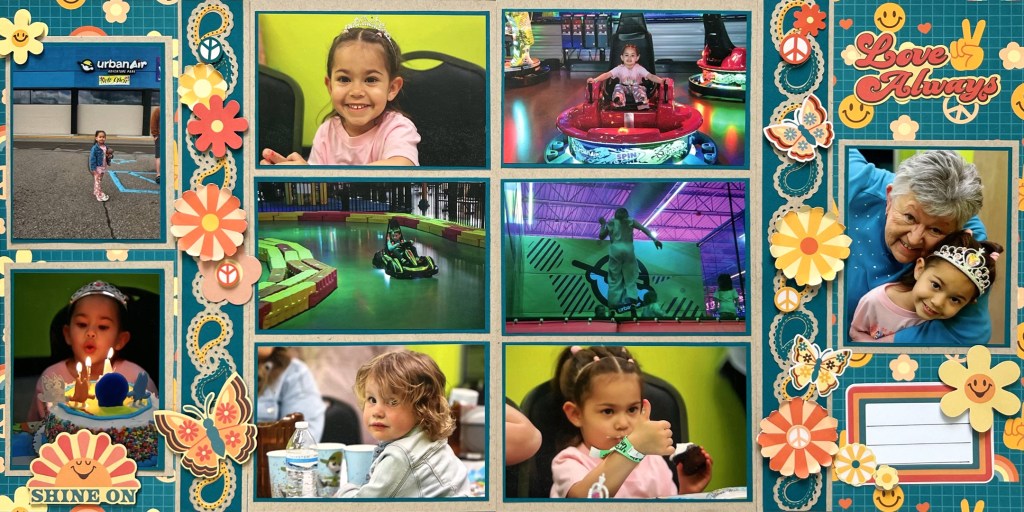
Margaret’s Tip: “On my page I used a fussy cutting technique to add additional flowers from a sheet of 12×12 paper. I find this technique is a fun way to increase embellishments for a page and make it uniquely mine. I also sanded the flowers lightly to give them a curled edge.”
Collection Used: Secret Box #3
 Worldwide Virtual Crop Challenge #2:
“Hello, I’m Tomoko. I live in northern Kyushu, Fukuoka Prefecture, Japan, with my husband, two children and two dogs. In 2007, I discovered Creative Memories, and I was immediately captivated by its charm. I became an Advisor soon after. When creating albums, I enjoy thinking about which collection to use for certain photos, which tools to incorporate and how to match the photos within a collection — considering color schemes, tones and more. The process is delightful, and the finished pages bring me comfort. It’s like wrapping memories in a cozy embrace. I strive for simplicity that still looks elegant. I hope many others can experience the joy of creating and find comfort in their own albums.” —Tomoko Yoshioka

Collection Used: Secret Box #3
“Hi, my name is Fumiko Kimura. I live in Fukuoka, Japan. My family is now only two, my husband and myself. We have two children, a 27-year-old daughter and a 25-year-old son. Creative Memories’ designer papers are beautiful and cute, and I look forward to seeing new products every month. I especially like the spring and summer collections. My favorite punch is the Daisy Bouquet Punch. My reason for making albums is that I had taken a lot of photos of my children and I want to organize all of them in CM albums! This year, I signed up as an Advisor. What is the good thing about being an Advisor? I can get a lot of information and love Advisor social gatherings. The more albums I make, the more I enjoy it. Now I even enjoy watching YouTube videos from overseas for creating pages.” —Fumiko Kimura

Collection Used: Secret Box #3
 Worldwide Virtual Crop Challenge #3:
Katrina Kozlovic was introduced to Creative Memories in 2000 by a friend who invited her around for a Beginner’s Class. She enjoyed it so much she signed up as a Consultant and introduced CM to her family and friends. She held weekly classes at her house. She loves to create photo albums for her children, grandchild and other family members so they can reminisce on the memories they have created.
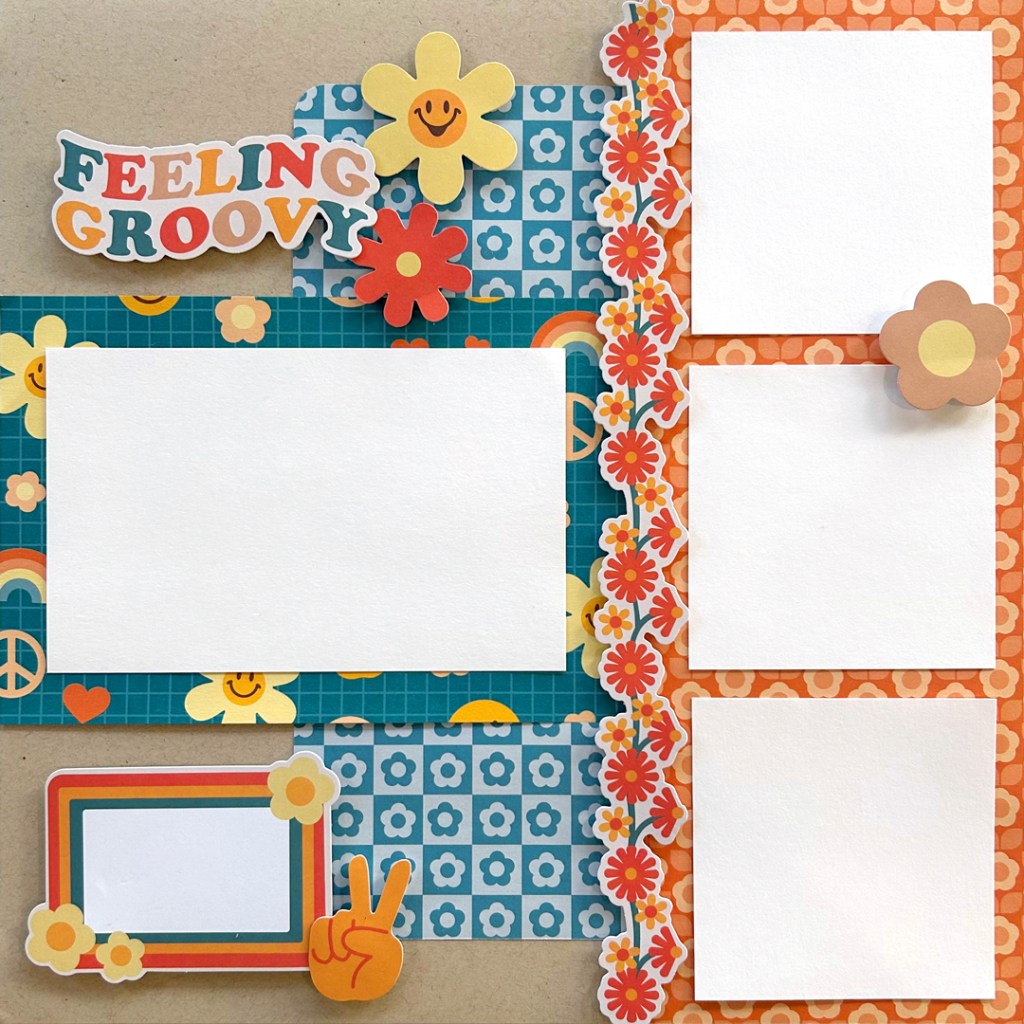
Katrina’s Tip: “Choose the designer paper, use your 12-inch Trimmer to cut to the measurements. Using your desired adhesive, stick your designer paper on the coordinating cardstock. Choose the designer embellishments to match your paper and cardstock. Use your Foam Squares to enhance your embellishment on your page.”
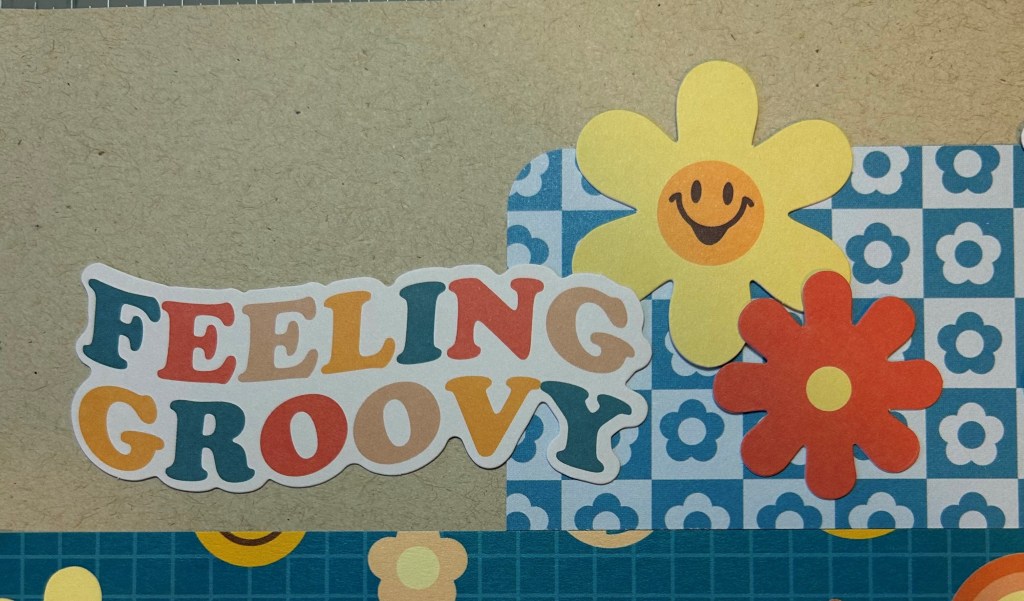
Collection Used: Secret Box #3
Kathryn Allendorf was introduced to Creative Memories in 2005 and has been documenting her family’s memories ever since. Kathryn decided to join as an Adviser in 2019 to get the free album promo, but found herself sharing the love of scrapbooking with others. Her business has grown and her monthly 12-hour workshops are regularly at capacity. These workshops serve as a regular reminder of the importance of this shared time to create, bond and relax.
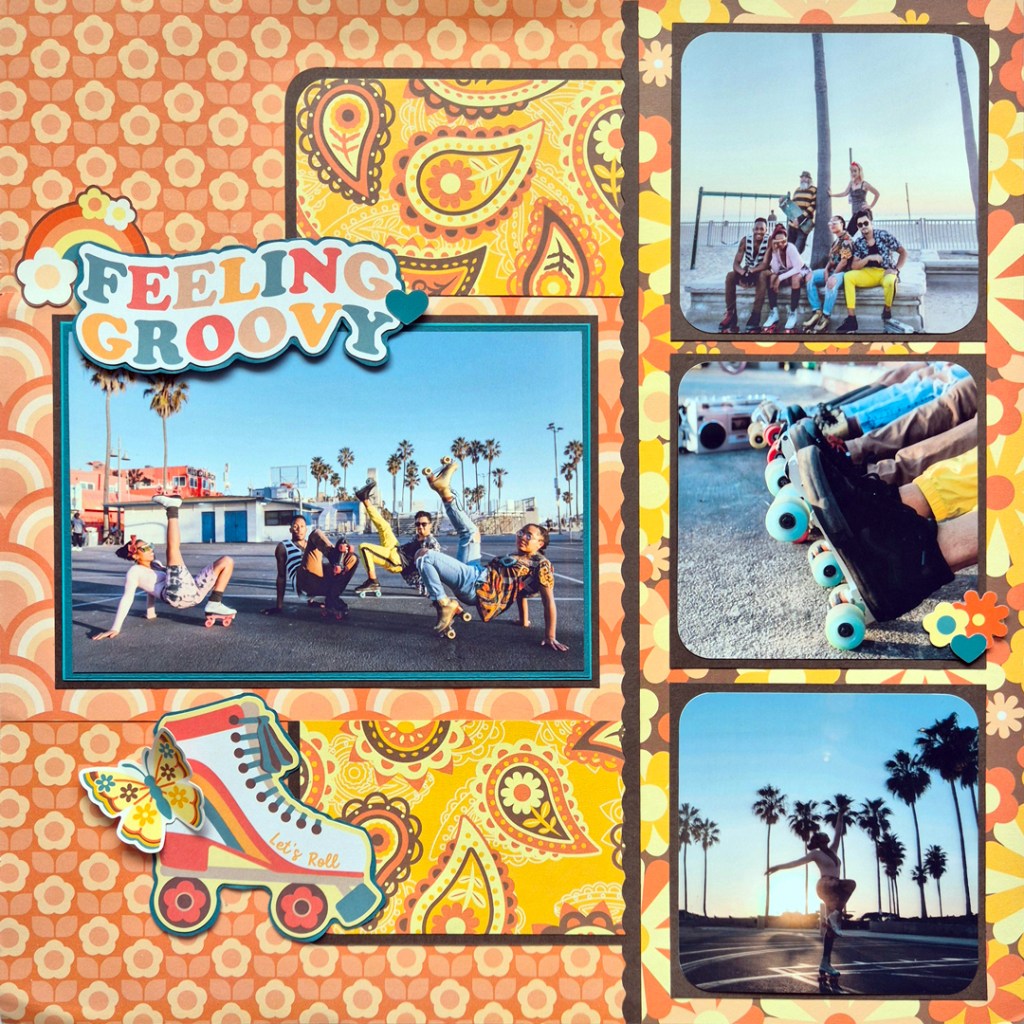
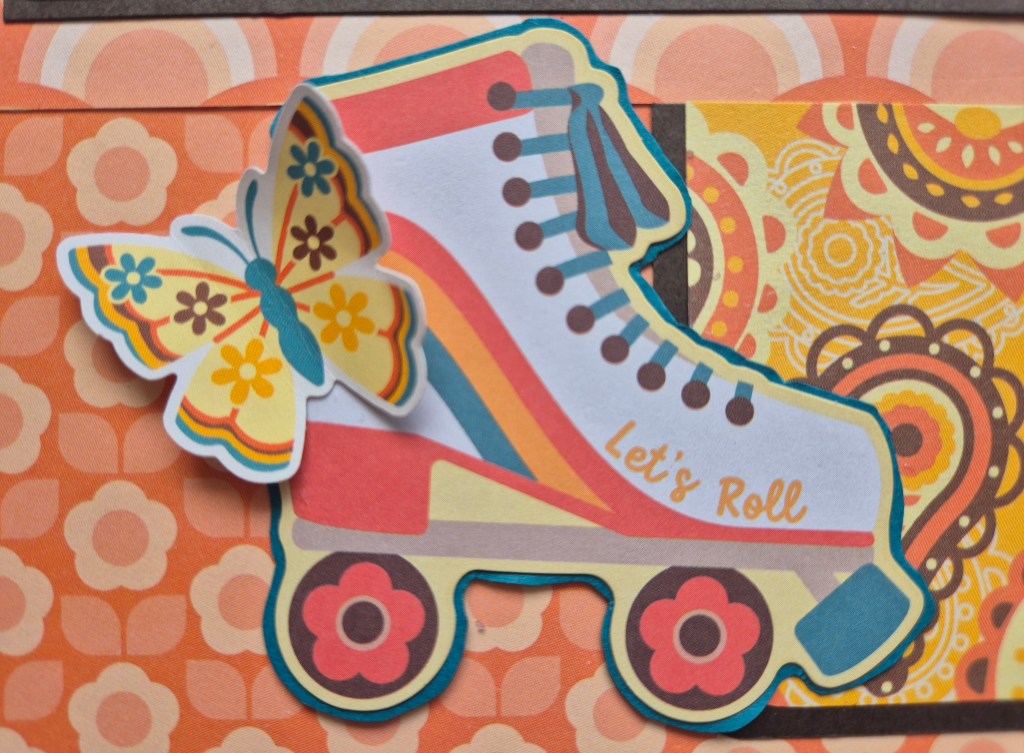
Kathryn’s Tip: “When using busy papers like this, use a solid color between patterns to contain them. This helps give your eye a ‘full stop’ and stops it from being overwhelmed. It also helps to stick your embellishments onto solid cardstock and fussy cut around it to give it a solid border, which does the same thing and helps stop the embellishment from blending into the pattern. Use your Corner Rounder to shape your photos. It carries the shape through the layout and also gives your photos a cool retro vibe that matches the collection.“

Collection Used: Secret Box #3
 Worldwide Virtual Crop Challenge #4:
Shelley Brenneman has been a lover of scrapbooking since before it was called that. So when her husband introduced her to Creative Memories with a gift of products 27 years ago, she was hooked! She joined as an Advisor in 2002 and considers her team members and customers as some of her best friends. Scrapbooking her memories and helping others do the same with Creative Memories’ amazing products brings her so much joy.
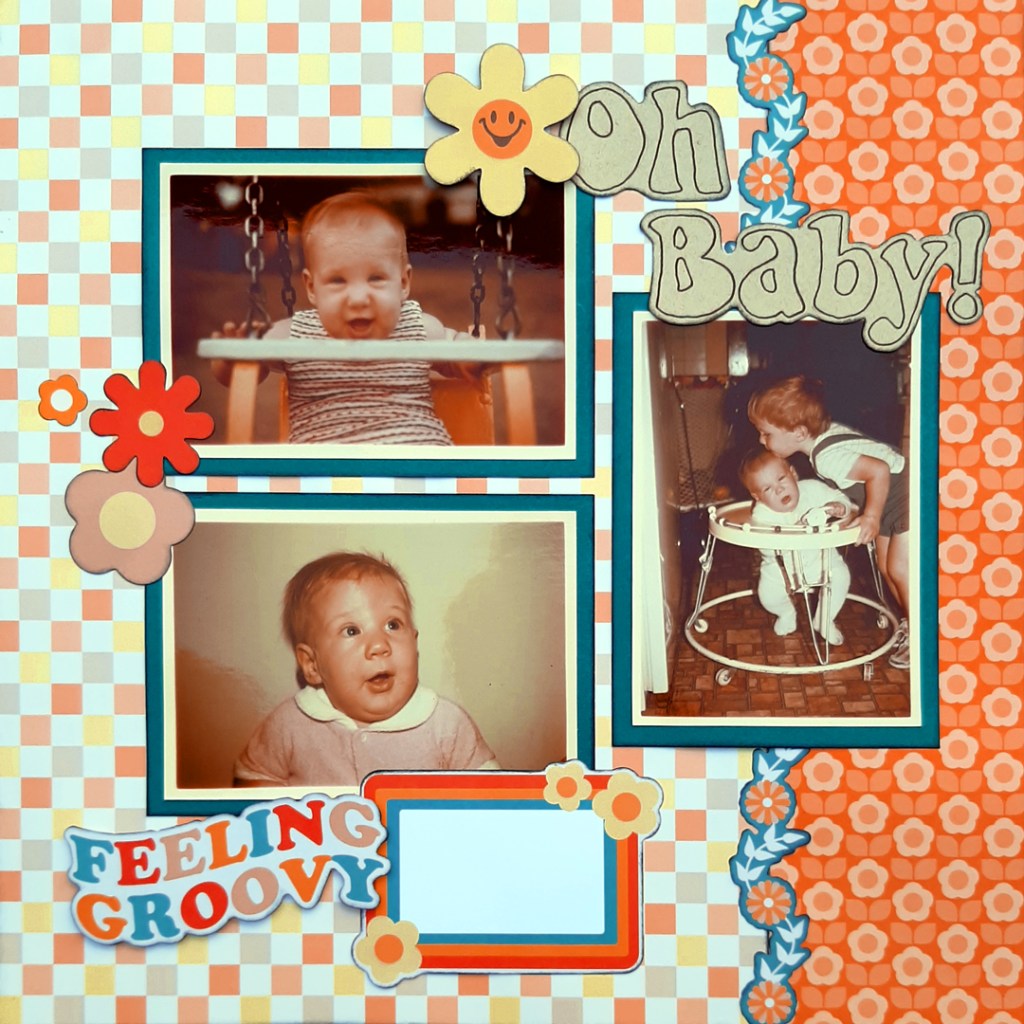
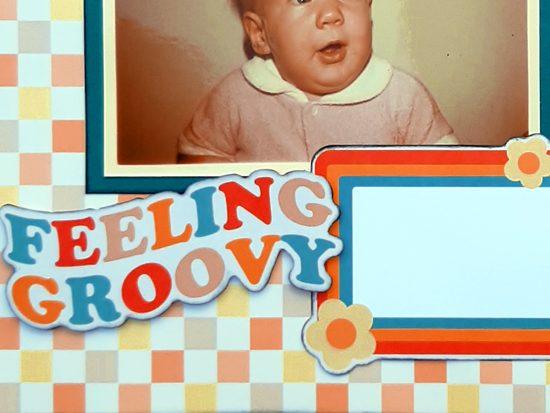
Shelley’s Tip: “Before adhering photos and embellishments, try different pieces of coordinating paper to see which ones work best for the background. Look for elements that contrast and enhance your photos rather than distract. Use a smaller design pattern if you are covering a large portion of the background paper.”

Collection Used: Secret Box #3
“I am a Creative Memories Advisor from Alberta, Canada. I have been using Creative Memories products since I was 12 years old (24 years total).” —Heather Northcott
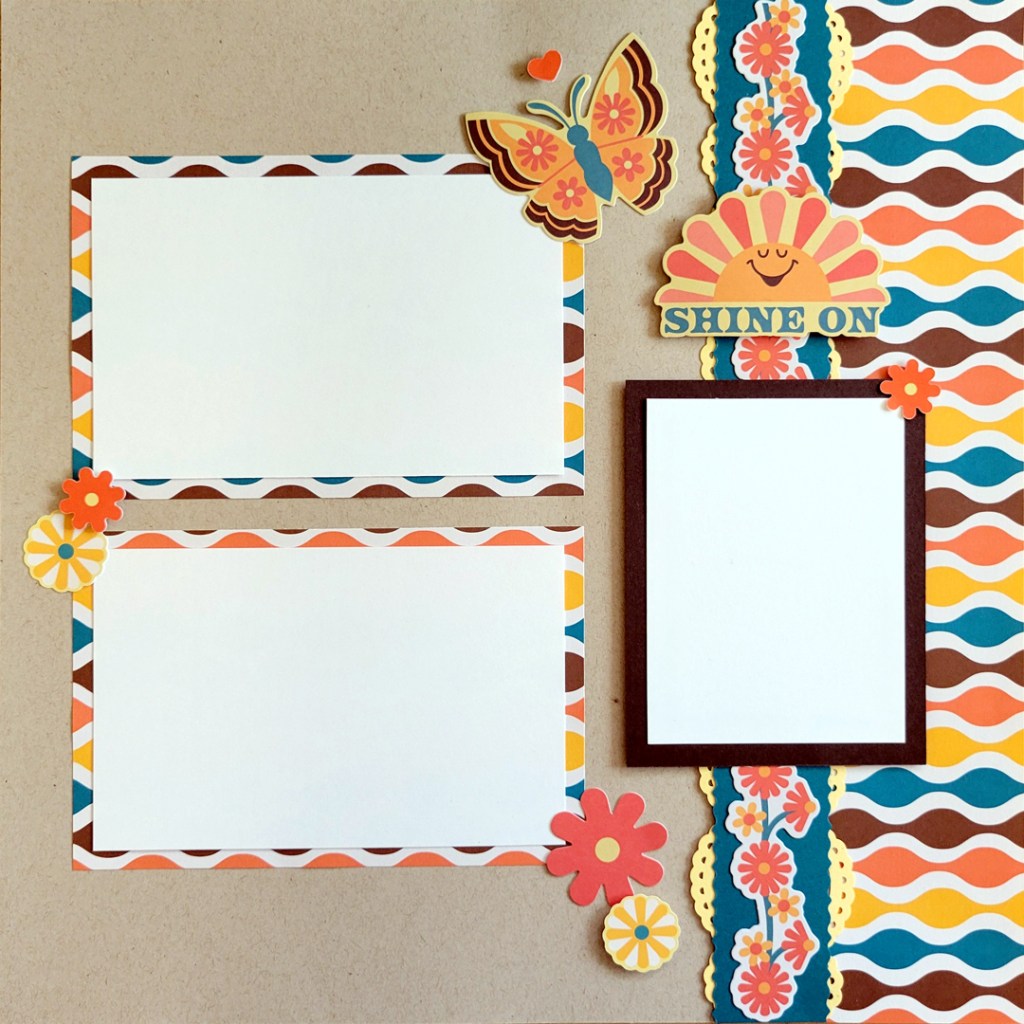
Heather’s Tips: “To create the border, I used the Paisley Border Punch (from Secret Box #3). I punched one paisley border from Canary cardstock, and then I cut it in half lengthwise. Next, I cut a 1-1/4” strip of Dark Sea Green Cardstock with the 12-inch Trimmer and the Victorian Blade. I then flipped one half of the paisley border so it mirrored itself and glued one half of the yellow paisley border to each edge of the Dark Sea Green strips using Repositionable adhesive. I flipped the border over so only a small amount of the Canary peaks out and adhered the orange flower border from the Retro Vibes die cuts through the middle.”


Collection Used: Secret Box #3
Want to Try Out the Virtual Crop Digitally?
Check out our demo of how to create your sketch using Custom Refill Pages, Custom Albums or Custom Album Covers. When you complete the sketch, instead of snapping a photo of your layout, take a screenshot and submit it to the Virtual Crop Facebook Group.
- For how to take a screenshot on a Mac, get details here.
- For how to take a screenshot on a PC, get details here.
Thanks for joining us! When posting your projects on social media, use #2024WORLD1, #2024WORLD2, etc., and #CreativeMemories to share your excitement! Happy Worldwide Virtual Crop!


What great layouts and ideas to use completely or as parts!! Thank you for showcasing current photos with this collection!
Why do we not get extra time to submit our pages for this month’s challenges? Usually, we get till the Tuesday after to submit our pages when we actually have less pages.
Lovely creations! Thank you so much for the inspiration.