July 11, 2025
The July 2025 Virtual Crop is HERE!

We are halfway through the year, and the July Virtual Crop is here to help you stay on track with all your 2025 scrapbooking goals! You’re in for a weekend packed with fresh inspiration, connection and scrap-happy fun. Get excited for 4 brand-new sketch challenges designed to make scrapbooking your memories a breeze.
If this is your first time participating in a Virtual Crop and you would like a quick step-by-step guide of what to expect before you jump in, you can get ALL the details about Virtual Crops in this blog post, including how to participate (in our Virtual Crop Group), supplies you’ll need, examples of challenges, types of prizes and more.
Know what you’re looking for? Find it faster here:
In this post, you will find ALL 4 sketches for this crop (these sketches are for the entire weekend; no additional sketches will be posted), a downloadable PDF with the 4 sketches for your convenience, hashtags to use when posting your challenge layouts in the Virtual Crop Group, prize information and layout inspiration. This is about to be an amazing weekend and we can’t wait to see what you create!
To make sure we see all your submissions for a chance to win, you’ll want to post each layout you complete as its own new post with the hashtag for that challenge. You have until Tuesday, July 15, at 11:59pm CT (AU: Wednesday, 16 July, at 2:59pm AET) to submit your layouts for the chance to win a prize (more details on what you can win further down this post!). Again, we’re so excited that you’re here. Happy scrapping!


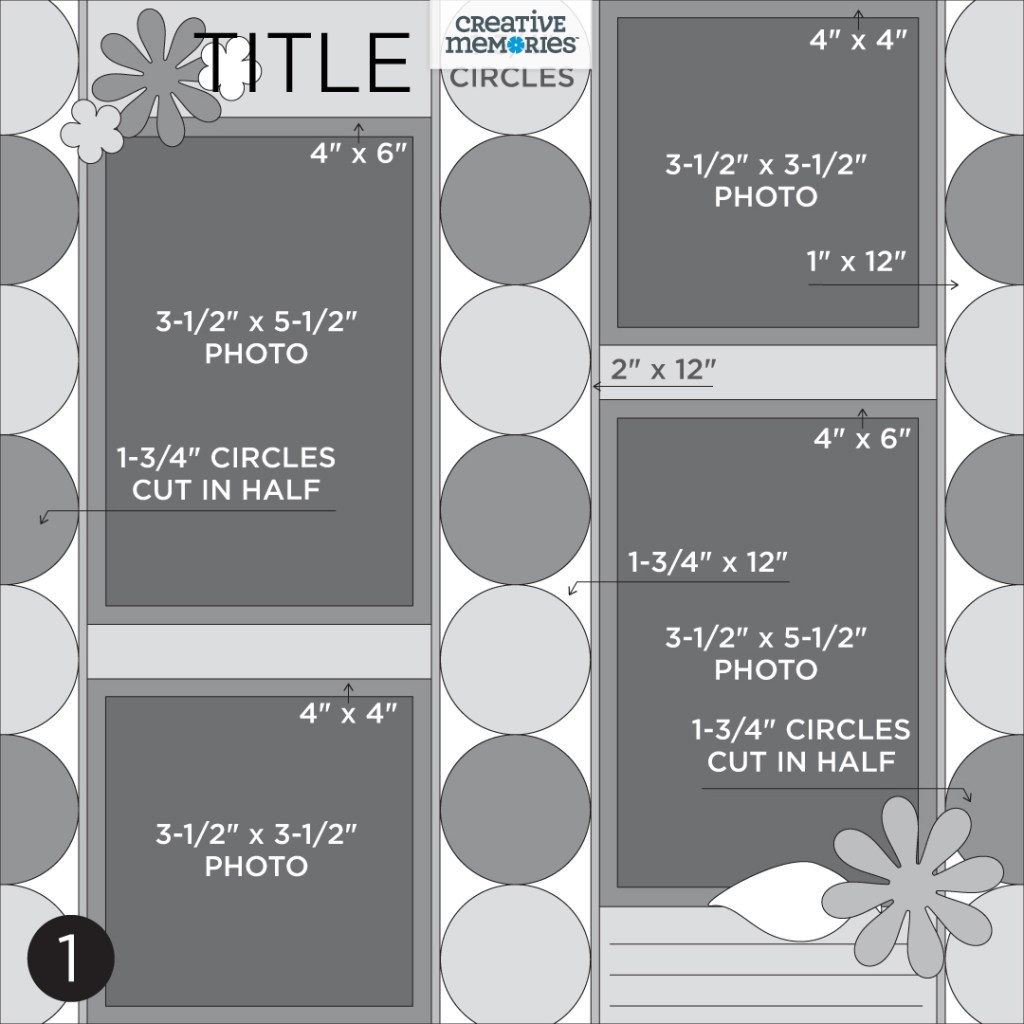
Challenge #1 — #CMVirtualCrop1July2025
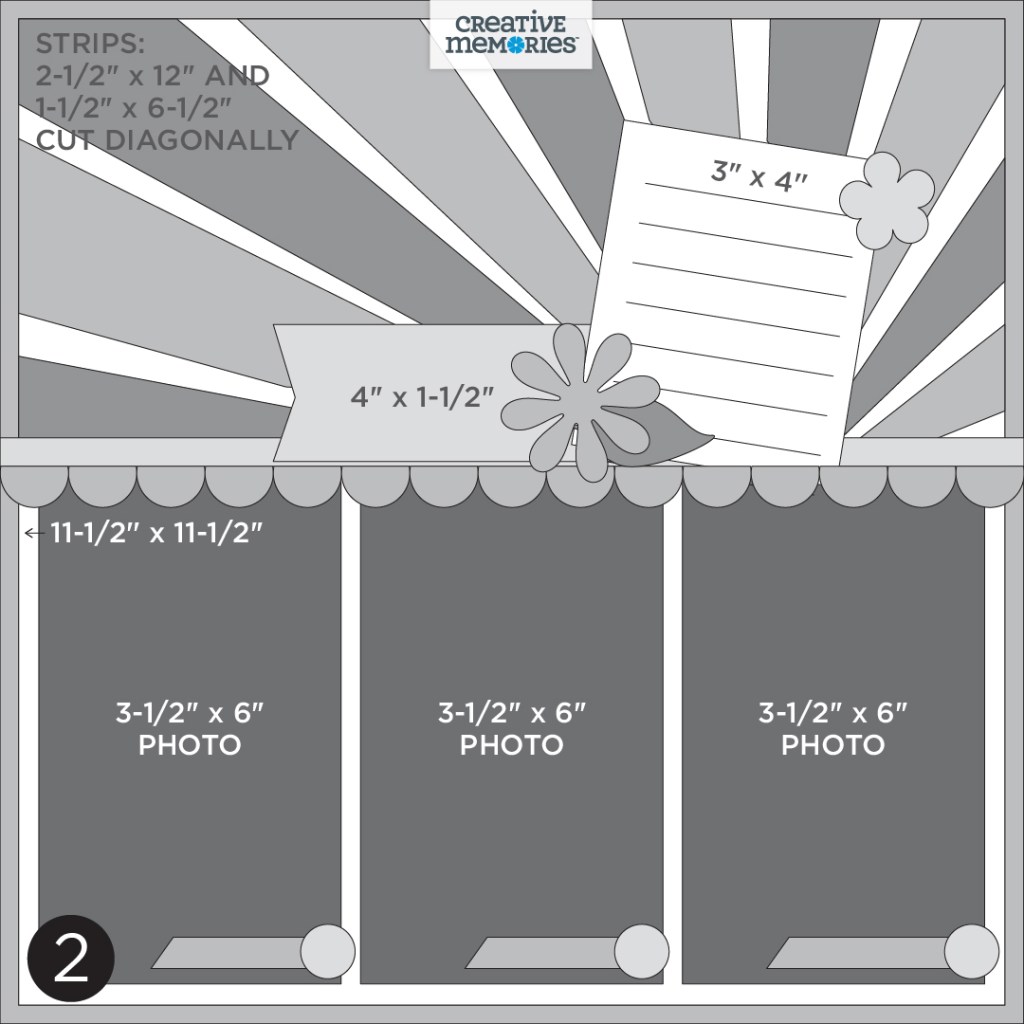
Challenge #2 — #CMVirtualCrop2July2025
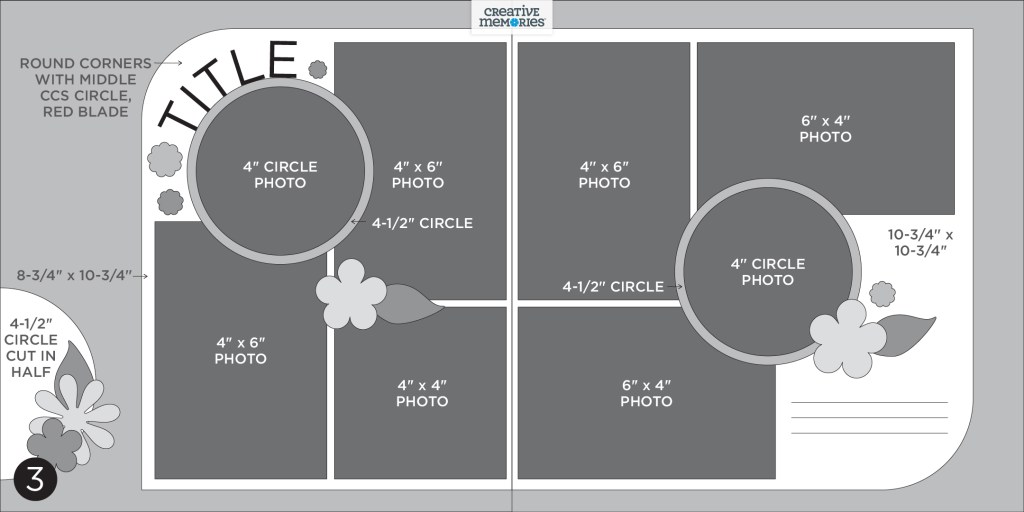
Challenge #3 — #CMVirtualCrop3July2025
Challenge #4 — #CMVirtualCrop4July2025


View the rules and how prizes are awarded here ?


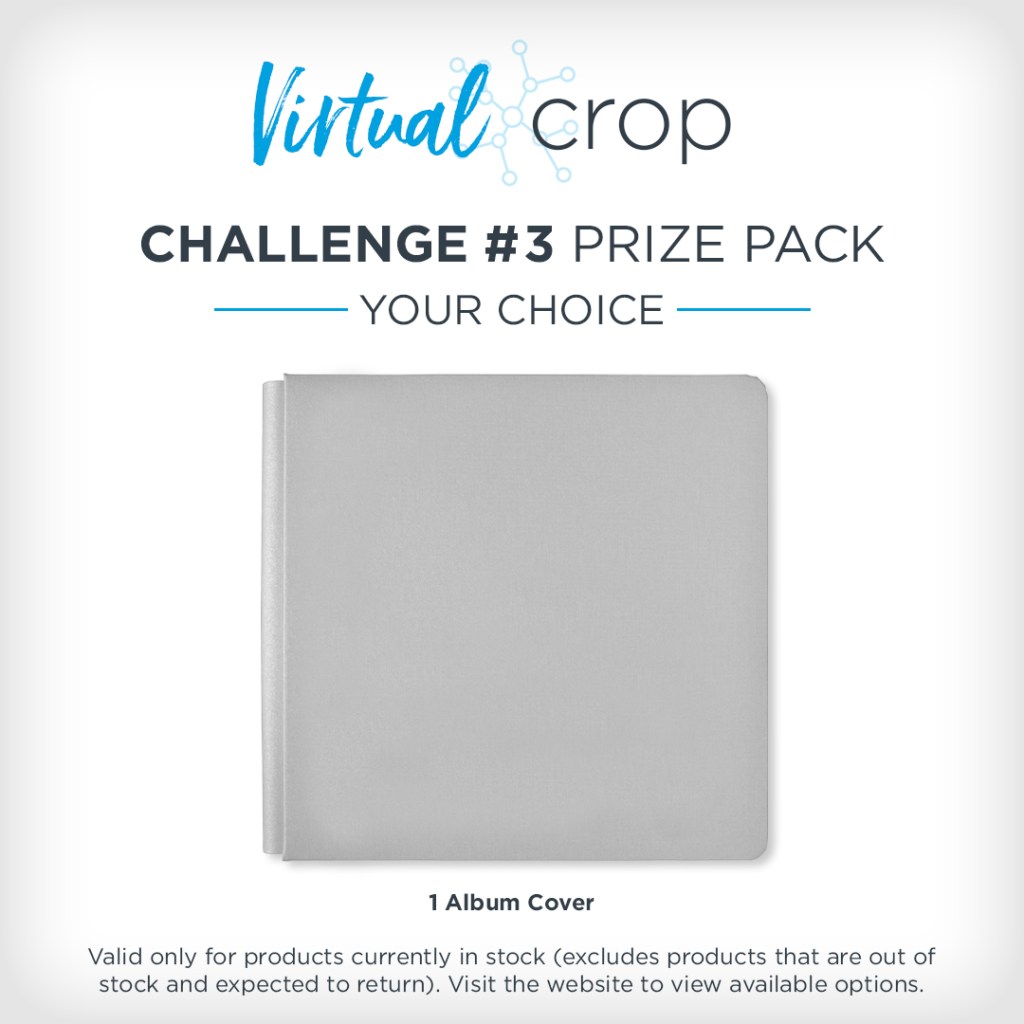

NOTE: The Prize Pack will be awarded to one (1) participant in each challenge. Valid only for products currently in stock (excludes products that are out of stock and expected to return).
We will award the prizes randomly, but to win, it must be obvious you used the sketch we provided as inspiration to create a project. You’re highly encouraged to use Creative Memories products, but it’s not a requirement to win. You have until Tuesday, July 15, at 11:59pm CT (AU: Wednesday, 16 July, at 2:59pm AET) to submit your layout(s). Prize winners will be announced on Thursday, July 17, at noon CT (AU: Friday, 18 July).

Challenge #1

Collection Used: Noteworthy Days (Shop Canada | Shop Australia)
Noreen’s Tip: “Create both complete borders first, then cut one border in half lengthwise to achieve the perfect half-circles shown along the edges of the layout!“
Challenge #2

Collection Used: All-American Blast (Shop Canada | Shop Australia)
Tammy’s Tip: “Starburst layouts might look tricky, but this is a quick and easy way to get that eye-catching effect without overthinking it! Cut the second paper layer to 11.5″ and score it in half to use as the base for the starburst and to mat the photos. Use double-sided designer paper strips cut to 2.5″x12″ and 1.5″x6.5″, then cut each strip diagonally. If using directional paper, cut some pieces with the wide side to the left of the 12-inch Trimmer cut line and some to the right. Place the cut strips along the score line as a guide, keeping the straight edges all in the same direction to create the starburst. The 13×13 CCS Mat is perfect for spacing them evenly—and makes alignment quick and easy!”
Challenge #3
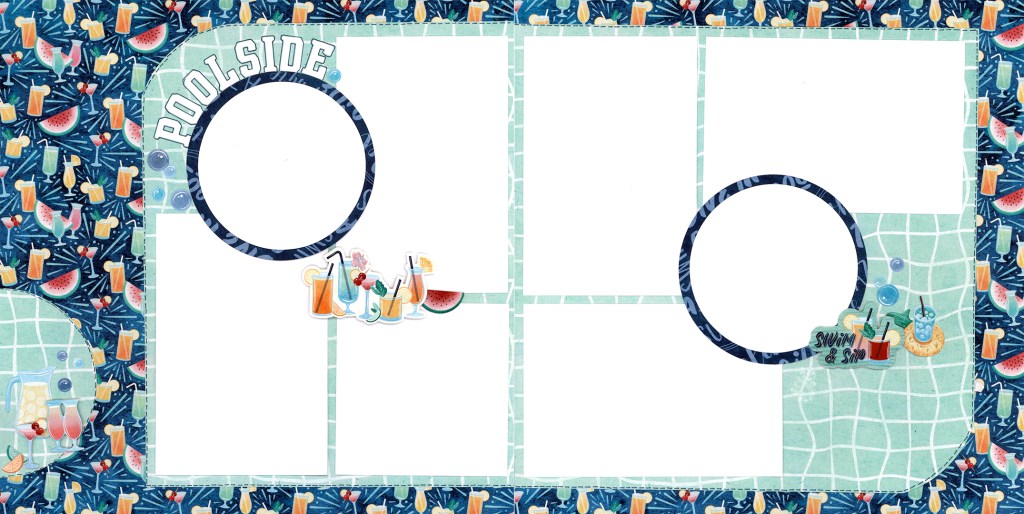
Collection Used: Poolside Paradise (Shop Canada | Shop Australia)
Tammy’s Tip: “This layout features a simple cross-over design, where the photos are adhered to a second paper layer that crosses over both pages to really make them pop! To add a bit of movement, round two opposite corners using the smallest Custom Cutting System Circle Pattern with the Red Blade. The 13×13 CCS Mat helps to line it up just right. What really makes this layout stand out? The Micro-Tip Pen dashed lines along the edge of the crossover paper — such a simple detail, but so effective!”
Challenge #4
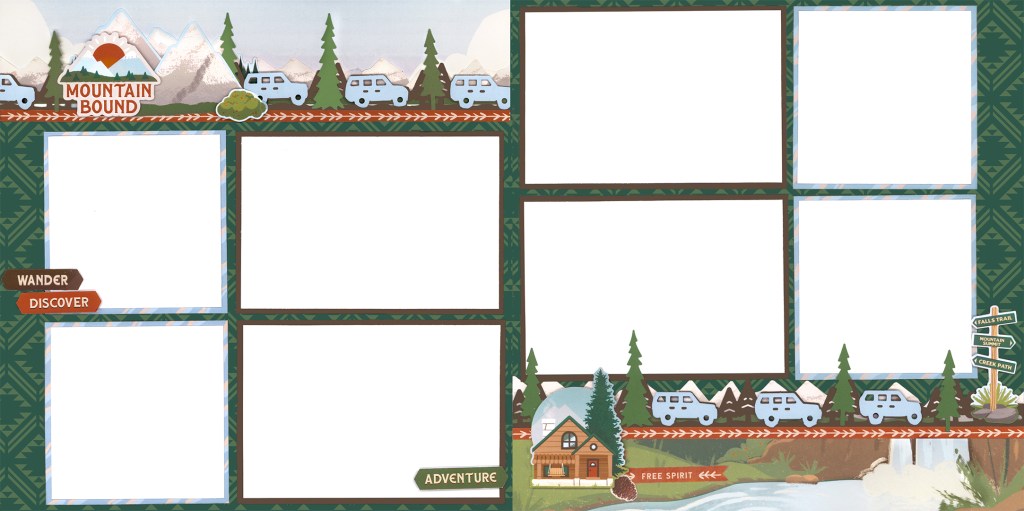
Collection Used: Mountain Scenes (Shop Canada | Shop Australia)
Tammy’s Tip: “Ever wonder how to use scene papers on a two-page layout? In this example, I used the top 3″ and bottom 2″ of the scene paper as the base for the borders, then flipped the paper and cut photo mats from the reverse pattern. Now it’s time to have some fun with your border punches! Select your border punch (I used the Road Trip Border Punch) and punch 2–3 different cardstock colours. Use the darker colour as the base, then fussy cut from the lighter colour and adhere with Foam Squares for added dimension. This clean grid format highlights your photos amidst the detailed border — so go ahead and add stickers and embellishments to your heart’s content!”
Virtual Crop Tracker
We are officially halfway through 2025! Remember to keep track of your projects with our 2025 Virtual Crop Tracker!
Color in one shutter for each sketch challenge you complete during each monthly Virtual Crop in 2025. Once you’ve completed all 12 months’ sketch challenges (that’s 48 completed pages you’ll be adding to your albums), you can submit your tracker for a chance to be one of three grand prize winners! More information on how to submit will be shared in the Virtual Crop Group as we near the final sketch challenge.

P.S. Are YOU a member of the Virtual Crop Group? It’s your go-to place for MONTHLY Virtual Crops, MONTHLY Completed Album Challenges, QUARTERLY Secret Box Openings with project tutorials and so much more! We hope you’ll join our community of more than 46,000 fellow memory-keeping enthusiasts — you’ll feel right at home!
“Creativity is intelligence having fun.” – Albert Einstein

Tammy congratulations on your contribution to this month’s Virtual Crop Layouts!! I can’t wait to try them.
?Kathi
Thank you Kathi!
Happy Scrapbooking!
How are the borders made for Challenge #4? The ones shown on the sketch please since the Layout shown isn’t the same.
Thank you for your wonderful layouts for this months Virtual Crop. I always enjoy put your layouts together with my pictures. The results always look amazing.