March 3, 2026
From Full Size to Fun Size: Virtual Crop Sketches for Your Scrap Journal
As more scrapbookers fall in love with Creative Memories’ Scrap Journal, adapting 12″ x 12″ Virtual Crop sketches to fit 6.75″ x 10″ pages becomes a fun creative challenge! The most important thing to keep in mind is that every element is simply on a smaller scale, but you are not limited to sticking to the sketch exactly!
Because you’re converting from a square page to a rectangle, proportionally shrinking everything doesn’t always work. While you can calculate ratios, that approach doesn’t necessarily create the most balanced result. Instead, focus on preserving the integrity of the sketch while adjusting elements in a way that feels natural on a slimmer page.
That also means not every element needs to make the transition. There simply isn’t as much real estate on a 6.75″ x 10″ page, and that’s perfectly fine! We hope you use this blog post as a way to inspire you to create something that fits you in your Scrap Journal, and hopefully you have fun doing it!
Photo Sizing Tips for Scrap Journal Pages
When resizing layouts, photo sizes often shift, too. Instead of your standard sizes, consider downsizing slightly to accommodate more photos on your page.
- 3″ x 4″ or 4″ x 3″
- 2″ x 3″ of 3″ x 2″
- 3″ x 3″
- 2″ x 2″
These sizes are easy to print at home or with your favorite photo processor by creating collages with various apps or creative websites such as Canva. For more tips on printing at a smaller scale, check out this video!
That said, larger prints still work beautifully as focal points. A 4″ x 6″ or even a 5″ x 7″ photo can anchor a Scrap Journal page when you want one standout image.
Layout Inspiration

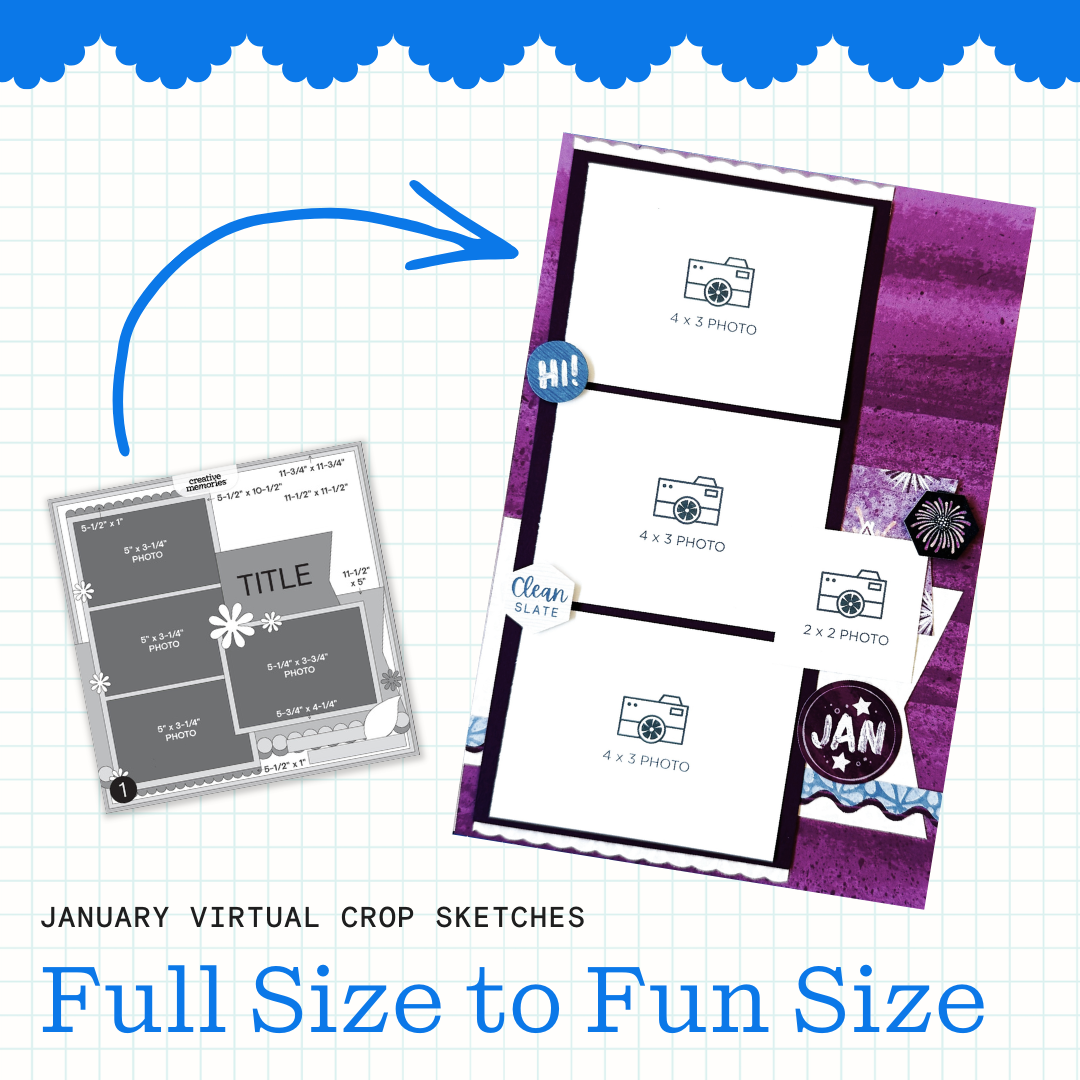
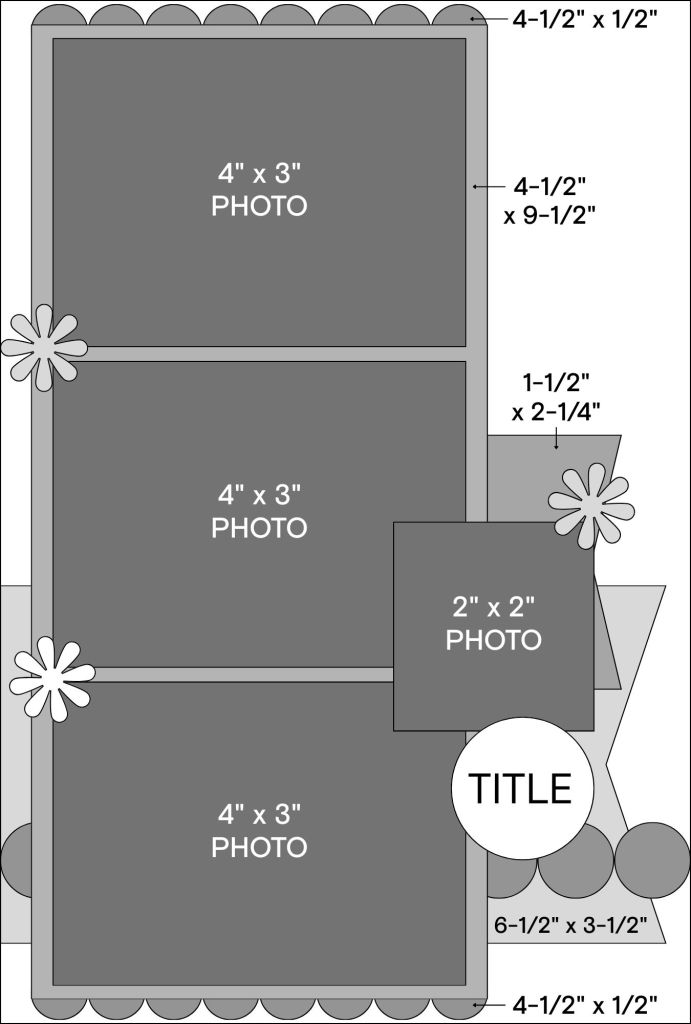
Sketch #1 from the January Virtual Crop translates nicely to a single Scrap Journal page. To adapt it, start by simplifying the background. Instead of layering multiple patterned papers, use one patterned sheet as your base. Slightly narrow the horizontal strips or tags so they don’t overwhelm the page, and recreate decorative borders above and below the photo strip using a decorative blade in your 12-inch Trimmer.
On this version, three 4″ x 3″ photos and one 2″ x 2″ photo fit comfortably. Even without the layered background papers, the overall feel of the sketch remains clean and recognizable.
Sketch by Tammy M., Creative Memories Design Team Contributor
Layout by Debbie P., Creative Memories Design Team Contributor

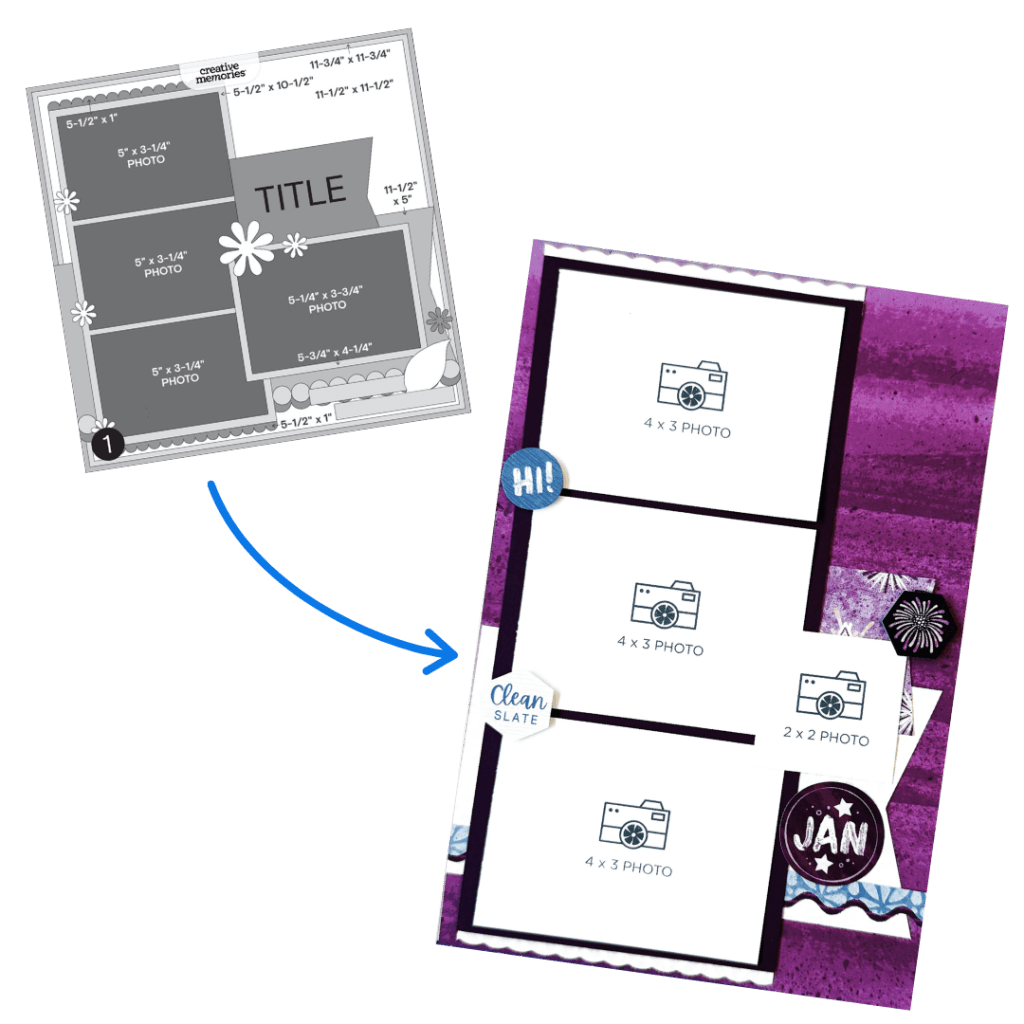
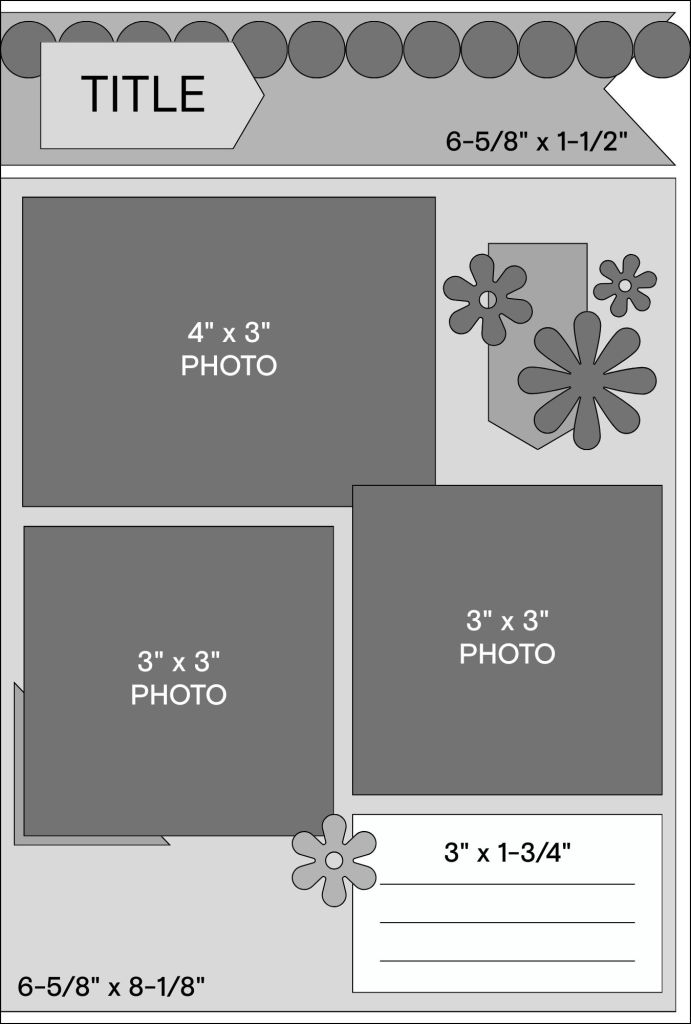
Sketch #2 also works beautifully as a single Scrap Journal page. Because of the slimmer width, consider omitting one vertical border if space feels tight. Otherwise, keep the structure similar and just scale everything slightly smaller.
A patterned background panel helps anchor the layout, and a border punch along the top adds visual interest without taking up much space. With one 4″ x 3″ photo and two 3″ x 3″ photos, there’s still room for a title and a dedicated journaling area. The key is balance. If something feels crowded, simplify rather than shrink everything too much.

Sketch by Tammy M., Creative Memories Design Team Contributor
Layout by Debbie P., Creative Memories Design Team Contributor

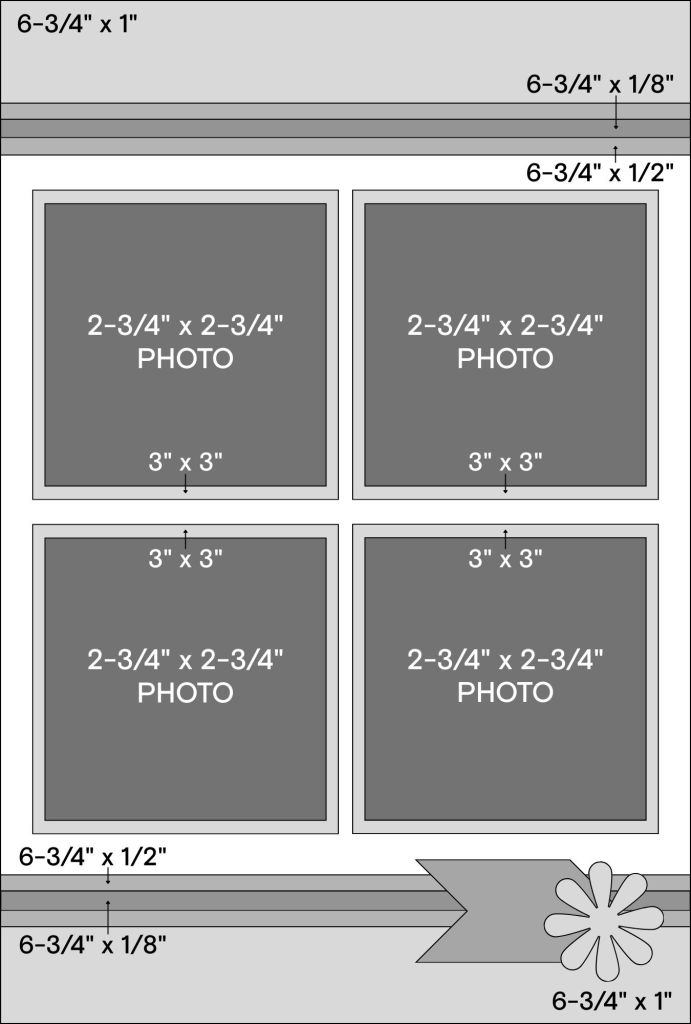
Two-page sketches can absolutely be recreated in the Scrap Journal — they just require thoughtful scaling. Start by reducing the width of patterned strips and keeping accent layers slim. Narrow strips create the same layered effect without overpowering the page. Adding embellishments with Foam Squares brings dimension and keeps the layout from feeling flat.
On this version, seven photos fit comfortably by using smaller sizes such as 3″ x 5″, 2″ x 2″ and 2-3/4″ x 2-3/4″. Even with multiple photos, the spread doesn’t feel crowded because the elements are proportioned intentionally. Smaller doesn’t mean sacrificing impact — it simply means editing with purpose.
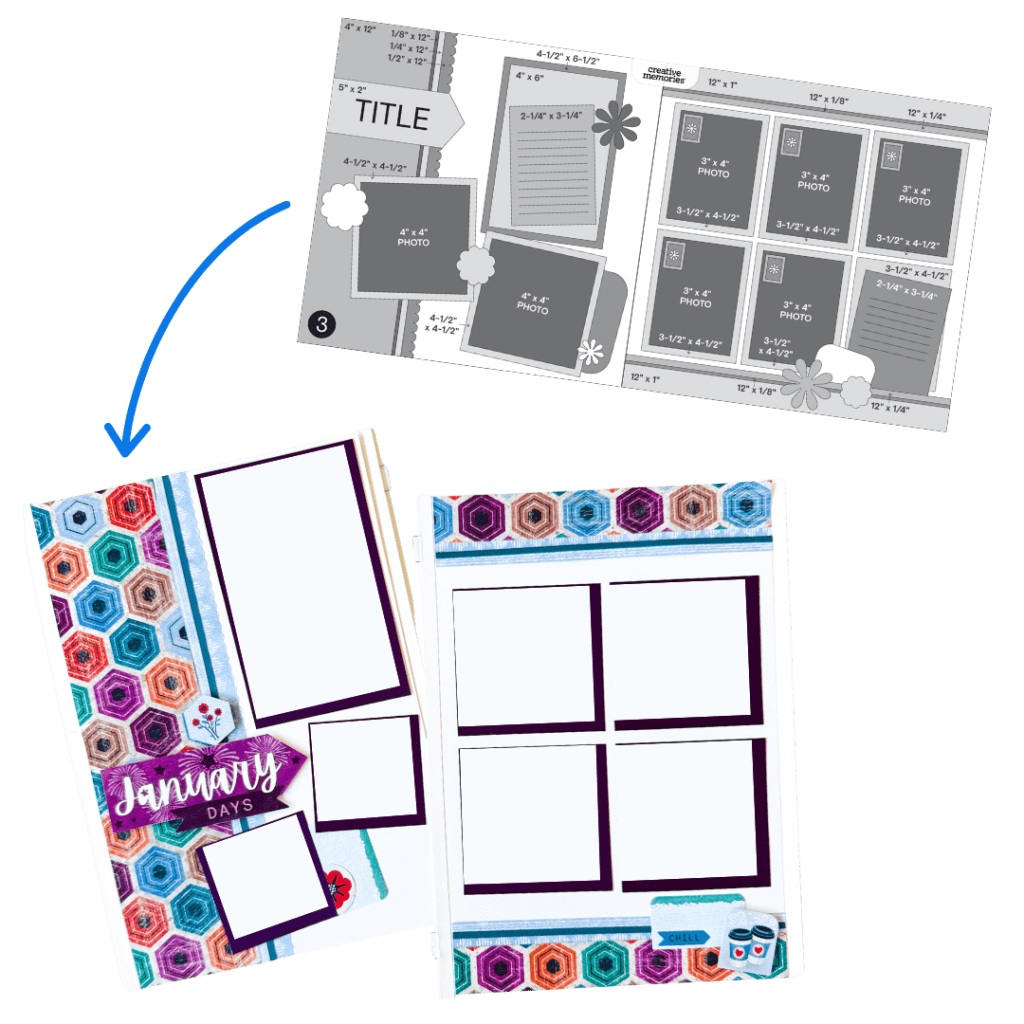
Sketch by Tammy M., Creative Memories Design Team Contributor
Layout by Debbie P., Creative Memories Design Team Contributor

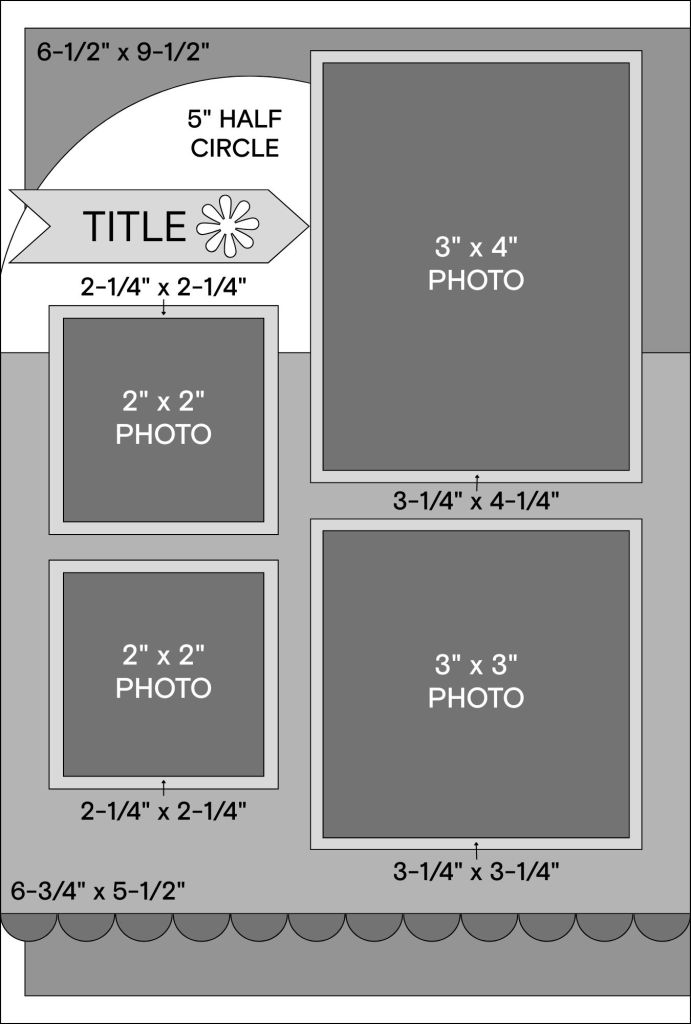
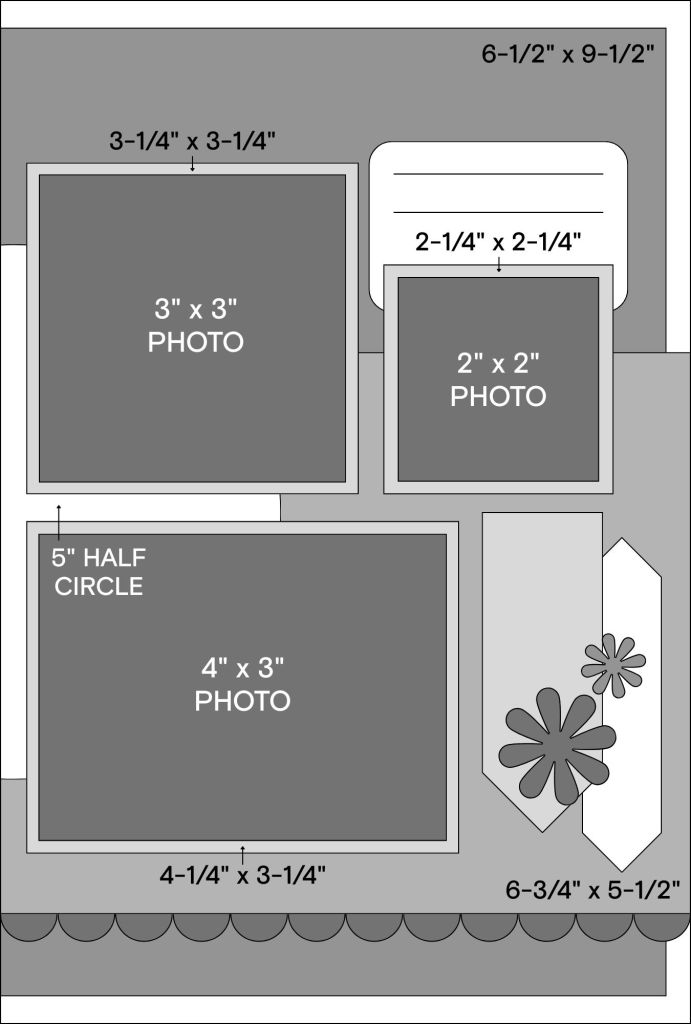
The original version of Sketch #4 uses multiple patterned strips — a great way to use scraps on a 12″ x 12″ page. On a narrower Scrap Journal layout, however, those strips may feel overwhelming. Instead, focus on one or two key design elements to preserve the look of the sketch. In this case, the circle feature and the border punch became the focal points.
Cut a 5″ circle using the Custom Cutting System and divide it between the two pages so it visually connects the spread. Let patterned paper flow across both pages without leaving an inside border to create a seamless look. A subtle border punch along the bottom adds texture without visual heaviness.
Seven photos — including 3″ x 4″, 4″ x 3″, 3″ x 3″ and 2″ x 2″ sizes — fit comfortably alongside a title, journaling and decorative elements. If vertical strip tags don’t translate well to the narrower page, substitute embellishment pack tags or a journal box to create a visual triangle instead.
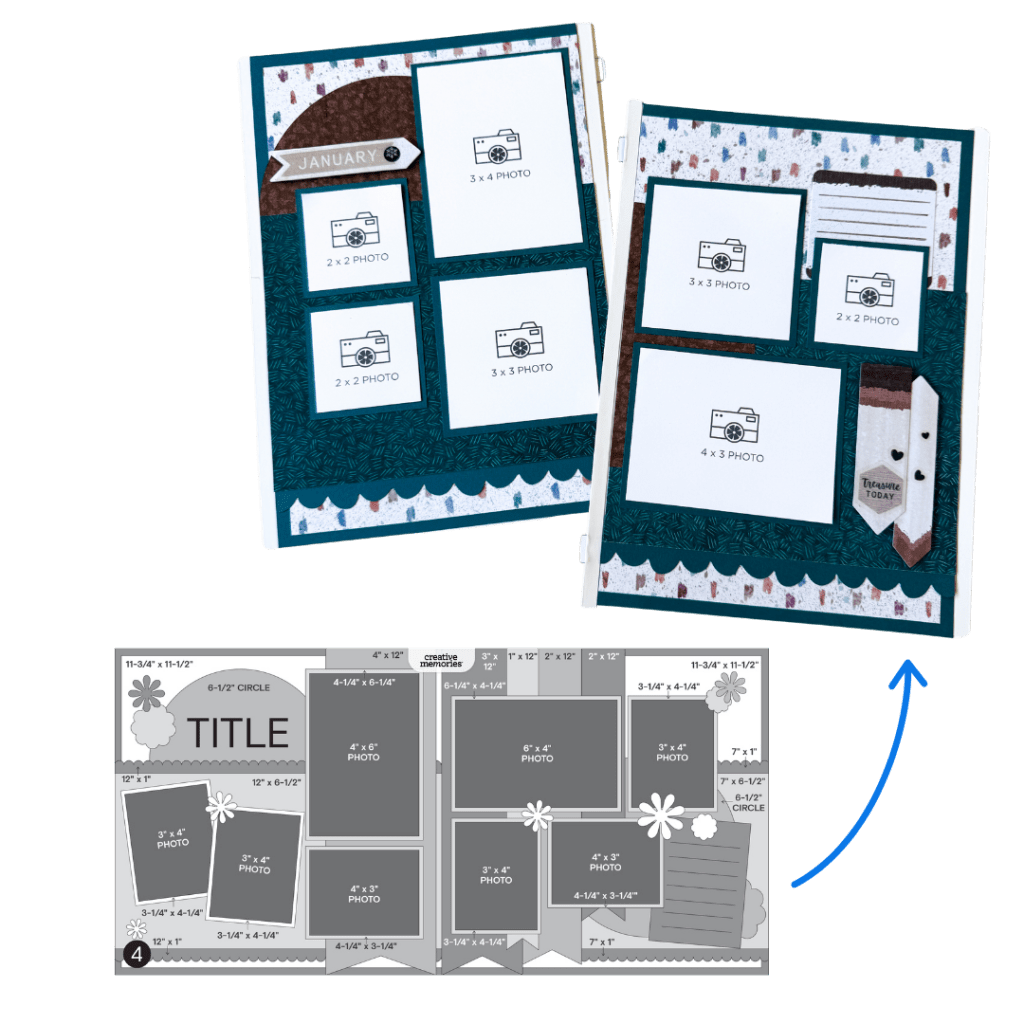
Sketch by Tammy M., Creative Memories Design Team Contributor
Layout by Debbie P., Creative Memories Design Team Contributor
The Sketches
Sketch #1 — #CMVirtualCrop1January2026 #FullSize2FunSize
Sketch #2 — #CMVirtualCrop2January2026 #FullSize2FunSize
Sketch #3 — #CMVirtualCrop3January2026 #FullSize2FunSize

Sketch #4 — #CMVirtualCrop4January2026 #FullSize2FunSize
Things to Remember
When adapting 12″ x 12″ sketches to Scrap Journal pages, remember:
- Think smaller scale
- Simplify when needed
- Focus on preserving the structure, not every detail
- Edit thoughtfully rather than shrinking everything proportionally
- Less can absolutely be more!
Share your Scrap Journal recreations in the Virtual Crop Facebook group with the hashtags above. It’s always inspiring to see how each sketch takes on new life in a different format..


What a great article! These are super tips. I was thinking that although I don’t use the 6.5×10 size albums, I love the 6×12 peekaboo pocket pages. I will apply these suggestions to jazz up my pocket pages.
Thanks for sizing down the 12×12 sketches to the scrap journal size. I started a group for beginners with the scrap journal and was just thinking about how to conform the 12×12 layouts to the scrap journal pages and you saved me a lot of time. Thank you!
It would be awesome if there was a “fun sized” sketch guide for each virtual crop that we could print too!
Super helpful–have been struggling with completing my Happy Journals! Thank You !
Can you do this for 8×8 pages? It would be so helpful! And, I agree, consider providing these sketch guides for every virtual crop! They really help! And, of course, a pdf would be nice.