June 5, 2026
April Virtual Crop’s Full Size to Fun Size Sketches are Here!
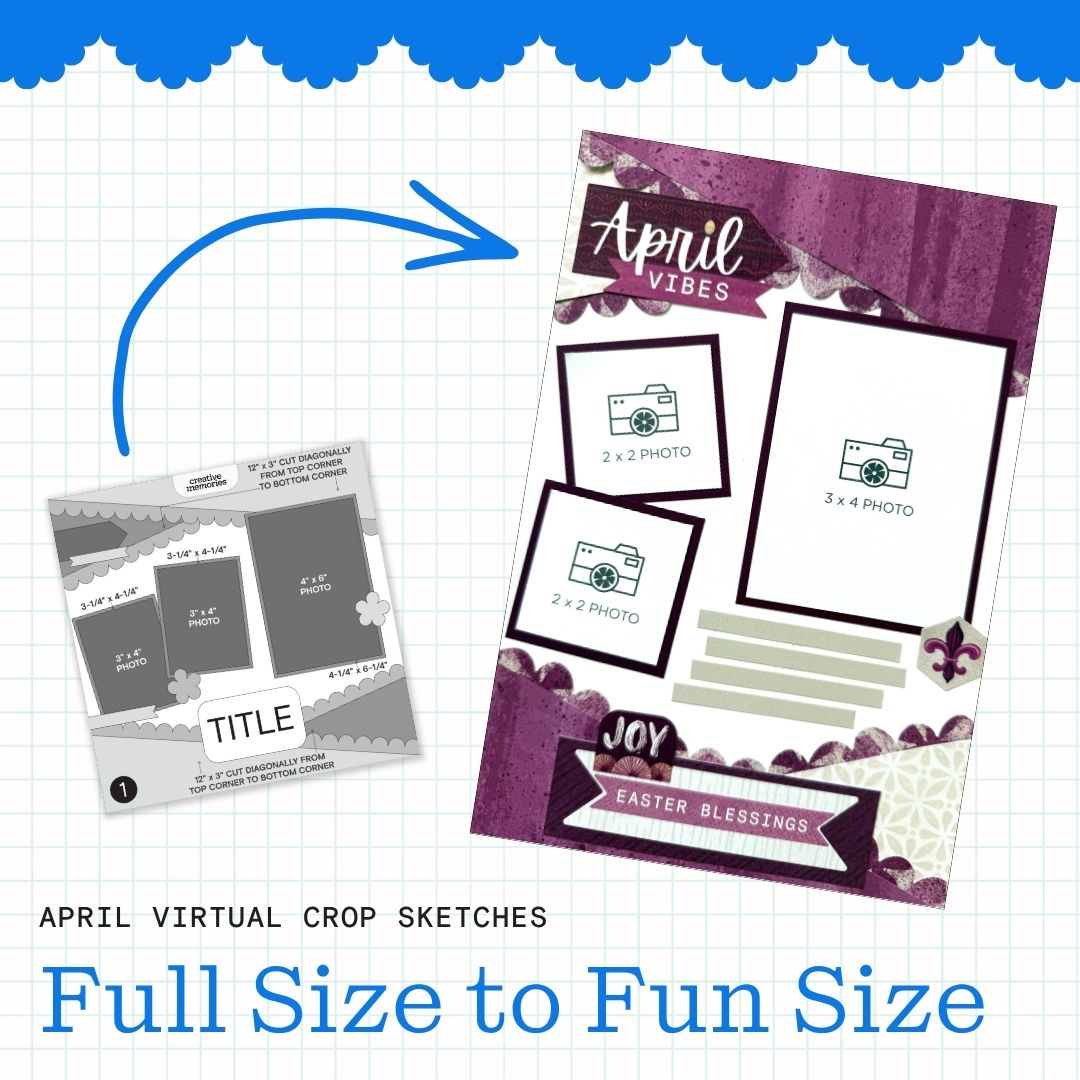
As more scrapbookers fall in love with Creative Memories’ Scrap Journal, adapting 12″ x 12″ Virtual Crop sketches from the Virtual Crop Group to fit 6.75″ x 10″ pages becomes a fun creative challenge! The most important thing to keep in mind is that every element is simply on a smaller scale, but you are not limited to sticking to the sketch exactly!
Because you’re converting from a square page to a rectangle, proportionally shrinking everything doesn’t always work. While you can calculate ratios, that approach doesn’t necessarily create the most balanced result. Instead, focus on preserving the integrity of the sketch while adjusting elements in a way that feels natural on a slimmer page.
That also means not every element needs to make the transition. There simply isn’t as much real estate on a 6.75″ x 10″ page, and that’s perfectly fine! We hope you use this blog post as a way to inspire you to create something that fits in your Scrap Journal, and hopefully you have fun doing it!
Photo Sizing Tips for Scrap Journal Pages
When resizing layouts, photo sizes often shift, too. Instead of your standard sizes, consider downsizing slightly to accommodate more photos on your page.
- 3″ x 4″ or 4″ x 3″
- 2″ x 3″ of 3″ x 2″
- 3″ x 3″
- 2″ x 2″
These sizes are easy to print at home or with your favorite photo processor by creating collages with various apps or creative websites such as Canva. For more tips on printing at a smaller scale, check out this video! That said, larger prints still work beautifully as focal points. A 4″ x 6″ or even a 5″ x 7″ photo can anchor a Scrap Journal page when you want one standout image.
Layout Inspiration

This layout stays very close to the original sketch and shows how easily some designs can be adapted to the Scrap Journal format.
To recreate the diagonal pieces at the top and bottom of the page, start with rectangles measuring 6.75″ x 2.5″ and trim them diagonally. Add a border punch in a contrasting color or use a decorative blade on the 12-inch Trimmer to create additional detail.
The title and subtitle fit nicely at the top and bottom of the page, while an embellishment cluster along the right side helps create a visual triangle that guides the eye around the layout. Finish the page with a journal box or a few strips for journaling. Write On Sticker Strips are always a great option, but paper strips work just as well.
Photo sizes: Two 2″ x 2″ and one 3″ x 4″
Sketch by Sandra G., Creative Memories Design Team Contributor
Layout by Debbie P., Creative Memories Design Team Contributor

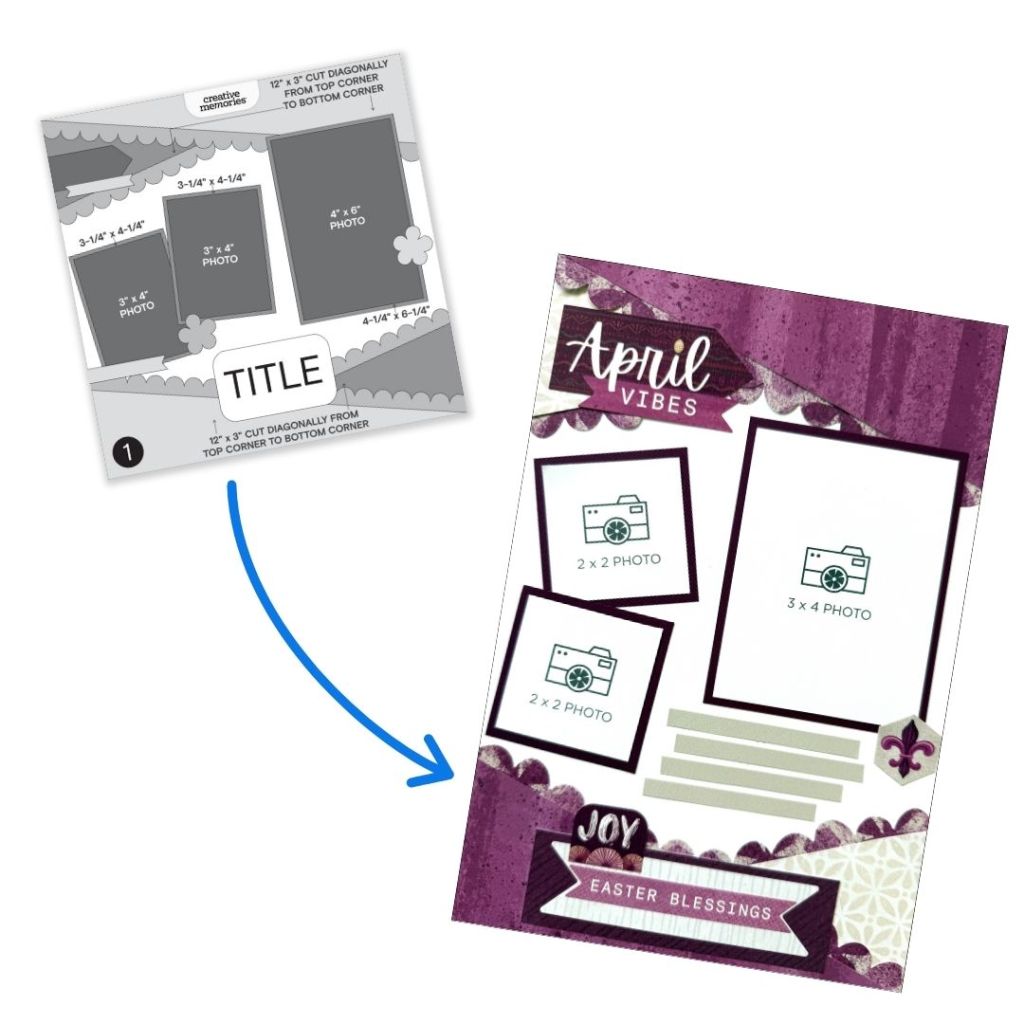
This layout is also very similar to the original sketch. As with many Scrap Journal adaptations, one or two elements may need to be removed to better fit the smaller page size. For this version, the horizontal border element was omitted. If desired, it could easily be added back using a border punch or a strip cut with a decorative blade on the 12-inch Trimmer.
One fun detail on this layout is the use of a collection mat. Part of the mat becomes a journaling area at the bottom of the page, while another section is used to anchor the title and embellishments at the top. Even with four different patterned papers, the layout doesn’t feel busy. Matting the photos with solid cardstock helps separate the patterns and keeps the page feeling balanced.
Photo sizes: One 3-1/2″ x 5-1/2″ and one 2″ x 2″
Sketch by Sandra G., Creative Memories Design Team Contributor
Layout by Debbie P., Creative Memories Design Team Contributor

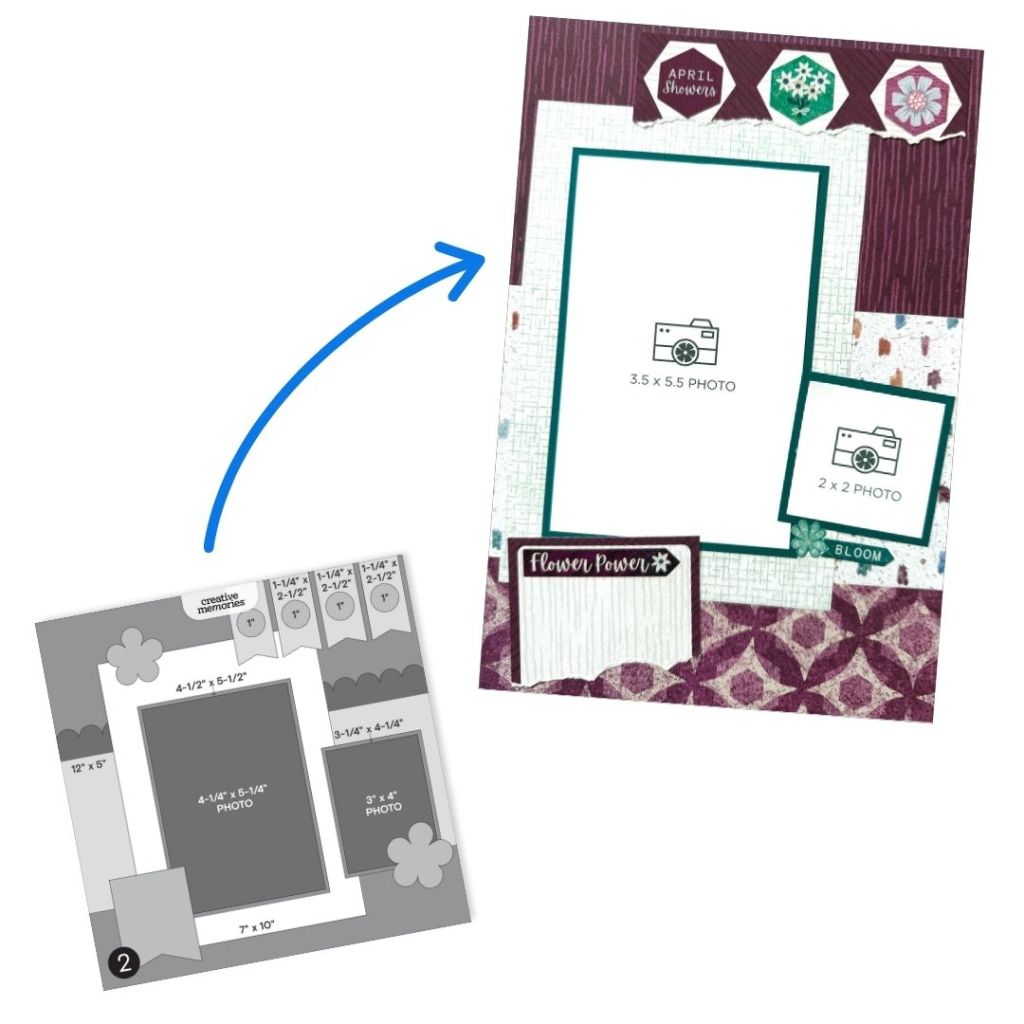
A combination of portrait, landscape and square photos makes this two-page layout perfect for documenting a special day or event.
Just like the original sketch, decorative borders help frame the design. A border punch works well across the top, while Custom Cutting System Pattern Cuts add interest along the bottom. One advantage of using the CCS Patterns in a Scrap Journal is being able to choose exactly which portion of the design you want to feature.
Clear stickers from the collection add subtle layers of color behind the embellishment clusters, while Foam Squares help create dimension. A journal box would work well on this layout, but a few strips for journaling can also help move the eye across both pages and tie the spread together.
Photo sizes: One 6″ x 4″, one 3″ x 4″ and two 3″ x 3″
Sketch by Sandra G., Creative Memories Design Team Contributor
Layout by Debbie P., Creative Memories Design Team Contributor

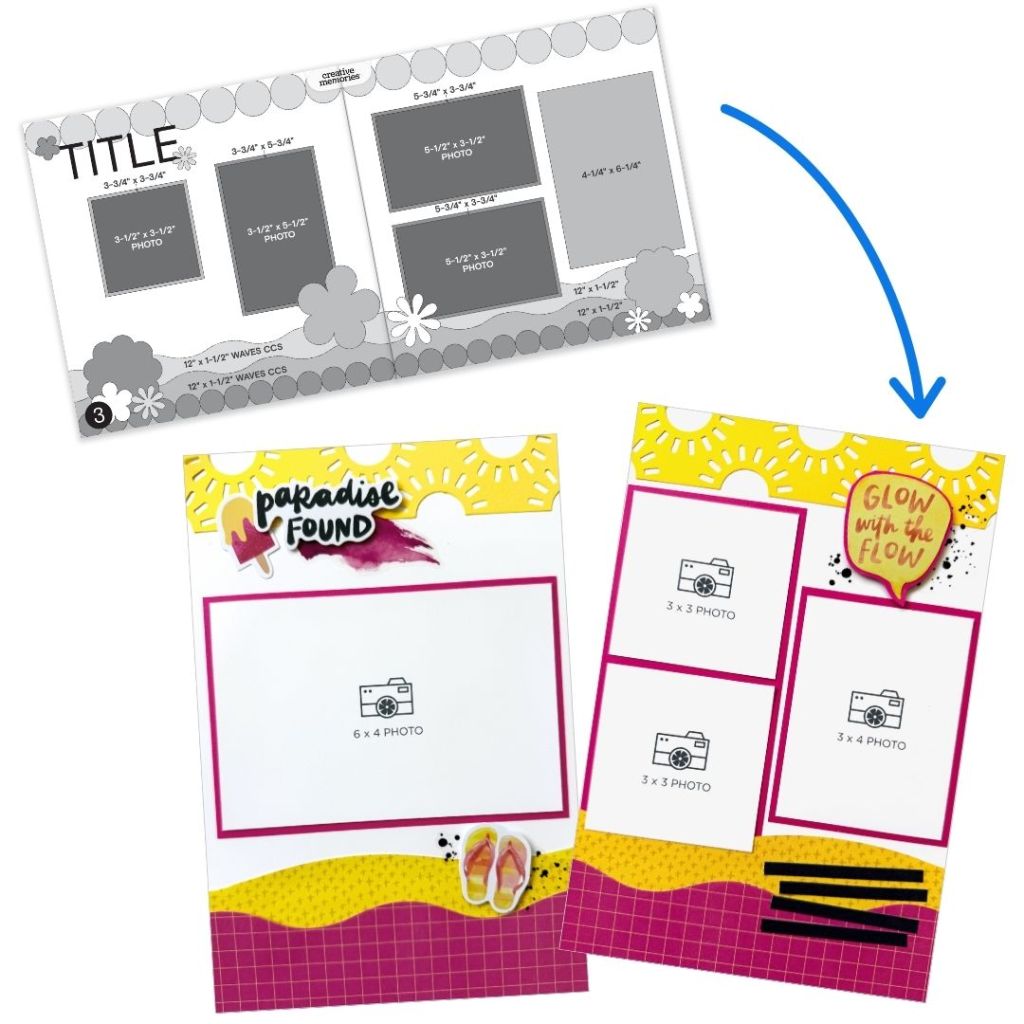
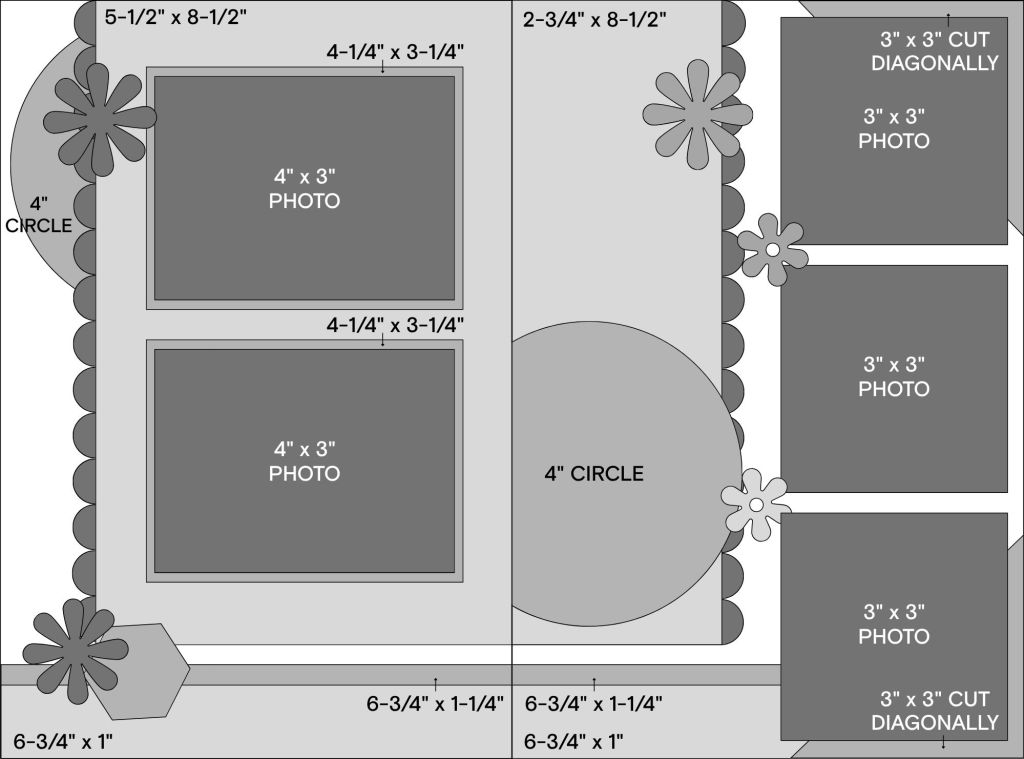
Smaller photos were really all it took to adapt this sketch to the Scrap Journal format. The white background combined with the white found in the patterned papers helps balance some of the busier designs and keeps the photos as the focal point. The “Yay for You” mat from the collection was cut into a circle using the smallest circle pattern from the Custom Cutting System with the Green Blade. By slightly angling the words, part of the circle could extend onto the opposite page, creating a look similar to the original sketch.
To fit three photos on the right page without individually matting them, triangles of cardstock were added to the top and bottom corners. This adds color and helps frame the photos while keeping the layout clean. The bottom border pieces were cut using the Scallop Blade on the 12-inch Trimmer. The Pink Razzleberry cardstock helps break up the patterned papers while coordinating with the photo mats. This layout has room for plenty of photos while still feeling fun, bright and balanced.
Photo sizes: Two 4″ x 3″ and three 3″ x 3″
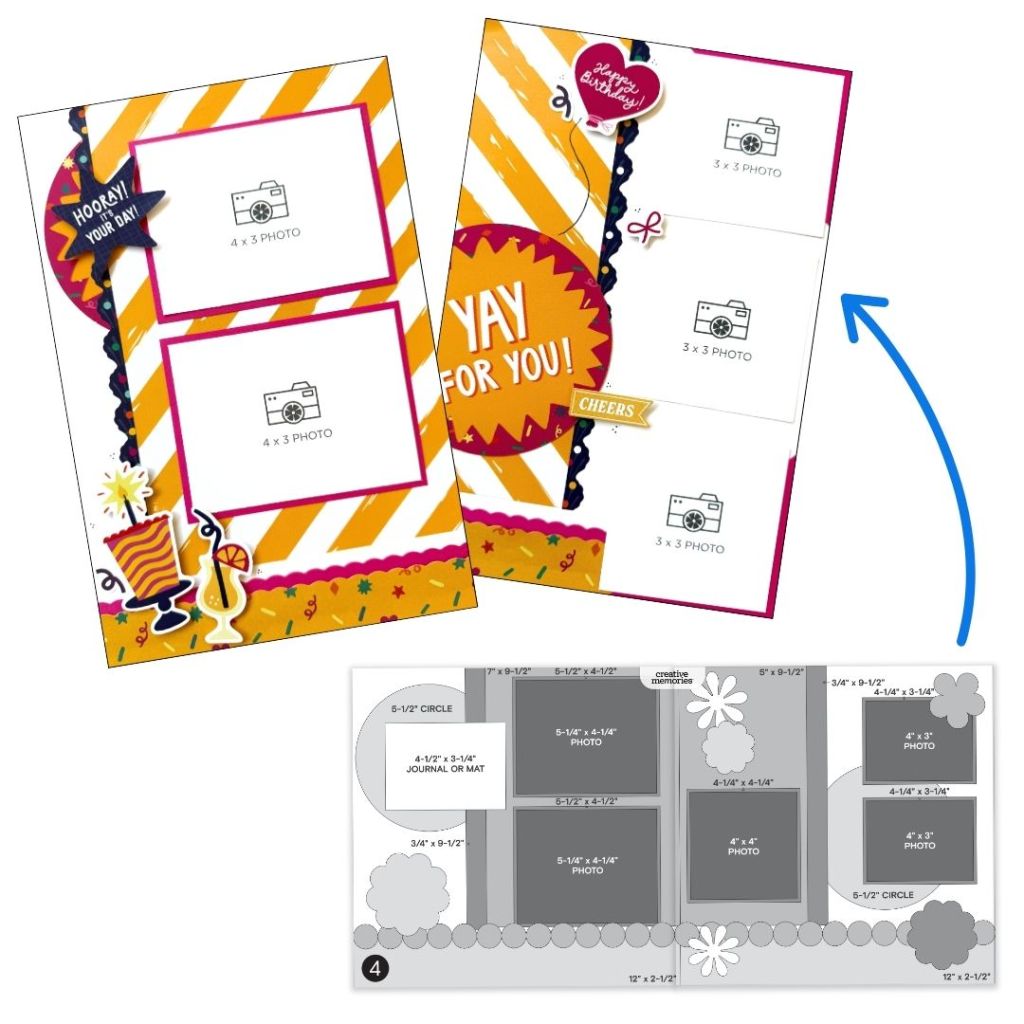
Sketch by Sandra G., Creative Memories Design Team Contributor
Layout by Debbie P., Creative Memories Design Team Contributor
The Sketches
Sketch #1 — #CMVirtualCrop1April2026 #FullSize2FunSize
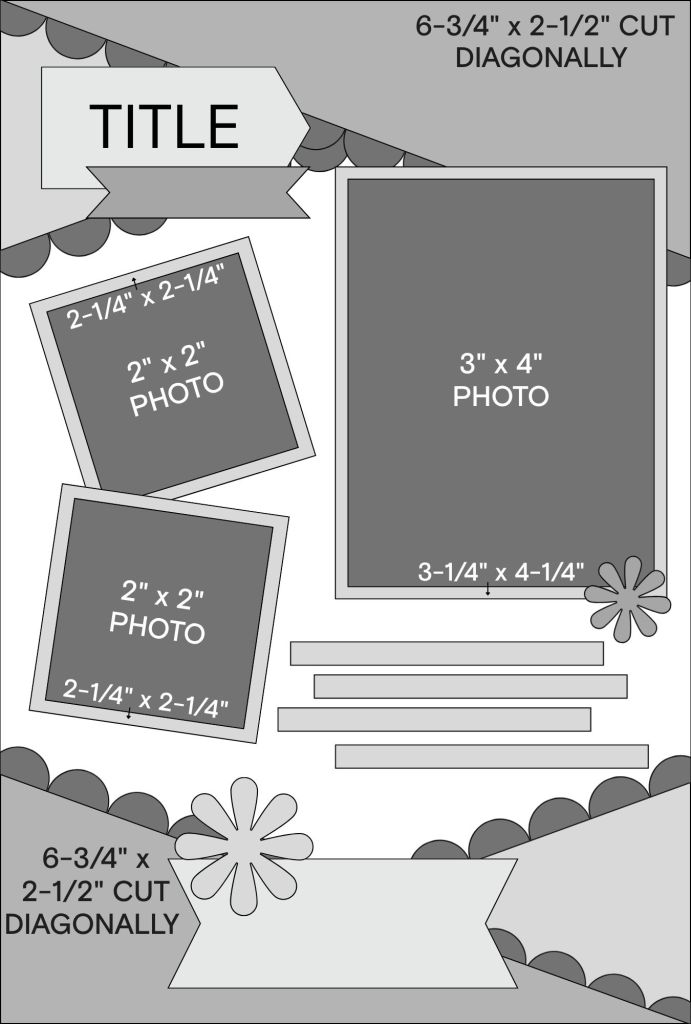
Sketch #2 — #CMVirtualCrop2April2026 #FullSize2FunSize
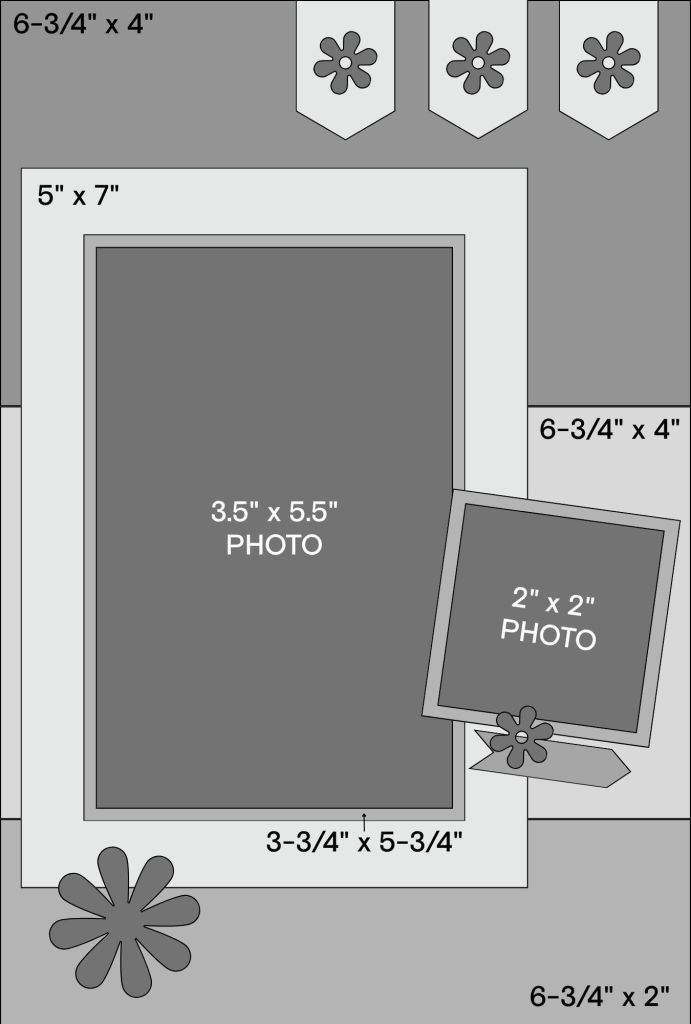
Sketch #3 — #CMVirtualCrop3April2026 #FullSize2FunSize
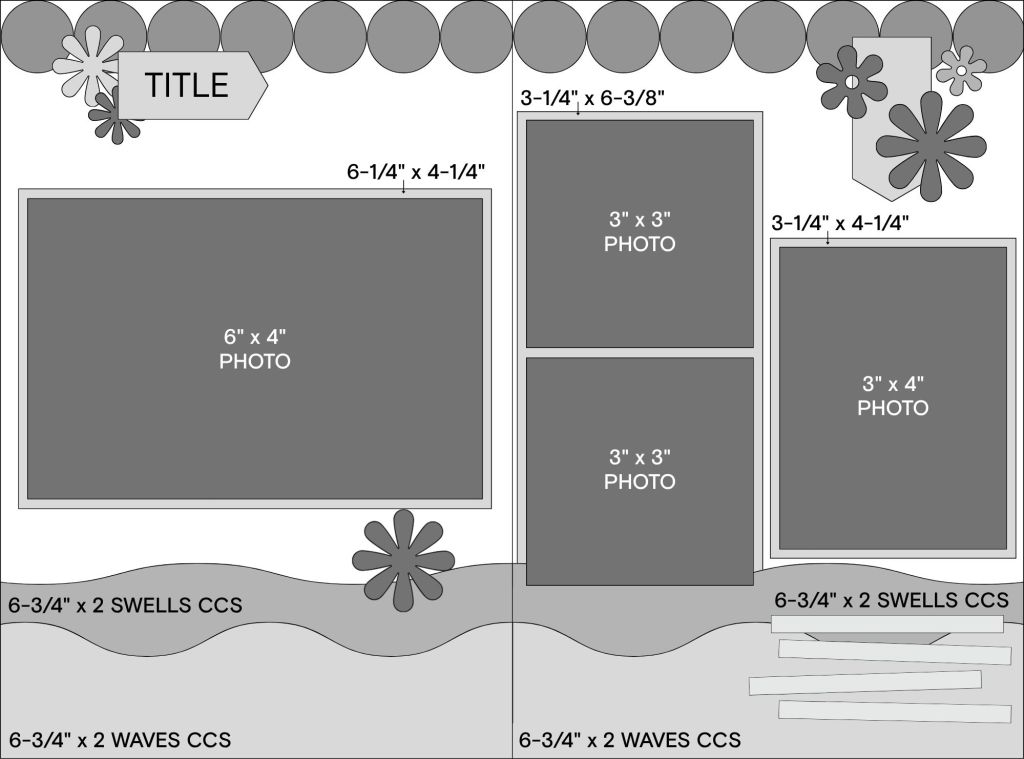
Sketch #4 — #CMVirtualCrop4April2026 #FullSize2FunSize
Things to Remember
When adapting 12″ x 12″ sketches to Scrap Journal pages, remember:
- Think smaller scale
- Simplify when needed
- Focus on preserving the structure, not every detail
- Edit thoughtfully rather than shrinking everything proportionally
- Less can absolutely be more!
Share your Scrap Journal recreations in the Virtual Crop Facebook group with the hashtags above. It’s always inspiring to see how each sketch takes on new life in a different format.
P.S. Are YOU a member of the Virtual Crop Group? It’s your go-to place for MONTHLY Virtual Crops, MONTHLY Completed Album Challenges, QUARTERLY Secret Box Openings with project tutorials and so much more! We hope you’ll join our community of more than 53,000 fellow memory-keeping enthusiasts — you’ll feel right at home!


These are fabulous! Lovely job!
These are so cool! Thank you for resizing everything for us.