October 26, 2026
It’s Time for the October Completed Album Challenge PLUS Mix, Match & Stagger with Blackout Brush
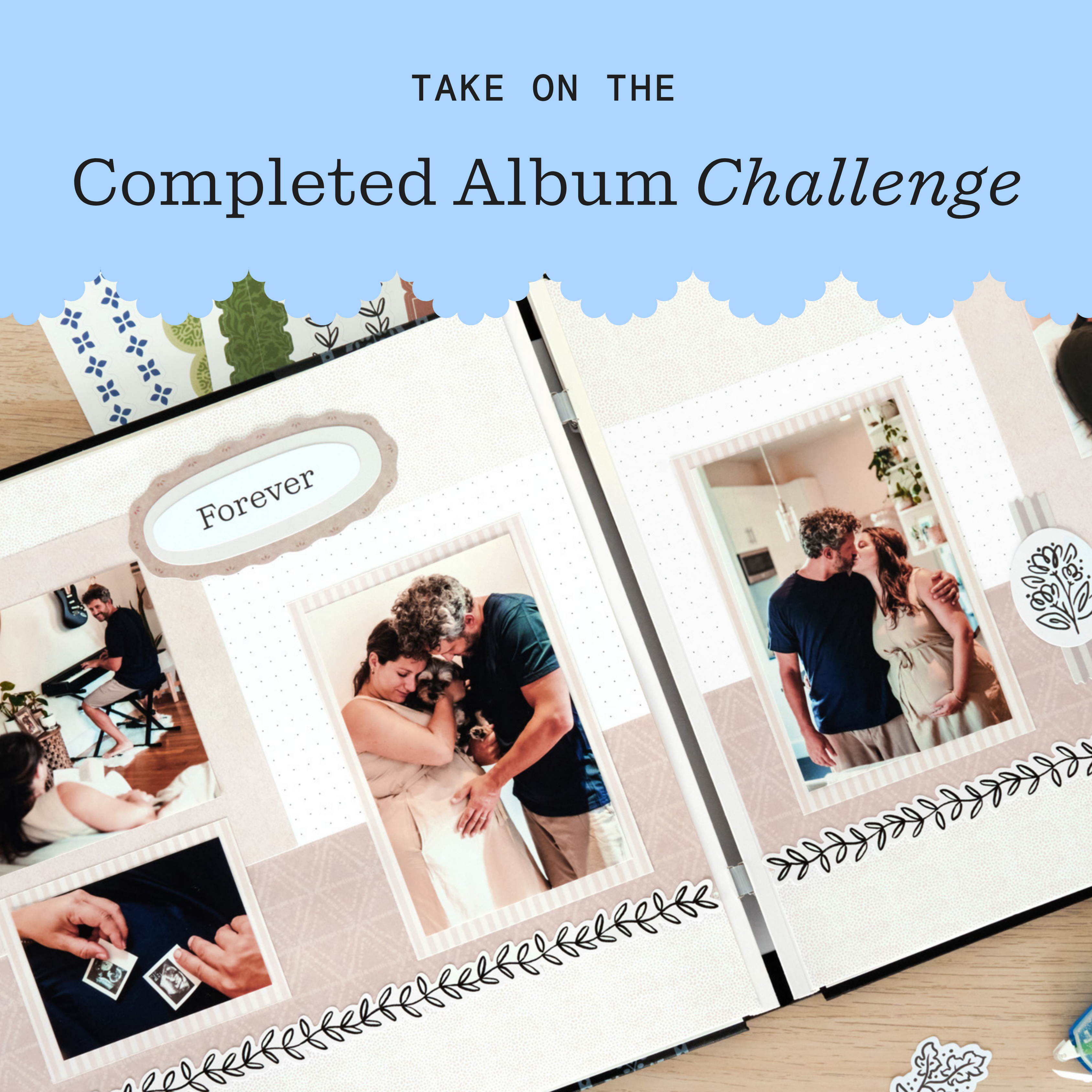
Finished an album this month? Now’s the perfect time to head over to the Virtual Crop Group and show it off during the October Completed Album Challenge! If you need inspiration to get those last few pages done, check out the layout below to document your favorite memories!
Once you have completed your album (it does not need to be from start to finish in October, just completed in October), make a short video flipping through each of the pages in your newly completed album to share. Then, post your video in the Virtual Crop Group with the hashtag #CompletedOctober2026 by Nov. 1 at 11:59pm CT (AU: 2 Nov. at 2:59pm AET) for the chance to win!
For ALL the details on the Completed Album Challenge, check out this blog post.


Love this layout?

Love this layout?
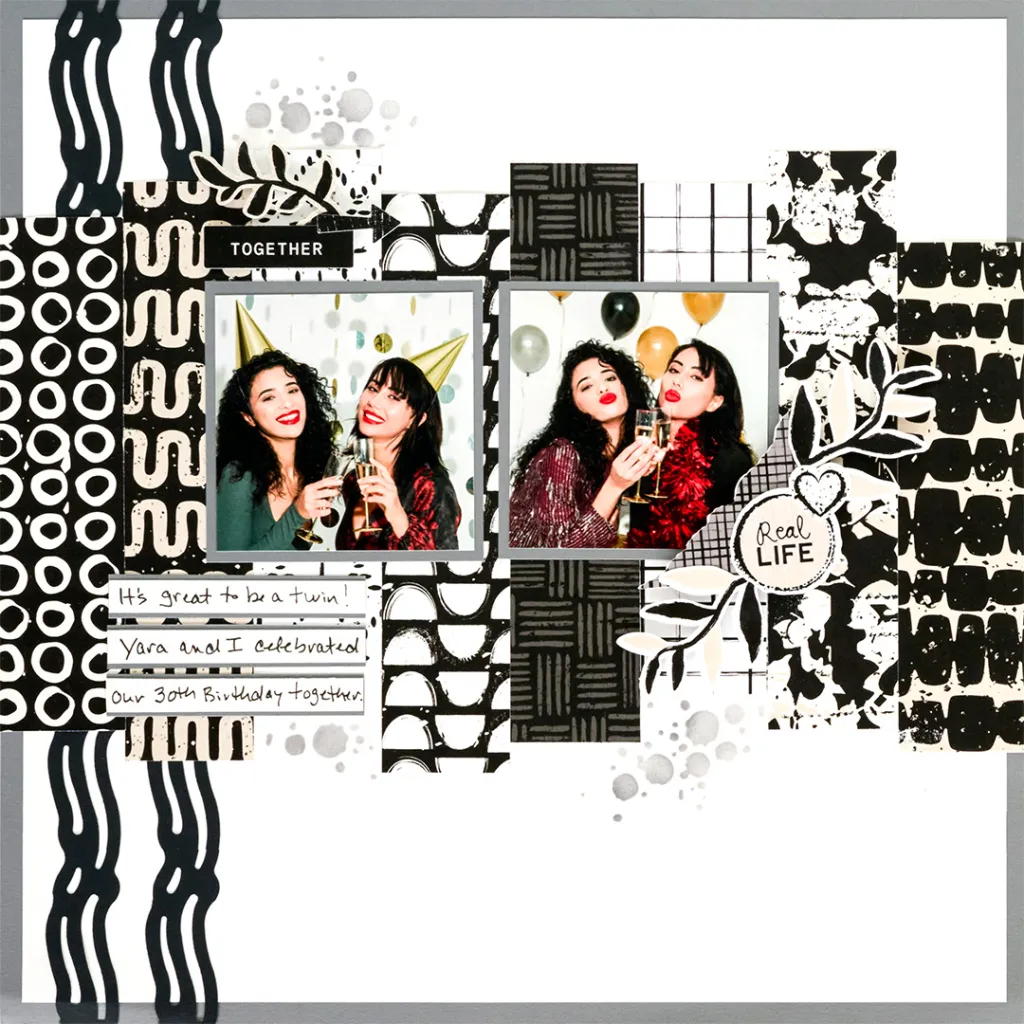
To create this layout, you will need:
- Blackout Brush Paper Pack
- Blackout Brush Stickers
- White Solid Cardstock
- Black Solid Cardstock
- Cool Gray Solid Cardstock
- 12-inch Trimmer
- Photo Trimmer
- Original Border Maker System
- Wave Crest Chain Border Maker Cartridge
- 5×5 Stencil – Splattered Elements
- Craft Blending Brush – Cool Gray
- Ink Pad – Cool Gray
- Place & Peel Tape
- Black Dual-Tip Pen
- Repositionable Tape Runner
- Foam Squares

Step 1: Cut White Solid Cardstock to 11-1/2″ x 11-1/2″ and adhere it to the center of a sheet of Cool Gray Solid Cardstock.
Step 2: Use the Original Border Maker System with the Wave Crest Chain Border Maker Cartridge to punch two borders from Black Solid Cardstock. Adhere the borders to the left side of the layout as shown.
Step 3: Cut a 1-1/2″ x 6″ strip each from the inky circles, diamonds, white grid and ink wave designer papers.
Step 4: Cut a 1-1/2″ x 6-3/4″ strip each from the squiggle, half moons, crosshatch and abstract foliage designer papers.
Step 5: Beginning at the left edge of the layout, stagger the heights of the strips and adhere them to the layout as shown.
Step 6: Cut two 3-1/4″ x 3-1/4″ photo mats from Cool Gray Solid Cardstock.
Step 7: Crop two photos to 3″ x 3″ and adhere them to the photo mats. Adhere the matted photos to the layout as shown.
Step 8: Use Place & Peel Tape to adhere the Splattered Elements Inking Stencil to the layout as shown. Use the Cool Gray Craft Blending Brush to apply Cool Gray ink through the stencil.
Step 9: Cut three 3″ x 1/2″ strips from Cool Gray Solid Cardstock. Cut three 3″ x 3/8″ strips from White Solid Cardstock.
Step 10: Use a Black Dual-Tip Pen to add journaling to the strips and adhere them to the layout as shown.
Step 11: Use Foam Squares to adhere stickers as shown for added dimension.

Want to recreate this layout?
We’ve gathered all the products featured in this project in one place, making it easy to find the papers, embellishments, tools and more.
P.S. Are YOU a member of the Virtual Crop Group? It’s your go-to place for MONTHLY Virtual Crops, MONTHLY Completed Album Challenges, QUARTERLY Secret Box Openings with project tutorials and so much more! We hope you’ll join our community of more than 53,000 fellow memory-keeping enthusiasts — you’ll feel right at home!

