January 12, 2024
January 2024 Virtual Crop

2024 is here, and so is the FIRST Virtual Crop of the year! Get your scrapbooking supplies ready and let’s kick off the year on the right note — with a burst of creativity through scrapbooking!
Psst, mark your calendar for the dates listed at the bottom of this post so you can be ready for all the upcoming Virtual Crops of the year, and you’ll want to make sure to print off your 2024 Virtual Crop Tracker, too!
If this is your first time participating in a Virtual Crop and you would like a quick step-by-step guide of what to expect before you jump in, you can get ALL the details about Virtual Crops in this blog post, including how to participate (in our Virtual Crop Facebook Group), supplies you’ll need, examples of challenges, the types of prizes and more.
Know what you’re looking for? Find it faster here:
In this post, you will find ALL 4 sketches for this crop (these 4 sketches are for the entire weekend; no additional sketches will be posted), a downloadable PDF with the 4 sketches for your convenience, hashtags to use when posting your challenge layouts in the Virtual Crop Facebook Group, prize information and layout inspiration. This is about to be an amazing weekend and we can’t wait to see what you create!
To ensure we see all your submissions for the chance to win, you’ll want to post each layout you complete as its own new post with the hashtag for that challenge. You have until Tuesday, Jan. 16, at 11:59pm CT (AU: Wednesday, 17 Jan., at 4:59pm AEDT) to submit your layouts for the chance to win a prize (more details on what you can win further down this post!). Again, we’re so excited that you’re here — happy scrapping!


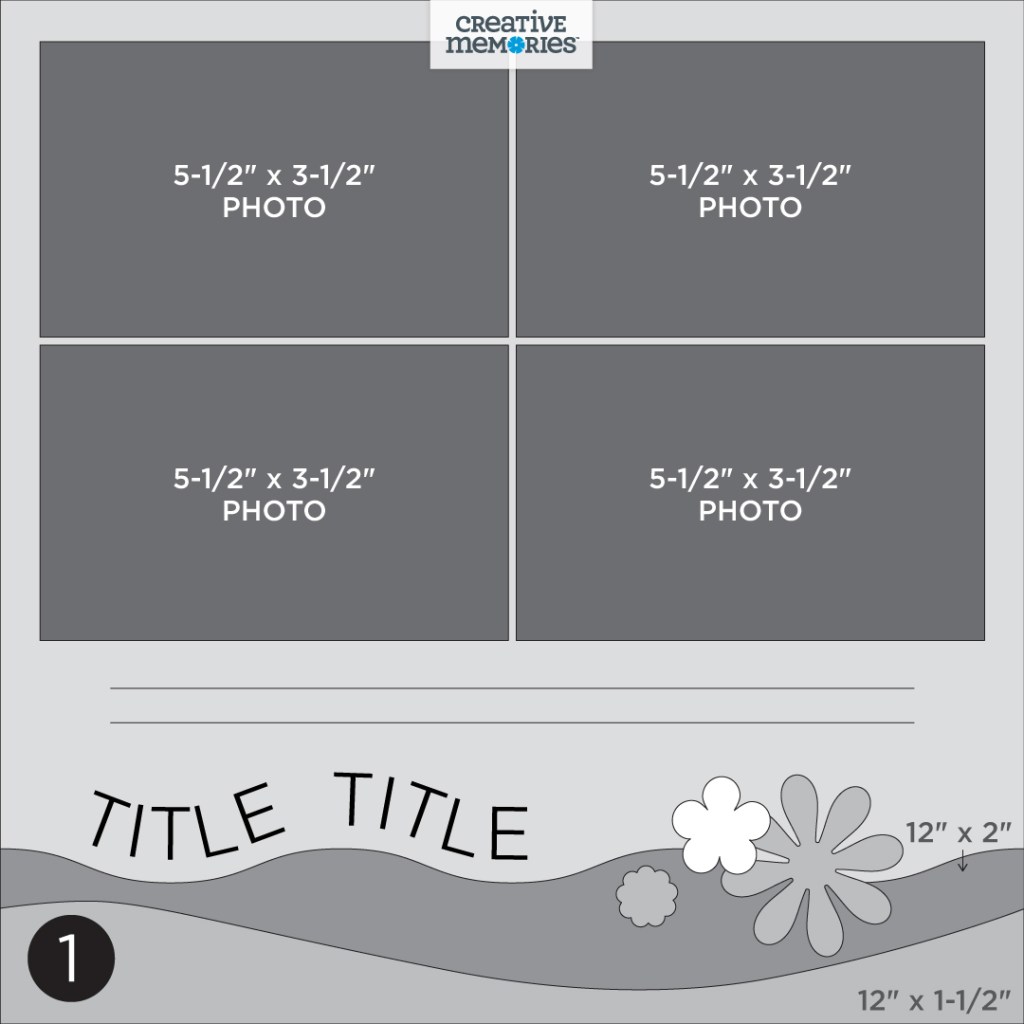
Challenge #1 — #CMVirtualCrop1January2024
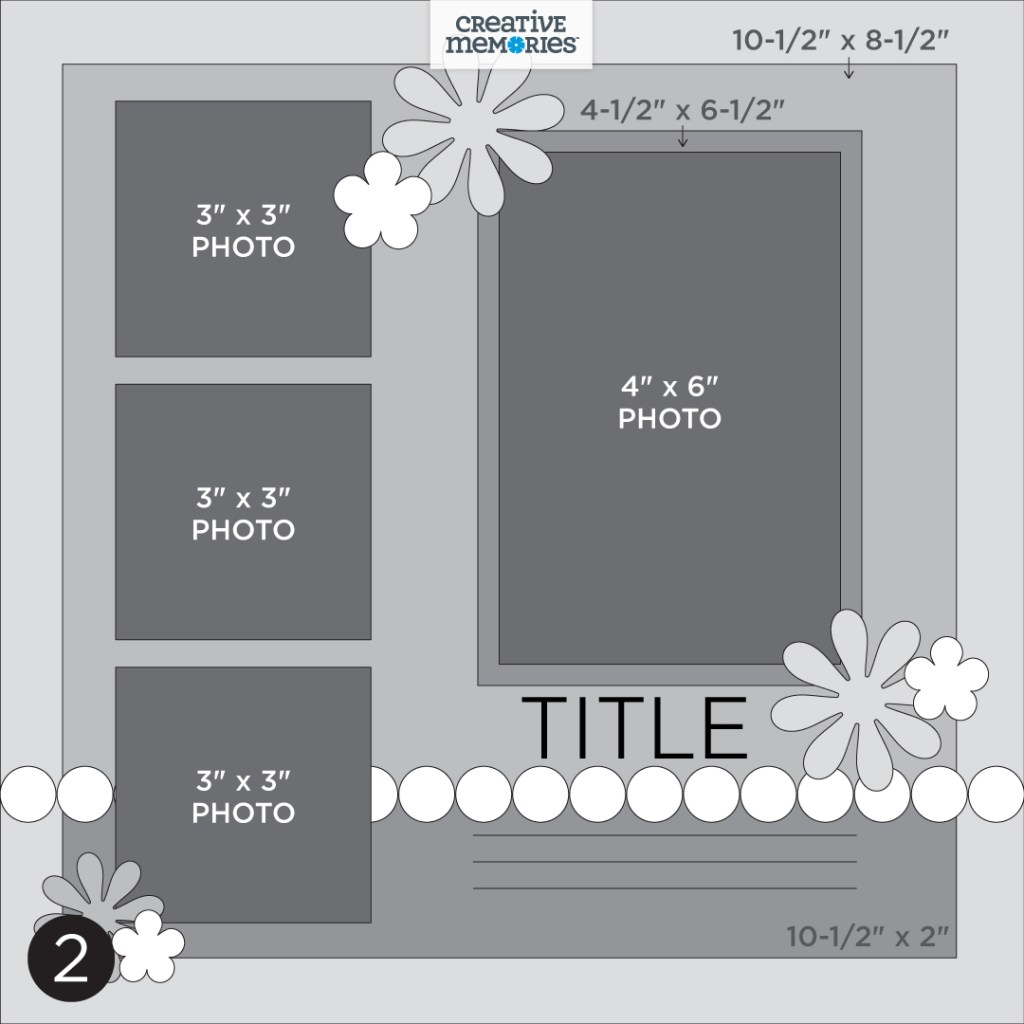
Challenge #2 — #CMVirtualCrop2January2024
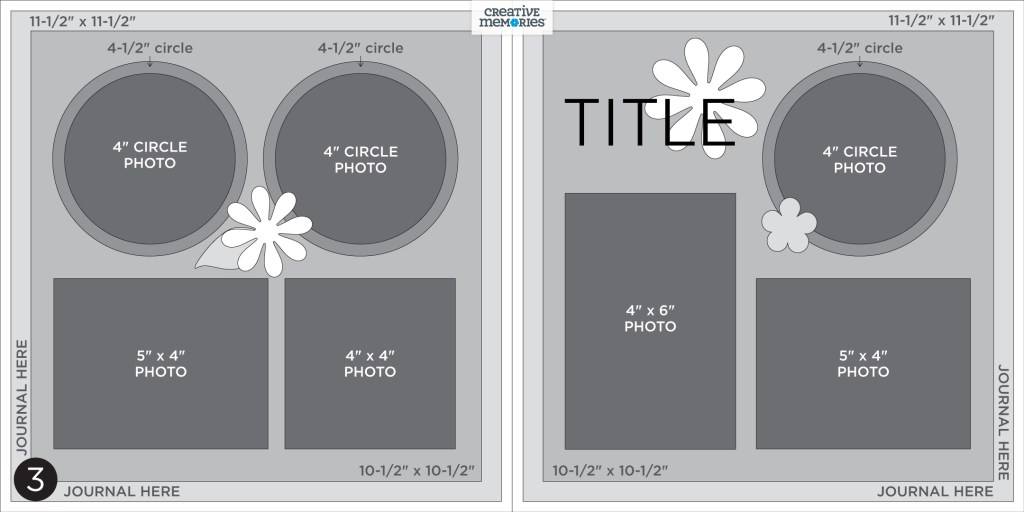
Challenge #3 — #CMVirtualCrop3January2024
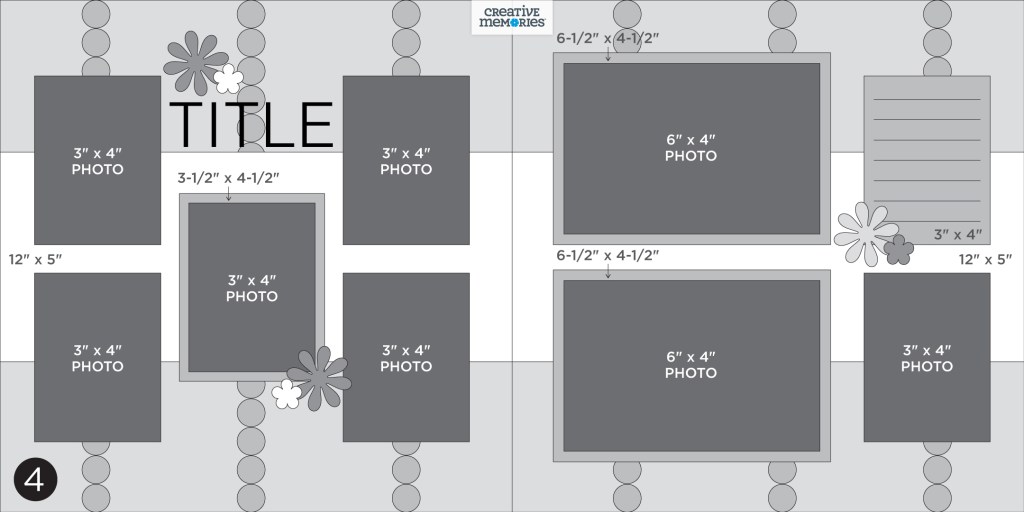
Challenge #4 — #CMVirtualCrop4January2024

View the rules and how prizes are awarded here ?


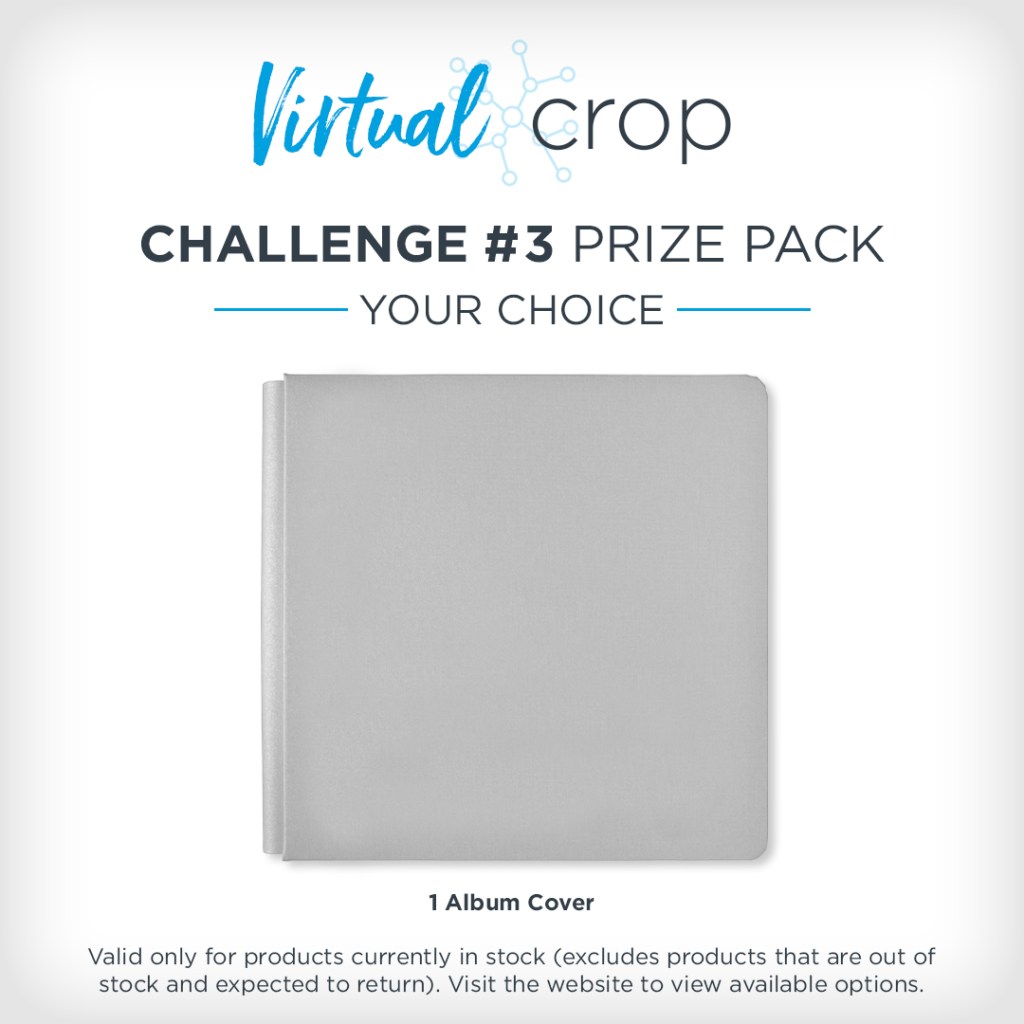

NOTE: The Prize Pack will be awarded to one (1) participant in each challenge. Valid only for products currently in stock (excludes products that are out of stock and expected to return).
We will award the prizes randomly, but to win, it must be evident you used the sketch we provided as inspiration to create a project using predominantly Creative Memories products. You have until Tuesday, Jan. 16, at 11:59pm CT to submit your layout(s). Prize winners will be announced on Thursday, Jan. 18, at noon CT (AU: Friday, 19 Jan.).

Challenge #1

Collection Used: This Life or (Shop Canada | Shop Australia)
Noreen’s Tip: “I traced one edge of the wavy Titletopia template onto the orange paper and then cut out the wavy strip with Micro-Tip Scissors for a fun border. Then I used the same wavy edge to evenly space the Mini ABC/123 Classy White Stickers before adding them along the edge of the paper strip.”
Loving the fun wavy borders and sticker title you see on Noreen’s layout? She used the Titletopia and Mini ABC/123 Bundle or (Shop Canada | Shop Australia) to add these fun features to her page, AND it’s available to purchase right now in celebration of National Sticker Day! You’ll want to act fast to secure your bundle though — they’re only available while supplies last!

Challenge #2

Collection Used: Sweet On You or (Shop Canada | Shop Australia)
Nicole’s Tip: “Highly recommend using an XL Layered Frame Embellishment if you’re looking to create a page with a bit of pizazz! The frame takes all of the guesswork of where to cluster your stickers/embellishments out of question — it comes ready to simply add a photo and adhere to the page!”
Challenge #3

Collection Used: Adventure Parks or (Shop Canada | Shop Australia)
Noreen’s Tip: “I used the White Classy Mini ABC/123 Letter Stickers along the edges of this frame style layout to add extra captions and journaling. I also traced the inner swirl of the larger Titletopia template onto a circle to use for handwritten journaling too!”
Loving the fun swirly journaling and sticker titles you see on Noreen’s layout? She used the Titletopia and Mini ABC/123 Bundle or (Shop Canada | Shop Australia) to add these fun features to her page, AND it’s available to purchase right now in celebration of National Sticker Day! You’ll want to act fast to secure your bundle though — they’re only available while supplies last!
Challenge #4
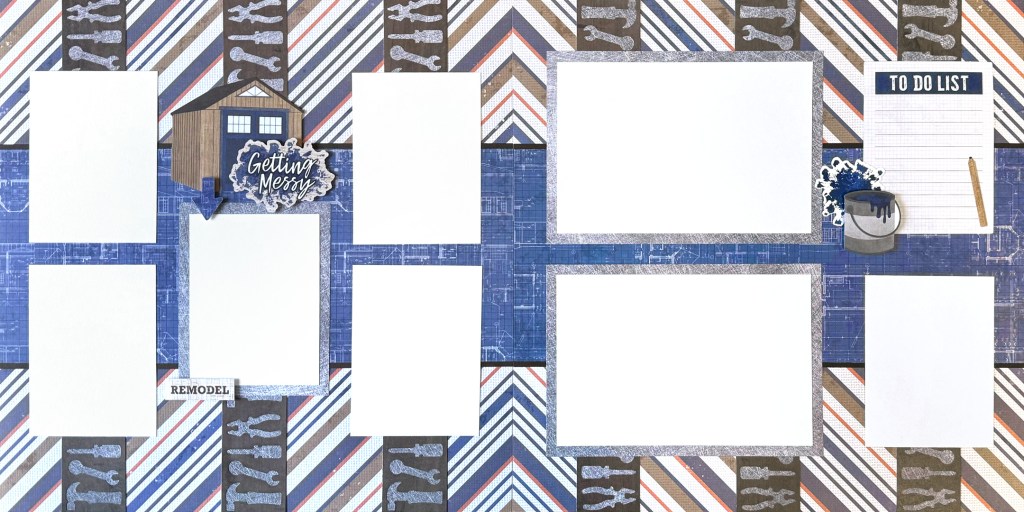
Collection Used: SNEAK PEEK (launching Jan. 15) Riveting Collection
Nicole’s Tip: “When creating a two-page spread using papers with a diagonal pattern as the base, you can be intentional with the way you rotate the pages so that the diagonal lines match up — this helps give the feeling of a continuation of one pattern instead of two separate pages.”
Virtual Crop Tracker
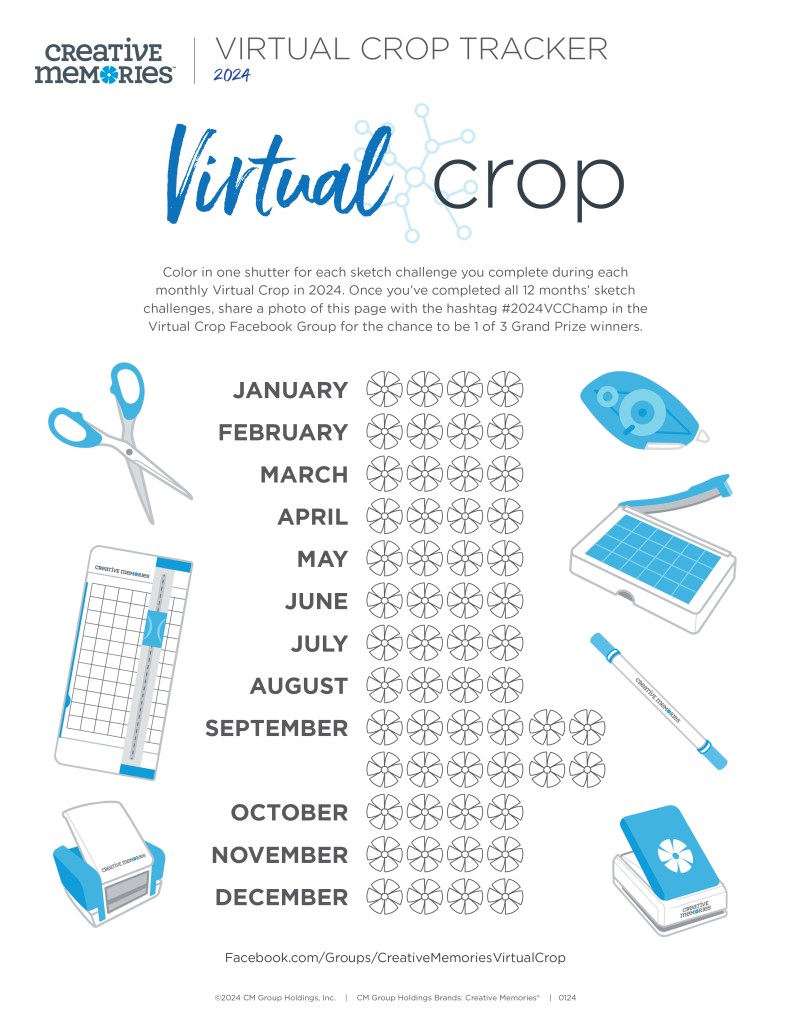
New in 2024! We’ve put together a Virtual Crop Tracker for you to help you see how many Virtual Crop sketch challenges you complete throughout the year!
Color in one shutter for each sketch challenge you complete during each monthly Virtual Crop in 2024. Once you’ve completed all 12 months’ sketch challenges (that’s 56 completed pages you’ll be adding to your albums), share a photo of your colored-in page with the hashtag #2024VCChamp in the Virtual Crop Facebook Group for the chance to be 1 of 3 Grand Prize winners!
Also, make sure to check out our public Facebook Page on National Sticker Day (Saturday, Jan. 13) at 9am CT to get details on a giveaway! (AU: Sunday 14 Jan.)

Mark Your Calendar!
You’ll want to mark the following 2024 Virtual Crop dates on your calendar! We look forward to ALL the fun we’re bound to have the rest of the year!
- February Virtual Crop: Feb. 9 (AU: 10 Feb.)
- March Virtual Crop: March 8 (AU: 9 March)
- April Virtual Crop: April 12 (AU: 13 April)
- May Virtual Crop: May 10 (AU: 11 May)
- June Virtual Crop: June 14 (AU: 15 June)
- July Virtual Crop: July 12 (AU: 13 July)
- August Virtual Crop: Aug. 9 (AU: 10 Aug.)
- September Worldwide Virtual Crop (WWVC): Sept. 12 (AU: 13 Sept.)
- October Virtual Crop: Oct. 11 (AU: 12 Oct.)
- November Virtual Crop: Nov. 8 (AU: 9 Nov.)
- December Virtual Crop: Dec. 13 (AU: 14 Dec.)
Want to try out the Virtual Crop digitally? Check out our demo of how to use Custom Refill Pages. When you complete the sketch, instead of snapping a photo of your layout, take a screenshot and submit it to the Virtual Crop Facebook Group.
- For how to take a screenshot on a Mac, get details here.
- For how to take a screenshot on a PC, get details here.
Again, thanks so much for joining us for the FIRST Virtual Crop of 2024! And comment below to let us know that you’re joining us and inviting your friends in on the fun!
P.S. Are YOU a member of the Virtual Crop Facebook Group? It’s your go-to place for MONTHLY Virtual Crops, MONTHLY Completed Album Challenges, WEEKLY LIVE STREAMING of Fast & Fun Projects with Noreen, LIVE QUARTERLY Secret Box Openings with project tutorials and so much more! We hope you’ll join our community of more than 37,000 fellow memory-keeping enthusiasts — you’ll feel right at home!
“Creativity is intelligence having fun.” – Albert Einstein

I would love to see you offer the original Titletopia with the straight edge. I use it ALL the time and would like to have another one.
Hey Kathy! Definitely email in your suggestion to the PD team via this email — they take a look at all suggestions that come through! : [email protected]
I travel a lot so I’m not always home to complete the Virtual Crop challenges during the scheduled weekend. However, I still later complete the challenges, I just don’t post them. If I complete the challenge later, am I still eligible to count it on the Virtual Crop tracker?
Hi Nancy! Yes, definitely still mark them down on your tracker! You won’t be eligible to win prizes for the monthly Virtual Crop, but if you complete all of the challenges before the end of the year, you will be eligible to win the Virtual Crop Tracker Grand Prize!
Hello! Do we need to post the layouts with the applicable hashtag to the Virtual Crop Facebook page if the layouts are completed after the virtual crop is over?
To clarify, to participate with the Virtual Crop Tracker to be eligible at the end of the year for the prize drawing do we still need to post our completed virtual crop layouts with the # even if the virtual crop has passed?
[…] scrapbook layout is wonderful for those decadent times! (You can find the original sketch on the Creative Memories blog here.) I just loved how well this layout turned out for our fancy feast in Mexico, and I wanted to […]
[…] like to keep it simple sometimes with my scrapbook pages, and this ocean scrapbook page from the Creative Memories blog is no exception, as it only took me 20 minutes to make! It brought back fun memories of my time in […]